
GPT Image 2AI 提示词
Luxury Fashion Sale Poster — Sora 2 Prompt
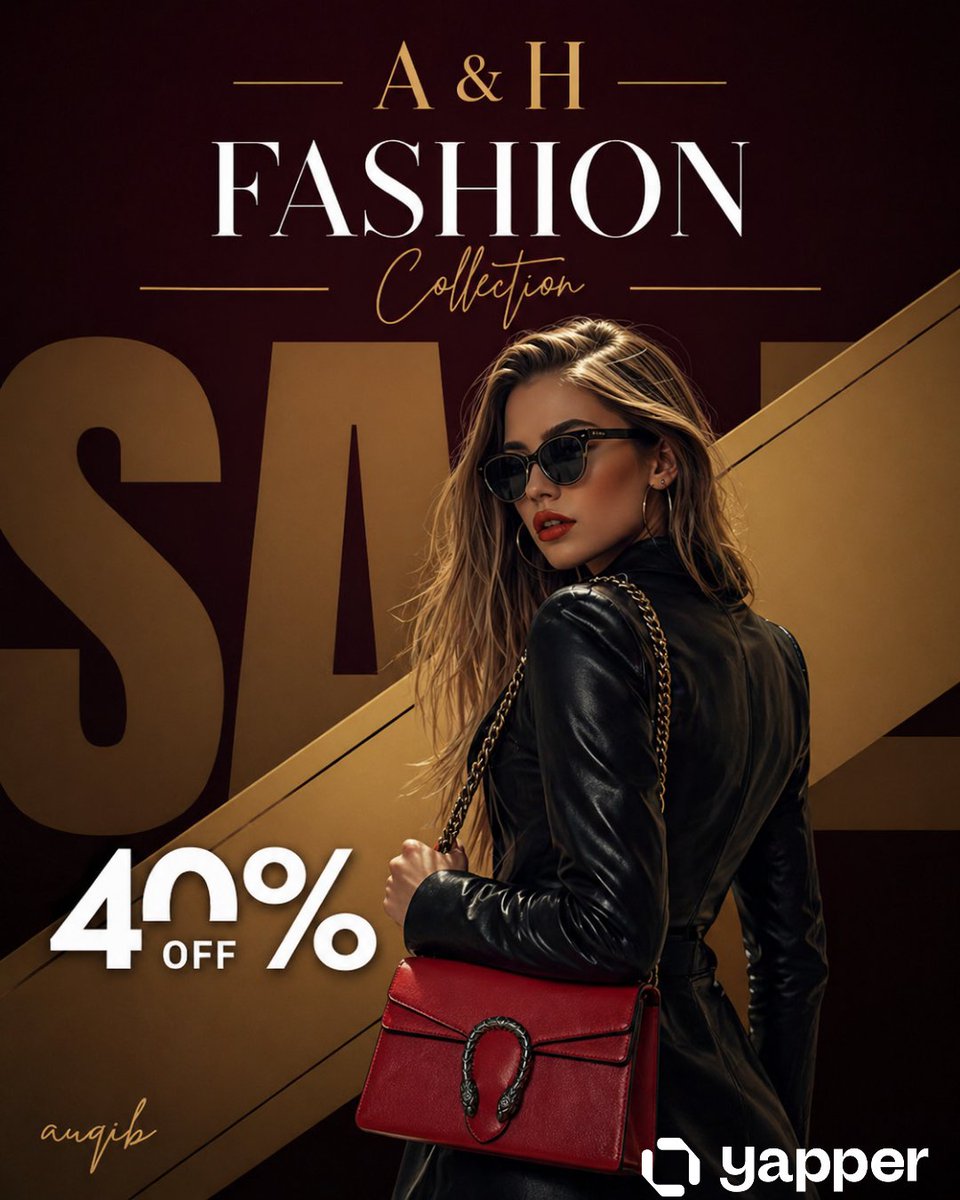
Generate a high-end editorial sale poster with a confident model, designer handbag, and dramatic studio lighting in a rich burgundy and gold palette.
提示词 · EN
奢华时尚促销海报,高级编辑风格。一位自信的高端时尚女性模特,身穿 argoutfit: 时髦的黑色皮裙和超大墨镜,手提一款 arghandbag color: 亮红色 的设计师手袋,配有金属链条肩带。姿势微微向后转,回眸凝视,气场强大。 背景:深酒红色与黑色渐变,带有柔和的晕影,并饰有一条贯穿构图的对角线金属金条。背景中有巨大的超大号褪色“SALE”字样,部分被模特遮挡。 顶部区域:优雅的金色衬线字体“argbrand: A & H”居中,两侧饰有细长的装饰线条。下方是巨大的白色衬线标题“FASHION”,其下为金色草书“Collection”。 左下角:“40% OFF”采用粗体白色现代字体,简洁明快。 在左下角添加金色手写签名“SIGNITURE”。 灯光:戏剧性的摄影棚灯光,柔和的阴影,高对比度,皮革服装和手袋上有光泽的亮点。 调色板:酒红色、黑色、金色点缀,具有强烈的对比度和奢华感。 风格:超写实,高端时尚宣传,杂志级品质,焦点清晰,4K,电影级景深,高级品牌美学。 构图:竖版海报(2:3 比例),模特略微右对齐,文字在顶部和左侧保持平衡
关于这个提示词
Generate a high-end editorial sale poster with a confident model, designer handbag, and dramatic studio lighting in a rich burgundy and gold palette. 它更适合作为 GPT Image 2 的概念艺术起点:先保留画面结构、主体关系和风格约束,再替换成你的品牌、人物或场景。
使用时优先替换 outfit、handbag color、brand 等占位符,并保持镜头、构图和材质描述的顺序不变。这样更容易获得稳定的画面结果,也方便继续做多版本对比。
如何使用这个提示词
- Copy the full prompt text from the page.
- Choose your preferred AI image generation model (e.g., Sora 2, Midjourney, DALL·E).
- Customize the variables
{outfit},{handbag color}, and{brand}to match your desired style. - Paste the prompt into your chosen model and generate the image.
- Refine or upscale the output for your final promotional use.


