
GPT Image 2AI 提示词
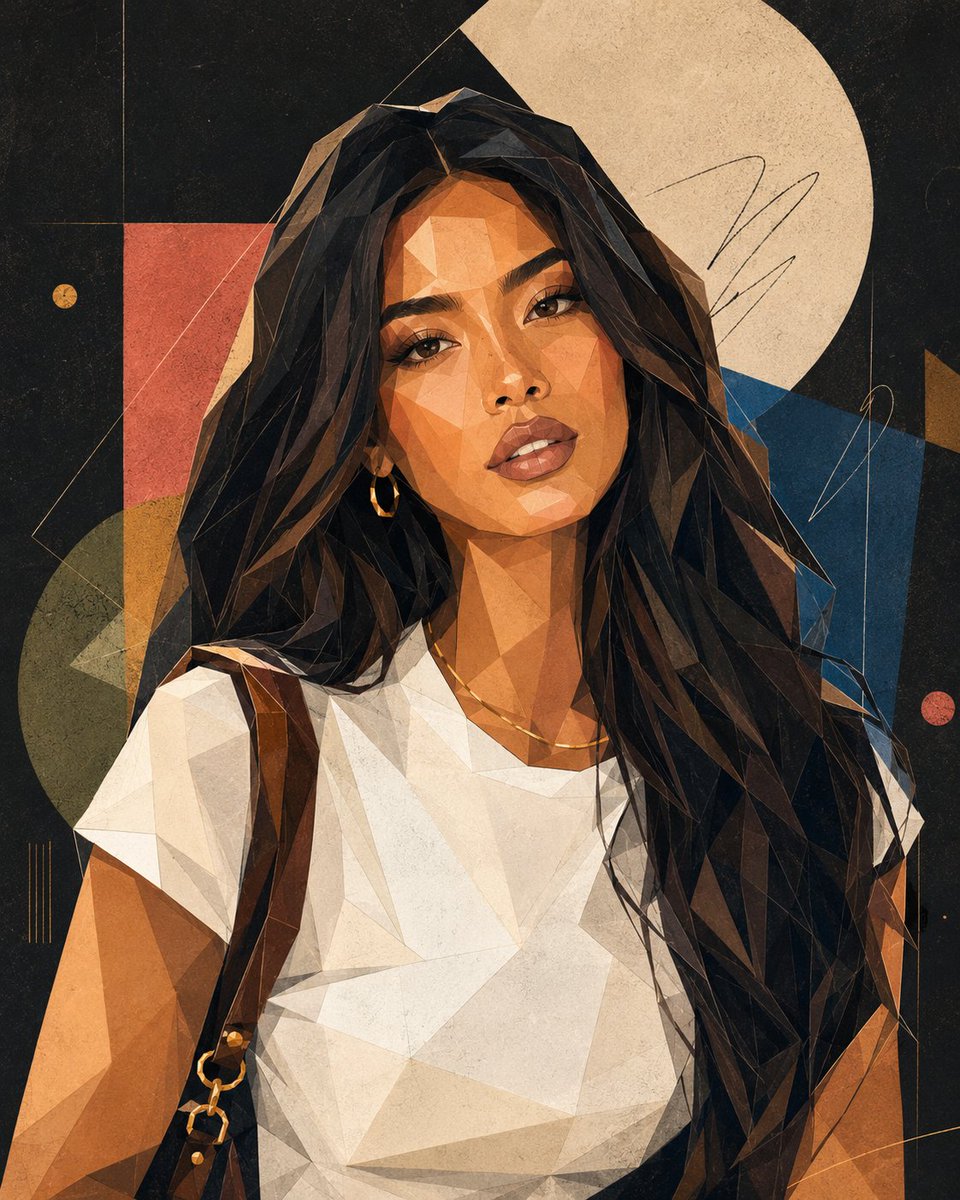
Geometric Polygon Portrait Art — Sora 2 Prompt
Transform any photo into a stunning modern geometric polygon portrait poster with sharp vector shapes, flat color blocks, and gallery-ready composition.
1 / 2
提示词 · EN
请根据上传的照片创作一张 argstyle: 现代几何多边形风格 的肖像艺术海报。必须严格保留人物特征,包括脸型、五官比例、发型轮廓、表情及整体气质,确保最终图像能清晰辨识出是同一人或公众人物。整体风格倾向于“当代几何肖像 + 时尚杂志插画 + 画廊艺术海报”。面部由简化的多边形切面、几何色块和清晰的轮廓线构成,在保持一定抽象感的同时保留人物辨识度。五官可适度简化,例如将眼、鼻、口进行图形化概括,但不失个人神韵。头发可处理为具有几何体块感和多边形轮廓,面部结构强调切面感和抽象多边形构成。整体画面采用平涂色块、干净的矢量形状、清晰的轮廓线、留白以及海报级构图。允许加入轻微的油画棒颗粒感、丝网印刷噪点、手绘涂鸦痕迹和颜料质感,使其呈现出高端艺术印刷海报的效果。建议配色方案应简洁且鲜明,可使用黑色、炭灰色、奶油白、钴蓝色、砖红色、芥末黄、鼠尾草绿、珊瑚粉、暖米色等。背景可采用深哑光黑、深炭灰或高级纯色,以增强画廊海报和时尚封面的质感。构图应类似高端艺术海报或时尚封面,以主体为核心,留出标题和副标题的排版空间,营造现代、艺术且时尚的氛围。避免:写实渲染、3D 效果、动漫风格、廉价卡通感、过度立体主义、直接模仿毕加索、复杂杂乱的背景或过度扭曲的特征。
关于这个提示词
Transform any photo into a stunning modern geometric polygon portrait poster with sharp vector shapes, flat color blocks, and gallery-ready composition. 它更适合作为 GPT Image 2 的概念艺术起点:先保留画面结构、主体关系和风格约束,再替换成你的品牌、人物或场景。
使用时优先替换 style 等占位符,并保持镜头、构图和材质描述的顺序不变。这样更容易获得稳定的画面结果,也方便继续做多版本对比。
如何使用这个提示词
- Copy the full prompt and paste it into your AI image generator.
- Choose a model that excels in stylized art, such as Sora 2 or a comparable text-to-image engine.
- Upload the portrait photo you want to stylize when the platform supports image input, or describe the subject in detail.
- Customize the
{style}variable if you want a different aesthetic (e.g., "cubist", "low-poly wireframe"). - Generate and review the output; refine by adjusting color palette or background instructions in the prompt text.


