
AI 提示词
High-Fashion Coral Monochrome Campaign — Sora 2 Prompt
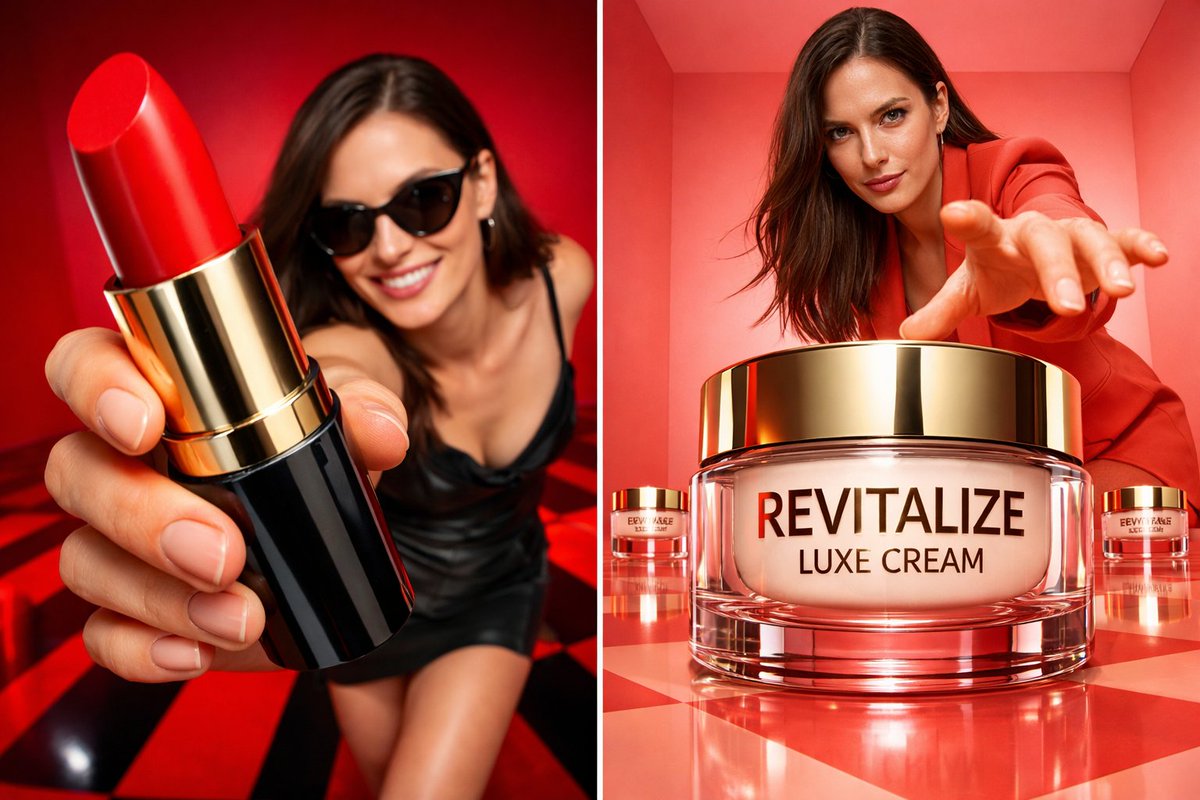
Generate an ultra-realistic high-fashion commercial with oversized product display, coral studio, and dramatic wide-angle perspective, keeping the model's exact features.
提示词 · EN
Ultra-realistic high-fashion commercial campaign using the uploaded model photo as strict identity reference. Preserve exact facial features, proportions and natural skin texture — no retouching, no reshaping. Scene: coral monochrome studio box with glossy reflective checker or minimal polished floor. Clean geometric walls with soft light gradients. Product: the product placed oversized in the center foreground, dominating the frame due to wide-angle perspective. The packaging is ultra-sharp, fully readable, realistic reflections and material texture. Smaller product units can be placed symmetrically in the background. Model pose: standing behind the product, slightly crouched or leaning forward, one hand reaching toward the camera to create depth. Strong confident expression, fashion attitude. Camera: low-angle 24–35mm lens look, dramatic perspective distortion, deep focus on both product and model. Lighting: bright commercial studio lighting, soft shadows, glossy highlights on packaging, high-end campaign finish. 4K–8K realism, no watermark, no embedded text.i ar 9:13
关于这个提示词
Generate an ultra-realistic high-fashion commercial with oversized product display, coral studio, and dramatic wide-angle perspective, keeping the model's exact features. 它更适合作为 AI 模型 的概念艺术起点:先保留画面结构、主体关系和风格约束,再替换成你的品牌、人物或场景。
常见用途包括 chatgpt、商业摄影、时尚大片、超高清。这些标签只作为创作方向参考,实际生成时仍应以提示词结构和预览图为准。
使用时建议先小幅修改主体、场景、镜头和色调,再生成多个版本对比构图与细节。这样页面内容对用户有实际帮助,也避免把模型名或标签机械堆在正文里。
如何使用这个提示词
- Copy the prompt from the box above.
- Open Sora 2 or any compatible AI image tool (e.g., DALL·E 3).
- Upload your model photo and adjust the aspect ratio to 9:13.
- Generate the image; tweak product placement or lighting if necessary.
- Export in 4K for high-end commercial use.


