
GPT Image 2AI 提示词
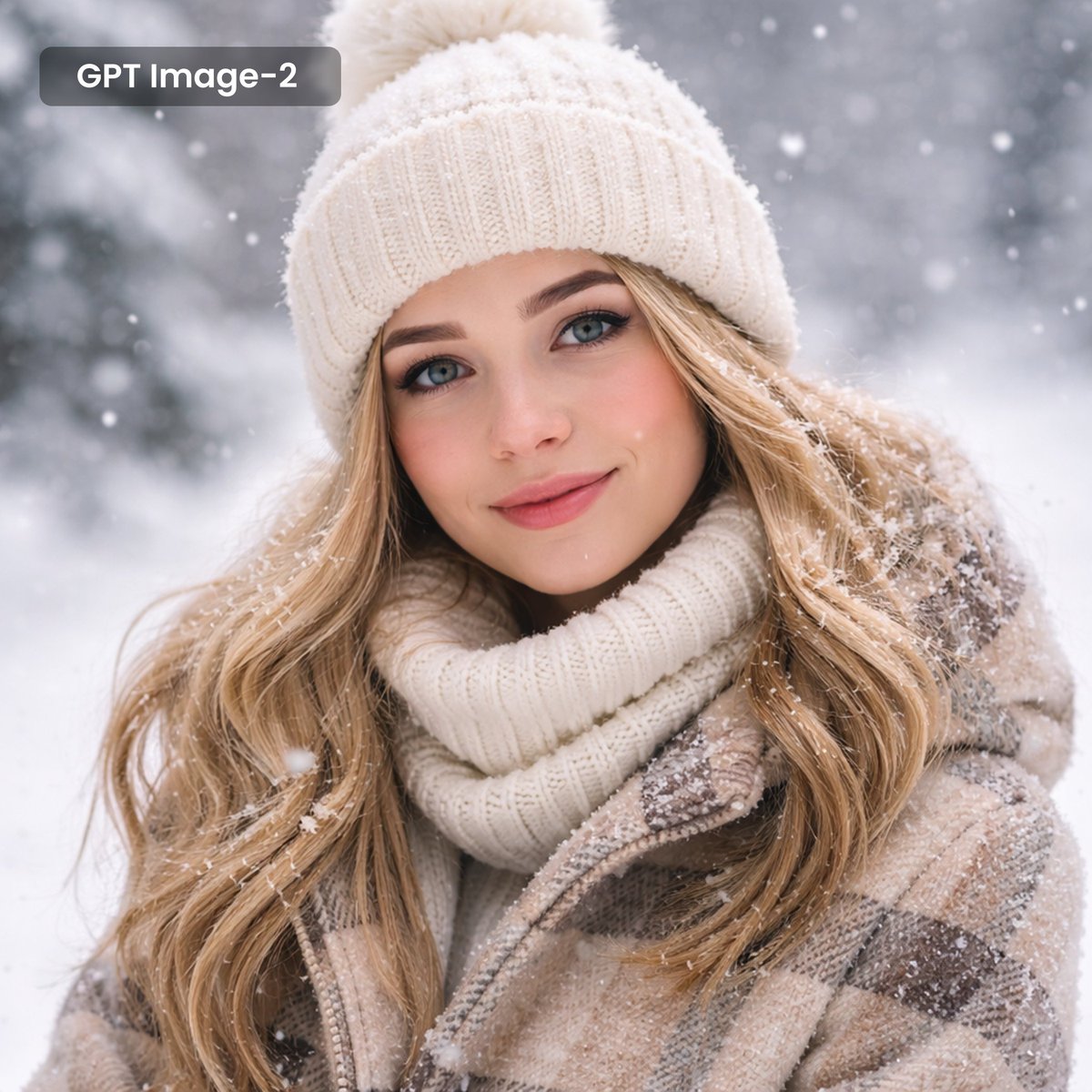
Realistic Snowy Portrait with Text Overlay — Sora 2 Prompt
Create lifelike winter portraits with falling snow, customizable outfit, and overlay text — ideal for holiday cards or social media.
提示词 · EN
一张逼真的特写肖像,主角是一位美丽的年轻女性,留着 arghair style: 金色长波浪 发型,拥有一双迷人的蓝色眼睛,正微笑着注视镜头,神情温柔且温暖。她身着御寒服装,戴着 argwinter outfit: 带有毛球的白色罗纹针织冷帽,搭配厚实的同色系白色高领毛衣,以及一件米棕色格纹冬装外套。柔和的雪花在她周围轻轻飘落,几片雪花自然地落在她的头发、帽子和肩膀上。背景是虚化处理的 argbackground: 雪景森林。在左上角,有一个深色半透明圆角矩形,其中包含白色文字 “argoverlay text: GPT Image-2”。
关于这个提示词
Create lifelike winter portraits with falling snow, customizable outfit, and overlay text — ideal for holiday cards or social media. 它更适合作为 GPT Image 2 的概念艺术起点:先保留画面结构、主体关系和风格约束,再替换成你的品牌、人物或场景。
使用时优先替换 hair style、winter outfit、background、overlay text 等占位符,并保持镜头、构图和材质描述的顺序不变。这样更容易获得稳定的画面结果,也方便继续做多版本对比。
如何使用这个提示词
- Copy the prompt text and paste it into your preferred AI image generator (e.g., Sora, DALL·E, Midjourney).
- Choose a photorealistic model like Realistic Vision or Midjourney v6.
- Customize the
hair style,winter outfit,background, andoverlay textarguments as needed. - Generate the image. For best results, use a 1:1 aspect ratio and high resolution.


