
GPT Image 2AI 提示词
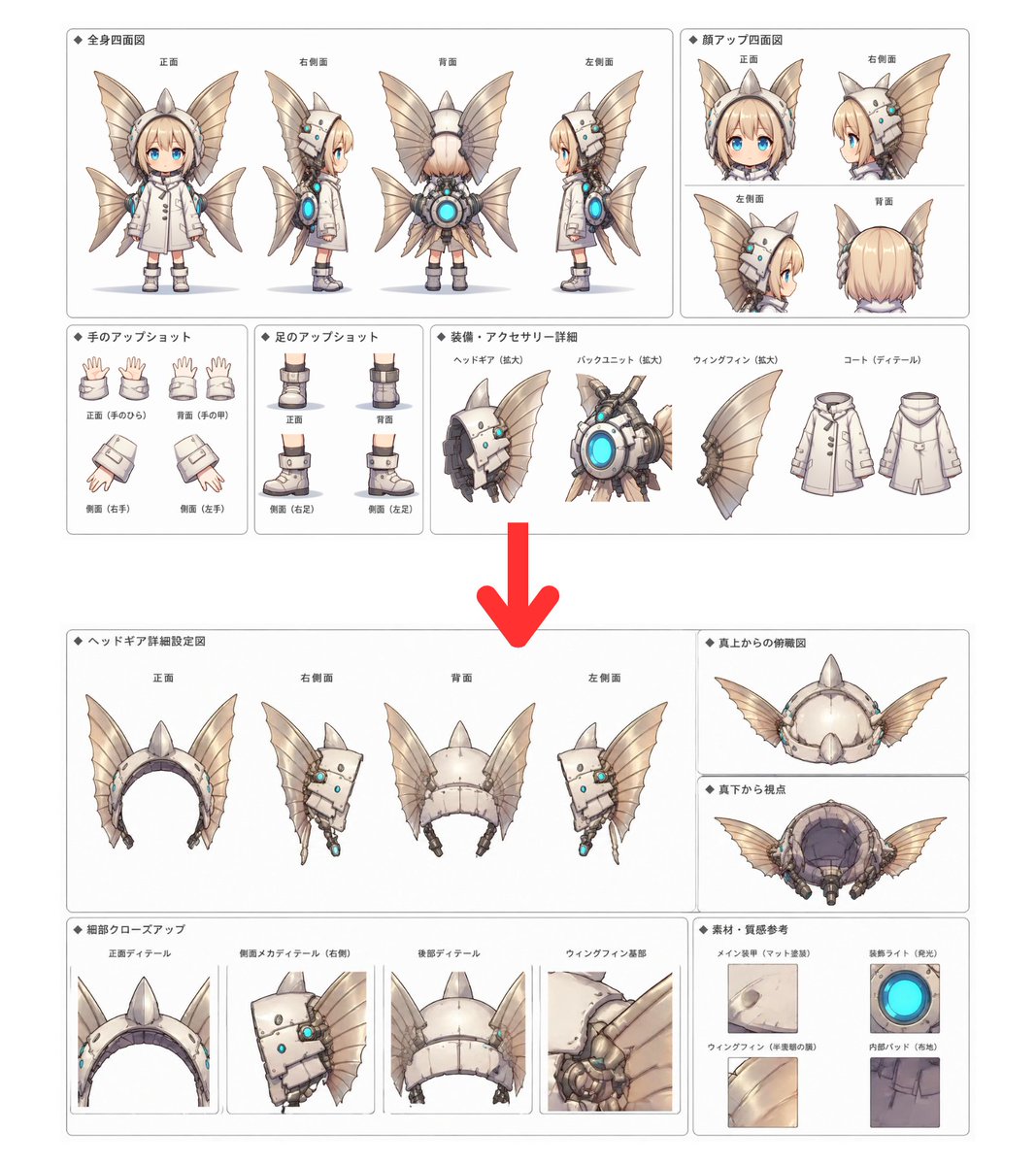
Character Design Sheet Generator — Multi-View & Detail Closeups
Generate comprehensive character design sheets with front, side, back, and top views, plus closeups of hands, feet, and signature gear—all faithful to your source art style.
提示词 · EN
请为 [@Reference Target] 创建一个角色设计集。请在角色设计集中包含以下内容:# 四面全身视图 # 四面面部特写视图 # 手部特写 # 足部特写 # 特色服装或配饰/装备特写。请忠实还原原图的艺术风格。请为 [@Reference Image] 的 ▲▲▲▲▲ 创建详细的设计集。请在设计集中包含以下内容:# 四面视图(上、下、左、右)# 正上方俯视图、正下方仰视图 # 细节特写。请忠实还原原图的艺术风格。*请在“▲▲▲▲▲”部分输入您想要创建的项目。
关于这个提示词
Generate comprehensive character design sheets with front, side, back, and top views, plus closeups of hands, feet, and signature gear—all faithful to your source art style. 它更适合作为 GPT Image 2 的概念艺术起点:先保留画面结构、主体关系和风格约束,再替换成你的品牌、人物或场景。
使用时建议先小幅修改主体、场景、镜头和色调,再生成多个版本对比构图与细节。这样页面内容对用户有实际帮助,也避免把模型名或标签机械堆在正文里。
如何使用这个提示词
- Copy this prompt into your preferred AI image generator (Sora, Midjourney, DALL·E, etc.).
- Replace [@Reference Target] with a text description of the character you want designed, or attach a reference image to the [@Reference Image] slot.
- Fill in the ▲▲▲▲▲ placeholder with the specific item or character name (e.g., "cyber samurai" or "elven ranger").
- Adjust the level of detail or art style keywords if you want a particular aesthetic (e.g., anime, realistic, cartoon).
- Generate and review the output; iterate by refining the description or adding style modifiers for best results.


