
GPT Image 2AI 提示词
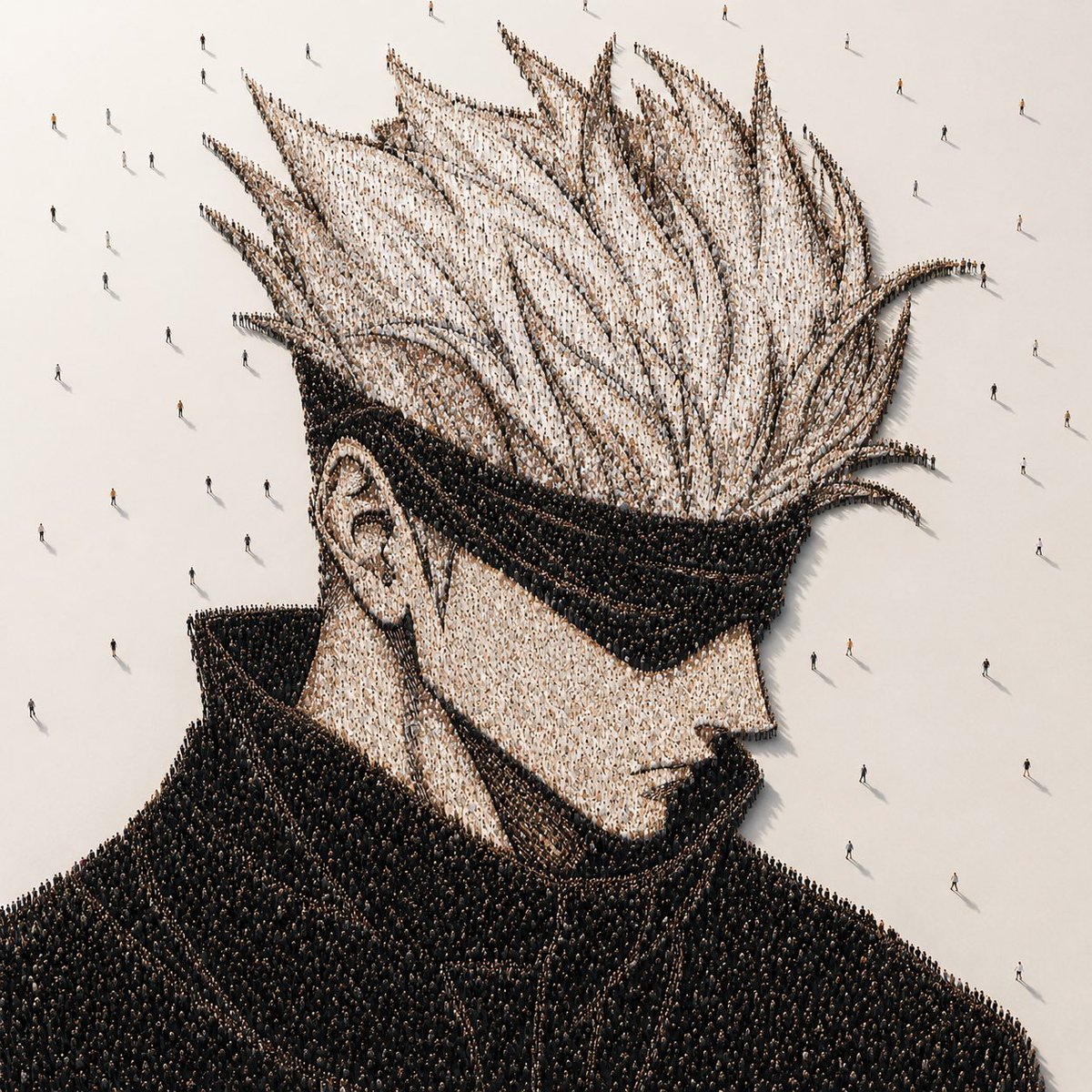
Anime Portrait Made of Thousands of People — Sora 2 Prompt
Create stunning aerial portraits where thousands of tiny figures form a massive anime character on a minimalist floor — perfect for concept art and unique visuals.
提示词 · EN
在方形画布上创作一幅照片级真实感的概念人群肖像:俯瞰/等轴测视角,展示一个由数千个微小站立人群组成的巨大动漫风格男性半身像。角色呈肩部以上四分之三侧面,面向右侧,拥有夸张的高耸尖刺白发、清晰可见的左耳;通过浅色着装人群呈现苍白肤色,通过密集排列的黑色着装人群呈现巨大的黑色高领和深色外套。整幅肖像由无数个体人形像点彩像素般排列而成,从上方看,发丝尖端和外套边缘清晰可辨。将该造型置于广阔的哑光灰白色地面上,周围留有空白负空间,零星散布着几个远离人群的行人,投下细长的阴影。在面部区域中心添加一个巨大的不透明暖灰色方形遮挡块,覆盖从前额到下巴的大部分面部特征,同时保持头发、耳朵、衣领、肩膀及周围人群可见。采用电影级极简照明、柔和的高角度阳光、逼真的微小阴影、超精细的装置艺术质感,色调为柔和的米色、白色、黑色和炭灰色,无文字,无标识,无边框。肖像主体可自定义为 argcharacter archetype: spiky-haired anime male with high collar,并可设置 arghair color: white、argcoat color: black、argfloor color: warm off-white 以及 argcensor block color: warm gray。
关于这个提示词
Create stunning aerial portraits where thousands of tiny figures form a massive anime character on a minimalist floor — perfect for concept art and unique visuals. 它更适合作为 GPT Image 2 的概念艺术起点:先保留画面结构、主体关系和风格约束,再替换成你的品牌、人物或场景。
使用时优先替换 character archetype、hair color、coat color、floor color 等占位符,并保持镜头、构图和材质描述的顺序不变。这样更容易获得稳定的画面结果,也方便继续做多版本对比。
如何使用这个提示词
- Copy the prompt into your Sora 2 or compatible AI video/image generator.
- Select your model (e.g. Sora 2, Kling, or similar high-fidelity generators).
- Customize variables like
{character archetype},{hair color},{coat color},{floor color}, and{censor block color}to match your vision. - Generate and review the output. Adjust lighting or crowd density if needed.
- Export your favorite result in high resolution for prints, social media, or portfolios.


