
AI 提示词
Snack Technical Breakdown Prompt: Realistic + Sketch Overlay
Generate a branded snack infographic merging a photoreal product with hand-drawn technical callouts, cross-sections, and specs on a clean white background.
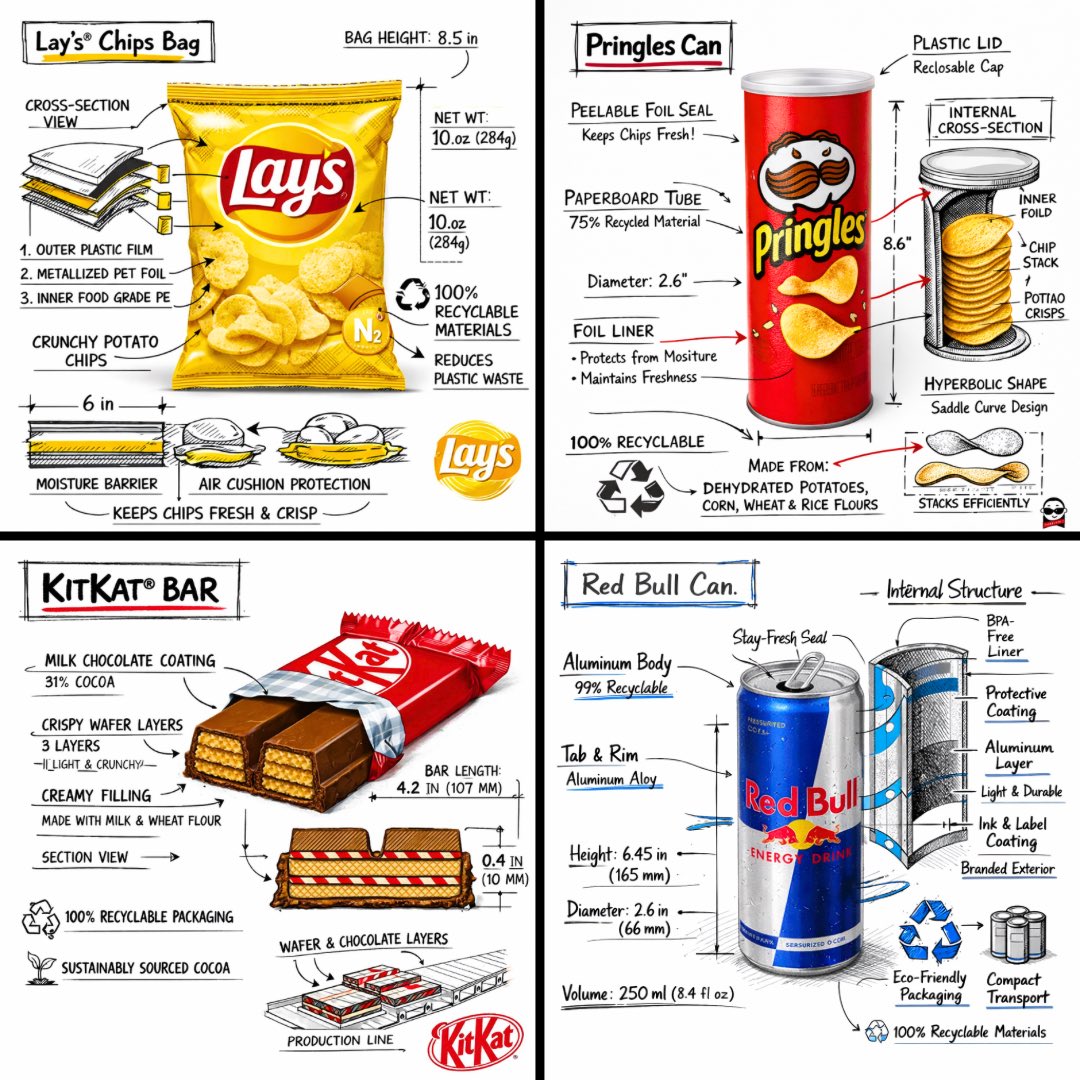
提示词 · EN
Create a branded technical infographic of a [SNACK], combining a realistic photograph or photoreal render of the product with technical annotation overlays placed directly on top. Use black ink–style line drawings with strategic [BRAND COLOR] accents (architectural sketch look) on a pure white studio background, including: • Key component labels • Internal cross-section showing structure, layering, or internal design • Measurements, dimensions, and specifications • Material callouts with composition and quantities • Arrows indicating function for primary features and structural integrity • Simple schematic or sectional diagram showing key mechanical or design elements • Sustainability callouts Title placement: Inside a hand-drawn technical annotation box with accent border reading the product name in bold font, positioned in upper corner. Style & layout rules: • The realistic product remains clearly visible • Annotations feel sketched, technical, and architectural • Accents used for highlight (20-30% of linework), black for primary technical lines (70-80%) • Clean composition with balanced negative space • Educational, food-engineering vibe with premium branding • Include subtle brand logo mark in corner Visual style: Minimal technical illustration aesthetic, black linework with accents over realistic imagery, precise but slightly hand-drawn feel. Color palette: White background, black annotation lines/text, [BRAND COLOR] for accents and key callouts only. Output: 1080×1080, ultra-crisp, social-feed optimized, no watermark.
关于这个提示词
Generate a branded snack infographic merging a photoreal product with hand-drawn technical callouts, cross-sections, and specs on a clean white background. 它更适合作为 AI 模型 的概念艺术起点:先保留画面结构、主体关系和风格约束,再替换成你的品牌、人物或场景。
常见用途包括 chatgpt、技术绘图、食品工程、产品展示。这些标签只作为创作方向参考,实际生成时仍应以提示词结构和预览图为准。
使用时建议先小幅修改主体、场景、镜头和色调,再生成多个版本对比构图与细节。这样页面内容对用户有实际帮助,也避免把模型名或标签机械堆在正文里。
如何使用这个提示词
- Copy the full prompt template from this page.
- Open your preferred AI image generator (e.g., DALL·E 3, Midjourney, Stable Diffusion).
- Replace
[SNACK]with your snack name and[BRAND COLOR]with a hex code or color reference. - Optionally tweak any dimensions, materials, or sustainability notes within the prompt.
- Generate the image at 1080×1080 and iterate if needed for perfect alignment.


