
GPT Image 2AI 提示词
Misty Rainwear Editorial Portrait — Sora 2 Prompt
Generate a dreamy, high-fashion rainwear editorial with pale blue tones, soft focus, and futuristic minimalism—perfect for lookbooks and moody street style shots.
提示词 · EN
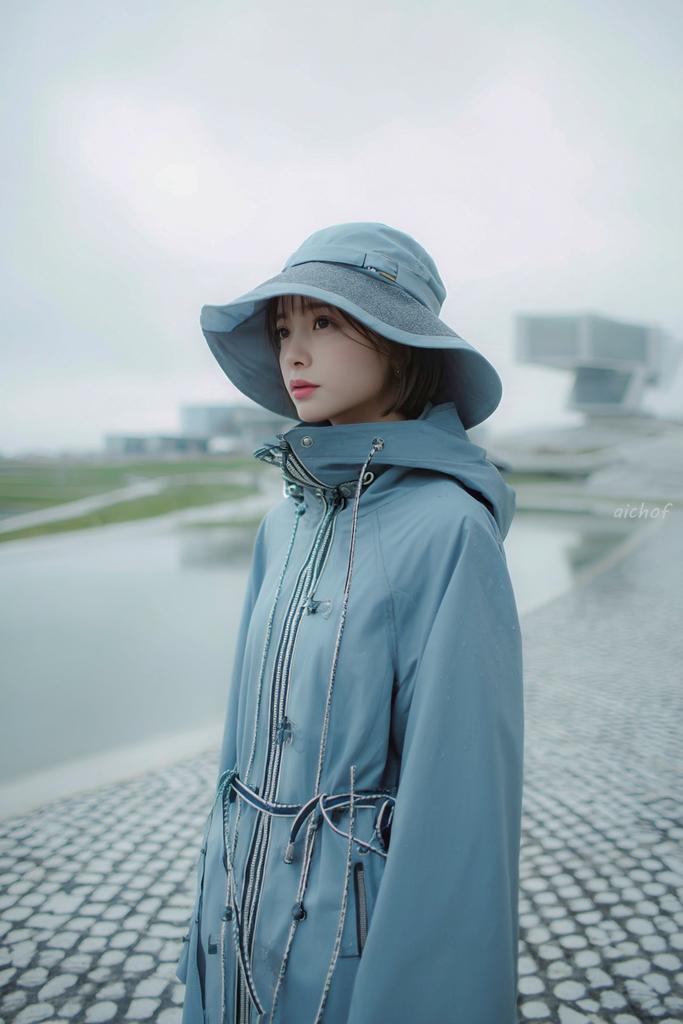
一张梦幻般的时尚编辑人像,画面中一位年轻女性站在阴雨天的户外,身旁是一个浅浅的倒影池和鹅卵石步道,采用竖构图,取景范围约为大腿中部以上。她身穿一套单色淡粉蓝色雨衣,包括一顶宽檐防水遮阳帽和一件带有兜帽的高领机能雨衣,配有闪亮的银色前拉链、多条抽绳、调节扣以及胸部和腰部的绳索细节。外套拉链拉高,领口遮住部分下颚,营造出一种包裹感和实用主义风格。她留着深色短波波头,从帽子下露出。姿势略微侧身,身体朝向右侧,头部面向镜头,展现出平静、内敛的情绪。使用柔和的漫射光,冷色调,营造雾蒙蒙的氛围,并使用极浅的景深,使背景中的现代建筑结构呈现出模糊的极简感。场景应具有未来感和宁静感,伴有湿润的表面、细微的雨滴、灰白色的天空、水中柔和的倒影,以及以 argoutfit color: pale powder blue 为主的干净极简色调。使图像看起来像高端当代街头摄影,略带电影感、轻盈、柔焦、细腻的对比度以及微妙的胶片质感。在右侧边缘附近添加一个手写风格的小水印,内容为 argwatermark text: aichof。
关于这个提示词
Generate a dreamy, high-fashion rainwear editorial with pale blue tones, soft focus, and futuristic minimalism—perfect for lookbooks and moody street style shots. 它更适合作为 GPT Image 2 的概念艺术起点:先保留画面结构、主体关系和风格约束,再替换成你的品牌、人物或场景。
使用时优先替换 outfit color、watermark text 等占位符,并保持镜头、构图和材质描述的顺序不变。这样更容易获得稳定的画面结果,也方便继续做多版本对比。
如何使用这个提示词
- Copy the full prompt from this page.
- Paste it into your image generation model (Sora 2, DALL·E 3, or Midjourney).
- Customize the outfit color by replacing
{outfit color}with your preferred shade (e.g., "pale powder blue"). - Set the watermark text
{watermark text}if you want a signature on the image. - Generate and tweak lighting or composition keywords for variations.


