
GPT Image 2AI 提示词
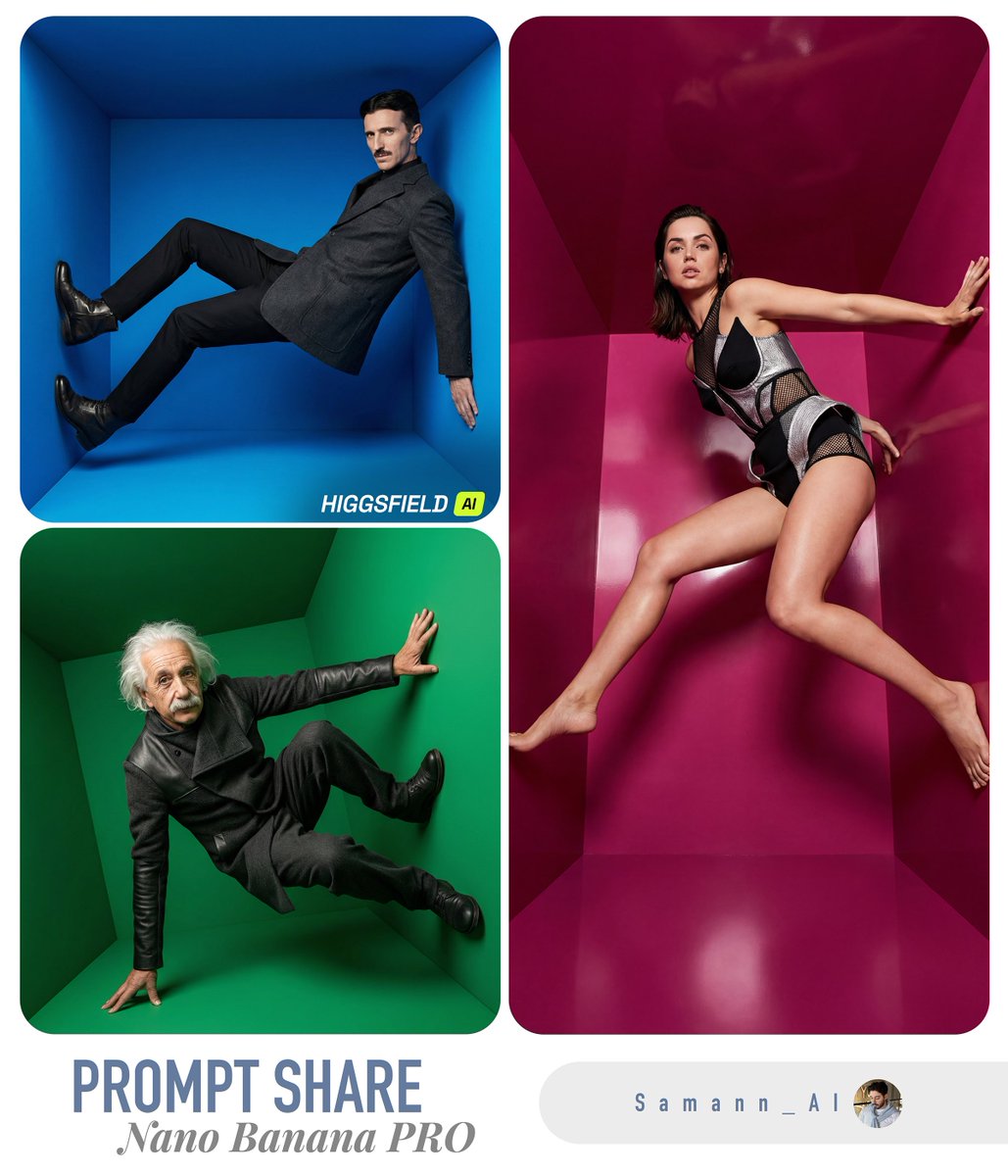
Surreal Color Cube Fashion Editor — Sora 2 Prompt
Create hyper-realistic 8K fashion editorials with subjects posed inside bold, monochromatic geometric spaces, perfect for high-concept ads.
提示词 · EN
仅使用输入图像中的人物作为拍摄对象。请清晰保留其身份特征和面部细节。 在超现实的 3D 几何 argroom style: “色彩空间”房间(空心立方体 / 倾斜立方体装置)中,创作一张超写实的高级时装大片。每次渲染必须随机选择:
1) 一种大胆的 argbox color: 单色空间(单色环境,色彩鲜艳且饱和度高),
2) 一个动感的“酷”时尚姿势(反重力、极限拉伸 / 跳跃 / 侧身支撑墙面),
3) 一个戏剧性的摄像机角度(等效 24–35mm 广角,倾斜地平线,强透视感)。 拍摄对象需全身出镜且轮廓清晰,身着 argoutfit style: 先锋时尚造型,呈现出现代感与编辑风格(简洁的廓形、时髦的叠穿、高级的面料质感)。服装需保持高雅且前卫。拍摄对象的姿势应充满运动感、时尚感且独特,如同杂志广告大片一般。 光影:影棚级品质,清晰且具电影感;强主光配合受控的柔和阴影,微妙的轮廓光;来自彩色墙面的真实反射光与漫反射光。超精细的皮肤纹理、自然的毛孔、逼真的面料织物纹理、清晰的边缘、高动态范围。
构图:拍摄对象居中,留有充足的负空间,几何线条感强;立方体的透视感将拍摄对象框入其中。
色彩:空间颜色为单一的大胆色调,且每次生成必须不同(随机鲜艳色调)。拍摄对象的服装需与空间颜色形成良好对比。 输出:超写实、照片级真实感、8k 细节、编辑广告大片品质、主体对焦清晰、无运动模糊、面部无畸变、比例自然。
关于这个提示词
Create hyper-realistic 8K fashion editorials with subjects posed inside bold, monochromatic geometric spaces, perfect for high-concept ads. 它更适合作为 GPT Image 2 的概念艺术起点:先保留画面结构、主体关系和风格约束,再替换成你的品牌、人物或场景。
使用时优先替换 room style、box color、outfit style 等占位符,并保持镜头、构图和材质描述的顺序不变。这样更容易获得稳定的画面结果,也方便继续做多版本对比。
如何使用这个提示词
- Copy the Prompt: Copy the entire prompt text above, including all the argument placeholders in curly braces.
- Choose Your Model: Paste into Sora 2 or a compatible AI video/image generator that supports long, detailed prompts.
- Set Your Variables: Replace the placeholders like
{room style}(e.g., “色彩空间”) with your preferred style, or leave the defaults. - Generate & Refine: Run the generation. For variety, try multiple outputs—the prompt is designed to randomize colors and poses each time.
- Edit if Needed: Adjust camera angles or outfit descriptions to match your specific creative vision before regenerating.


