
GPT Image 2AI 提示词
Annotated Stone Bridge Sketch — Architectural Concept Prompt
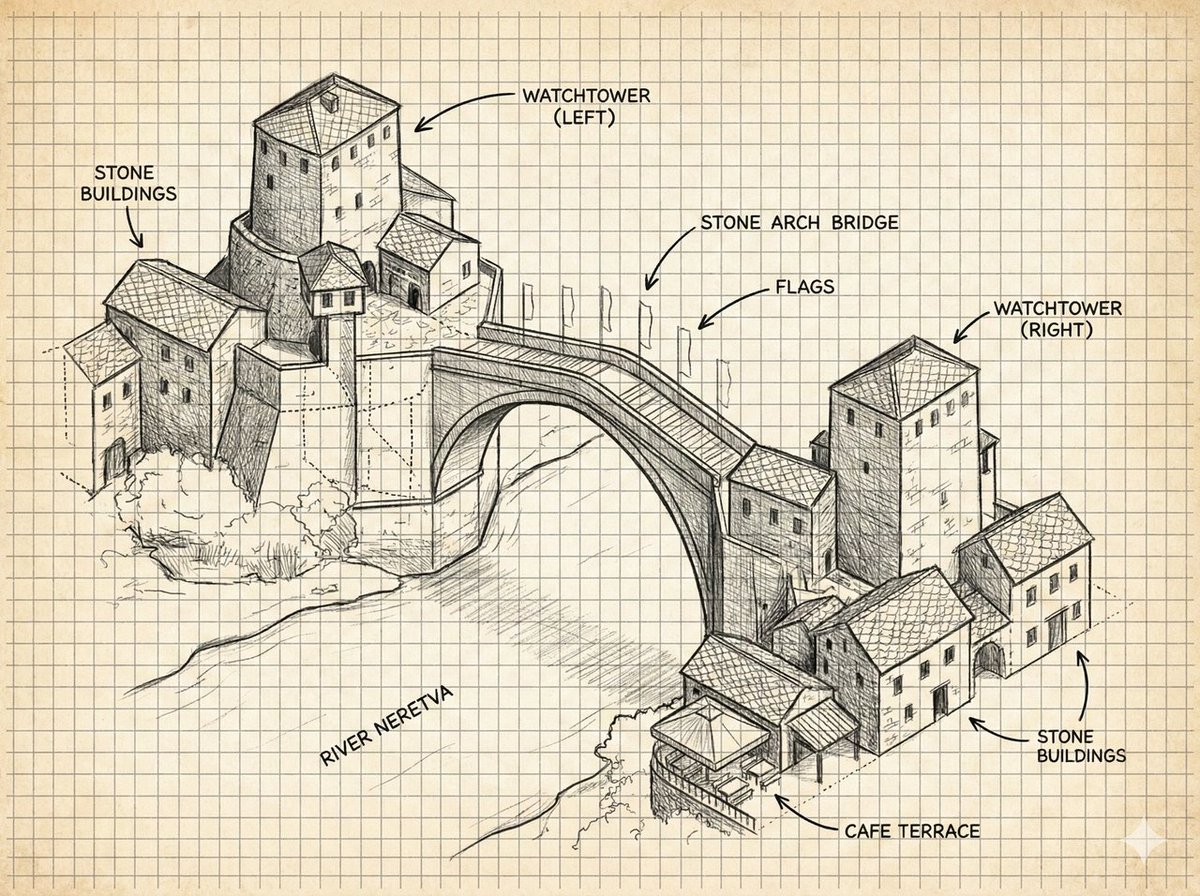
Create a detailed architectural illustration of a historic stone bridge with hand-drawn labels on gridded paper, perfect for concept art or travel reference.
提示词 · EN
type
带标注的建筑概念草图subject
一幅手绘等轴测墨线插图,描绘了跨越河流的历史悠久莫斯塔尔风格石拱桥,两岸分布着中世纪石砌建筑和两座方形瞭望塔style
medium
黑色石墨和技术绘图笔线条look
建筑实地笔记、概念艺术、细致的排线与交叉排线、可见的构造线、粗略的透视引导标记paper
带有均匀方格的陈旧奶油色坐标纸,背景略微泛黄color
仅限单色黑灰色墨水,除微妙的纸张色调外无水彩scene
main landmark
{argument name="bridge name" default="石拱桥"}river
{argument name="river name" default="内雷特瓦河"}architecture
巴尔干奥斯曼时代的石砌建筑,配有瓦片屋顶、小矩形窗户、拱形门廊、堆叠的山坡石砌结构,右下河岸设有一个咖啡露台composition
宽幅风景画布,四分之三空中等轴测视角,左侧村落群位于页面较高处,右侧村落群位于页面较低处,大型单跨拱桥沿对角线横跨河流中心details
带护栏的拱形桥面、桥上沿线带有小旗帜的旗杆、石材纹理、瓦片图案、河岸植被涂鸦、桥下淡淡的阴影layout
labels
count
8items
item 1
text
石砌建筑position
左上points_to
左侧石屋群item 2
text
瞭望塔(左)position
中上偏左points_to
左岸上方的高大方形塔楼item 3
text
石拱桥position
中上偏右points_to
主桥跨度item 4
text
旗帜position
桥梁右上points_to
桥上的旗杆列item 5
text
瞭望塔(右)position
右上points_to
右岸高大的方形塔楼item 6
text
石砌建筑position
中右points_to
右侧石屋群item 7
text
咖啡露台position
右下points_to
河边的小型带顶露台item 8
text
内雷特瓦河position
左下河流区域points_to
桥下流淌的河流annotation_style
大写无衬线手写标签,配有弯曲的箭头引线,清晰的黑色字体grid
所有绘图元素后方均有全页可见的方格网text_parameters
left watchtower label
{argument name="left tower label" default="瞭望塔(左)"}right watchtower label
{argument name="right tower label" default="瞭望塔(右)"}cafe label
{argument name="cafe label" default="咖啡露台"}rendering_instructions
生成一幅精确但具有手绘感的建筑图解,而非照片级真实图像。保持背景整洁,保留坐标纸笔记的美感,桥梁和建筑使用强烈的线条层级,地形和河流流向使用较轻的草图线条,并确保所有标签清晰可读。关于这个提示词
Create a detailed architectural illustration of a historic stone bridge with hand-drawn labels on gridded paper, perfect for concept art or travel reference. 它更适合作为 GPT Image 2 的概念艺术起点:先保留画面结构、主体关系和风格约束,再替换成你的品牌、人物或场景。
这条提示词使用结构化 JSON 组织信息,包含 type、subject、style、scene、layout、text parameters、rendering instructions 等字段。保留这种层级能让模型更清楚地区分画面主题、布局、界面元素和细节约束。
使用时建议先小幅修改主体、场景、镜头和色调,再生成多个版本对比构图与细节。这样页面内容对用户有实际帮助,也避免把模型名或标签机械堆在正文里。
如何使用这个提示词
- Copy the entire prompt and paste it into your AI model's text-to-image generation field.
- Select a model that excels at detailed line art and architectural illustrations (e.g., DALL·E 3, Midjourney, or Stable Diffusion).
- Customize the variables in curly braces, such as bridge name, river name, and label text, to fit your specific location.
- Generate the image and review the output for clean lines, visible grid, and accurate labels.
- Adjust composition or detail parameters if needed for a second generation.


