
GPT Image 2AI 提示词
Wave Function Collapse Infographic — Sora 2 Prompt
Generate a stunning educational infographic explaining quantum wave function collapse with customizable variables like title, subtitle, and subject.
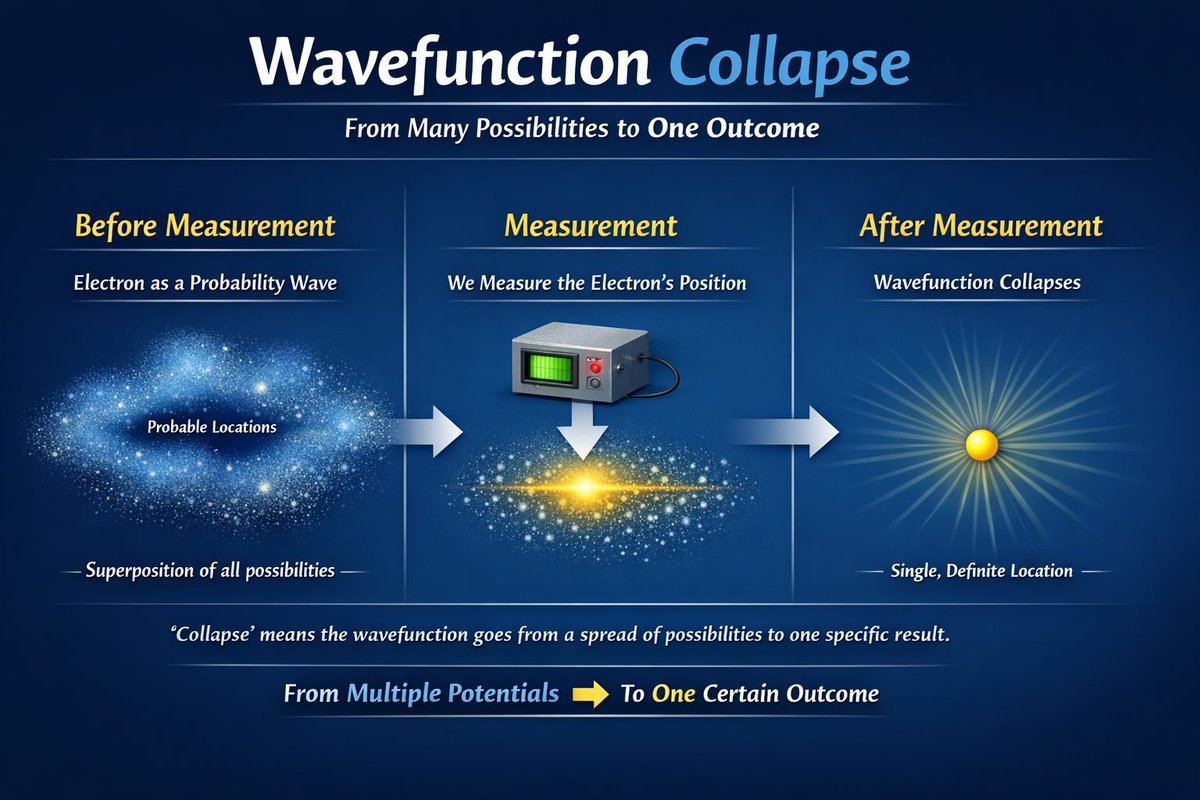
提示词 · EN
type
教育信息图theme
量子物理background
深蓝色渐变header
title
{argument name="main title" default="波函数坍缩"}subtitle
{argument name="subtitle" default="从多种可能性到单一结果"}layout
type
三阶段水平演进connections
阶段间各有一个指向右侧的粗水平箭头stages
item 1
position
左侧title
测量前subtitle
作为概率波的 {argument name="subject" default="电子"}visual
弥散且发光的蓝色粒子云,类似星云labels
item 1
可能的位置item 2
所有可能性的叠加态item 2
position
中央title
测量subtitle
测量 {argument name="subject" default="电子"} 的位置visual
1 个带有绿色屏幕和红色按钮的灰色方块测量设备,指向下方 1 个白色箭头,对应一个中心明亮的黄色凝聚态水平粒子带item 3
position
右侧title
测量后subtitle
波函数坍缩visual
发出明亮放射状光芒的单个实心黄色球体labels
item 1
单一、确定的位置footer
explanation
“坍缩”意味着波函数从多种可能性的分布转变为一个特定的结果。summary
从多种潜能 [黄色向右箭头] 到一个确定的结果关于这个提示词
Generate a stunning educational infographic explaining quantum wave function collapse with customizable variables like title, subtitle, and subject. 它更适合作为 GPT Image 2 的概念艺术起点:先保留画面结构、主体关系和风格约束,再替换成你的品牌、人物或场景。
这条提示词使用结构化 JSON 组织信息,包含 type、theme、background、header、layout、footer 等字段。保留这种层级能让模型更清楚地区分画面主题、布局、界面元素和细节约束。
使用时建议先小幅修改主体、场景、镜头和色调,再生成多个版本对比构图与细节。这样页面内容对用户有实际帮助,也避免把模型名或标签机械堆在正文里。
如何使用这个提示词
- Copy the entire prompt.
- Paste it into your preferred AI image generator (e.g., Midjourney, DALL-E) or video model (Sora).
- Edit the variables inside curly braces or argument attributes (e.g., 'main title', 'subtitle', 'subject') to fit your lesson.
- Generate the infographic. For motion, try it in Sora to animate the transitions.
- Adjust visual elements like background or colors in the prompt if needed.


