
GPT Image 2AI 提示词
Cute Cow Kigurumi: Kid's 3-View Reference — Sora 2 Prompt
Generate a photorealistic three-view reference of a child's fluffy cow kigurumi, ideal for fashion mockups, online stores, or testing AI clothing consistency.
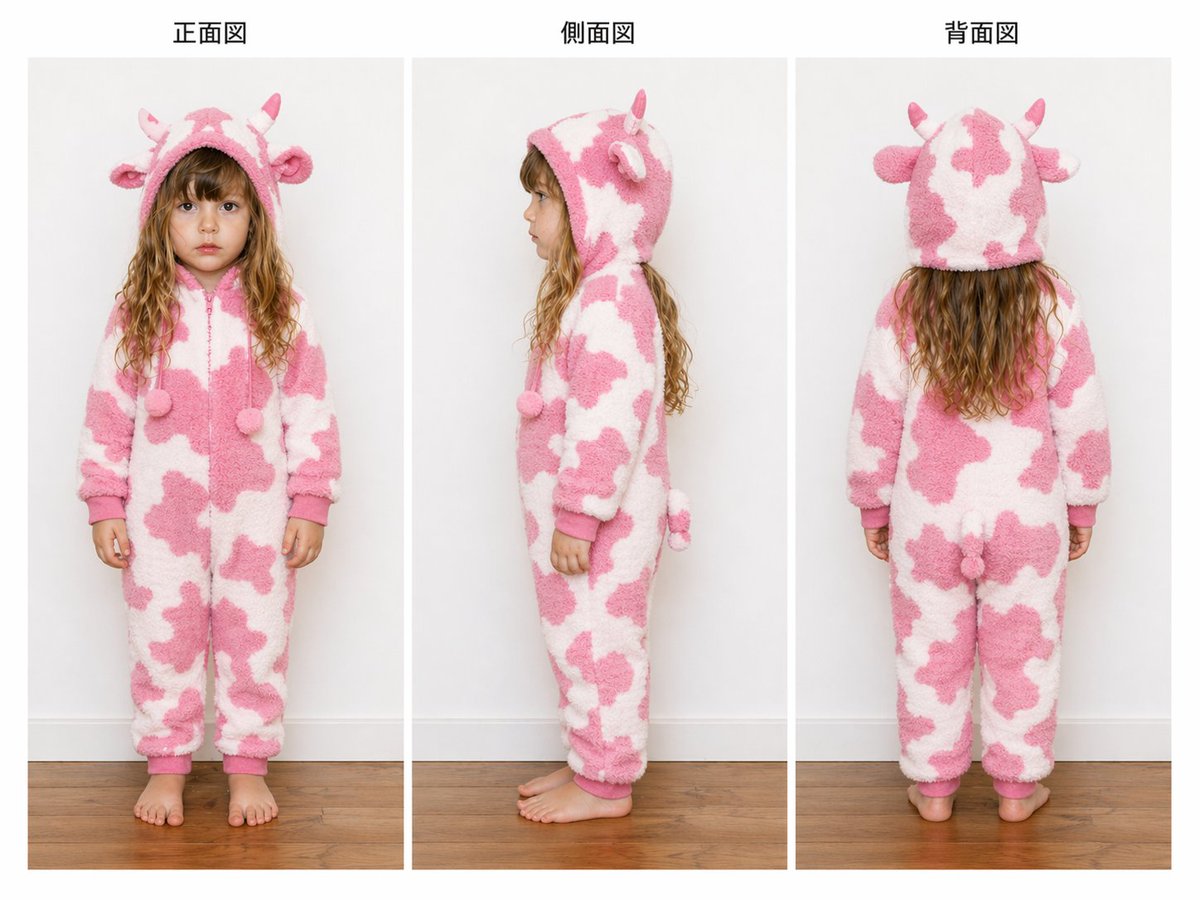
提示词 · EN
type
服装三视图参考图subject
model
幼童gender_presentation
女童face
正面和侧面视图中面部经过刻意模糊处理,呈现柔和的矩形模糊效果hair
长波浪浅棕色至深金色头发,垂至兜帽下方pose_count
3garment
type
连体带帽抓绒睡衣(Kigurumi)theme
奶牛primary_colors
item 1
白色item 2
柔粉色material
厚实蓬松的羊羔绒或毛绒质感closure
前拉链fit
宽松舒适的全长版型,袖口和裤脚有收口details
hood_features_count
4hood_features
item 1
2 只小角item 2
2 只圆耳front_dangling_poms_count
2front_dangling_poms
胸部位置有两个毛球抽绳末端back_features_count
1back_features
item 1
小尾巴pattern
白色底色上带有不规则粉色奶牛斑点trim
纯粉色袖口和兜帽边缘layout
background
干净的摄影棚内景,浅灰色墙壁和暖色调中性木地板composition
三个均匀分布的垂直面板,展示同一名穿着连体衣的儿童的全身视图sections
item 1
title
正面图position
左count
1labels
item 1
正面视图item 2
title
侧面图position
中count
1labels
item 1
侧面视图item 3
title
背面图position
右count
1labels
item 1
背面视图panel_style
目录风格参考图,面板间有细白边,每个面板上方有居中标题camera
平视全身构图lighting
柔和均匀的摄影棚灯光,阴影极少style
高分辨率写实产品摄影,中性文档风格,服装结构清晰可见,专为电商或设计评审打造的服装三视图参考图customization
garment color
{argument name="garment color" default="柔粉色和白色"}animal theme
{argument name="animal theme" default="奶牛"}model age
{argument name="model age" default="幼童"}headline left
{argument name="headline left" default="正面图"}headline center
{argument name="headline center" default="侧面图"}关于这个提示词
Generate a photorealistic three-view reference of a child's fluffy cow kigurumi, ideal for fashion mockups, online stores, or testing AI clothing consistency. 它更适合作为 GPT Image 2 的概念艺术起点:先保留画面结构、主体关系和风格约束,再替换成你的品牌、人物或场景。
这条提示词使用结构化 JSON 组织信息,包含 type、subject、garment、layout、style、customization 等字段。保留这种层级能让模型更清楚地区分画面主题、布局、界面元素和细节约束。
使用时建议先小幅修改主体、场景、镜头和色调,再生成多个版本对比构图与细节。这样页面内容对用户有实际帮助,也避免把模型名或标签机械堆在正文里。
如何使用这个提示词
- Copy the prompt text from sora2hub.com.
- Paste it into your AI image generator (e.g., Sora 2, Midjourney, DALL·E 3).
- Customize variables like
garment color,animal theme,model age, and panel headlines as needed. - Generate the image at high resolution for best photorealism and layout accuracy.
- If the three panels aren't perfectly aligned, try regenerating or strengthening the panel description in the prompt.


