
GPT Image 2AI 提示词
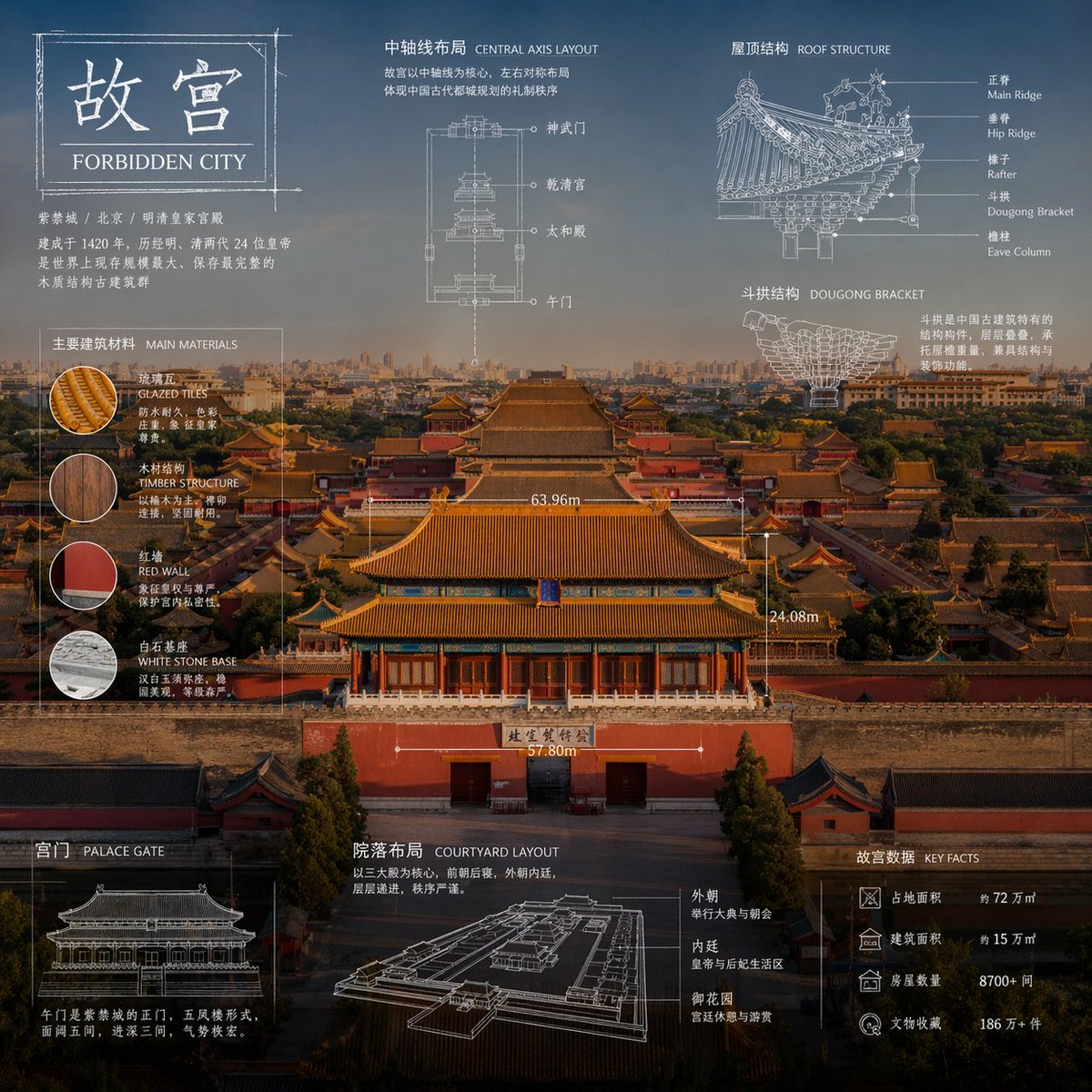
Technical Blueprint Infographic — Sora 2 Prompt
Generate stunning technical infographics that blend photorealistic object shots with blueprint-style overlays, annotations, and elegant design for professional visuals.
提示词 · EN
"关于 argsubject: subject 的高级技术信息图。以专业且写实的全新摄影视角重新诠释该主题,画面保持简洁明亮,并配以更合适且美观的背景。保留物品的真实照片质感,而非插画形式。添加技术蓝图风格的叠加层,包含白色线条、箭头、尺寸标注、标签以及零件、材质、尺寸和功能的小型示意图。整体风格清晰、优雅且富有信息量。在左上角放置一个草图框,并标注文字 'arglabel: OBJECT'。比例为 1:1。"
关于这个提示词
Generate stunning technical infographics that blend photorealistic object shots with blueprint-style overlays, annotations, and elegant design for professional visuals. 它更适合作为 GPT Image 2 的概念艺术起点:先保留画面结构、主体关系和风格约束,再替换成你的品牌、人物或场景。
使用时优先替换 subject、label 等占位符,并保持镜头、构图和材质描述的顺序不变。这样更容易获得稳定的画面结果,也方便继续做多版本对比。
如何使用这个提示词
- Copy the entire prompt text from the prompt page.
- Choose an AI image generator that supports detailed prompts (e.g., GPT Image 2, Sora 2, or similar models).
- Replace the
subjectvariable with your desired object or topic (e.g., "mechanical watch", "camera lens", "drone"). - Optionally customize the
labelvariable to change the text in the sketch box. - Generate the image and adjust aspect ratio or details as needed for your project.


