
GPT Image 2AI 提示词
Hand-Drawn Photo Annotation Prompt — Sora 2
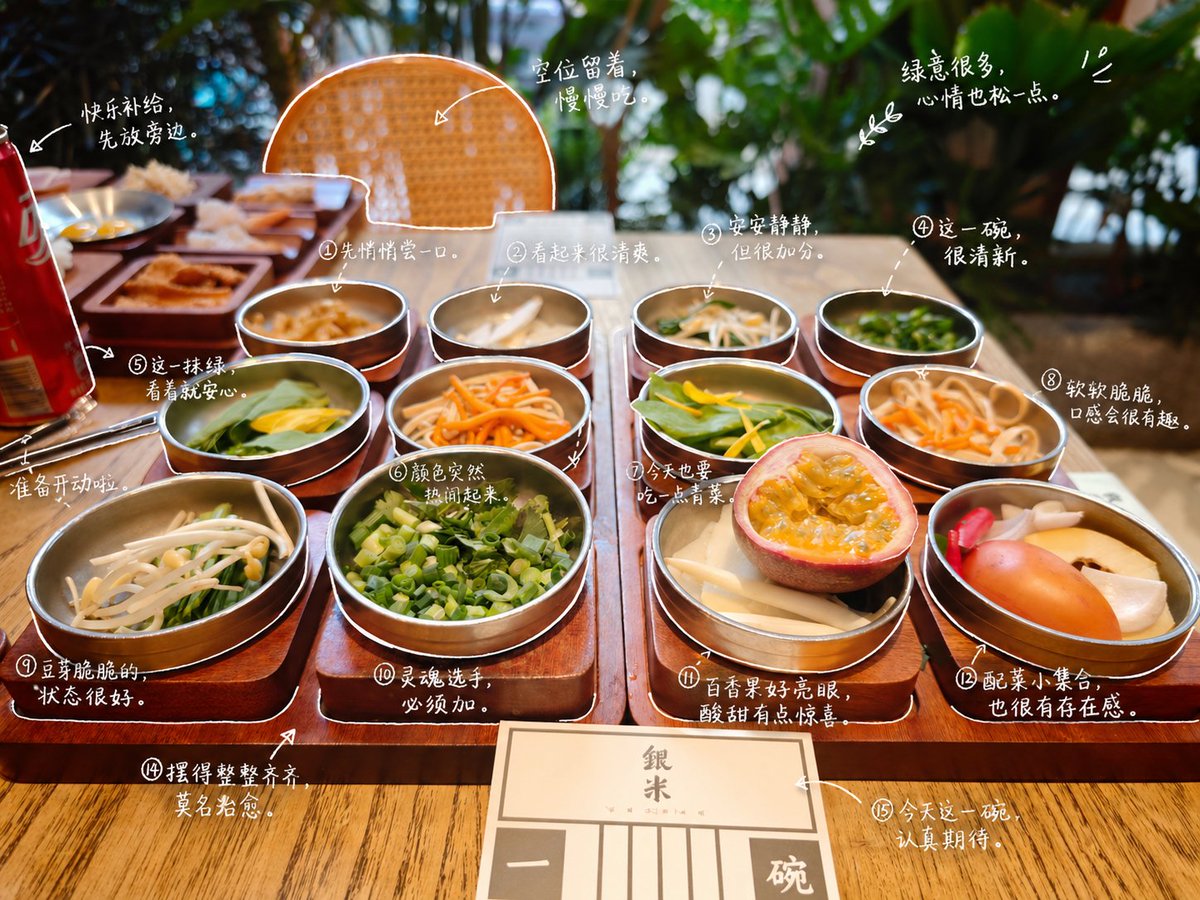
Transform photos with cute, hand-drawn style outlines and diary-like notes for a personalized, whimsical look.
提示词 · EN
请观察照片中的元素,并为每个项目添加有意义的 argstyle: 手绘 标注。请识别照片中的项目。描述规则:• 使用类似白色笔触的精细手绘线条 • 一笔画风格,随意,略显不规则 • 沿物体边缘添加描边轮廓 • 使用箭头或虚线进行视觉引导。文字规则:• 手写风格字体 (argfont feel: 日系可爱风) • 短句,如同自言自语的呢喃 • 语气像日记一样,带有一丝情感。标注生成规则:不要过度装饰,保持留白。
关于这个提示词
Transform photos with cute, hand-drawn style outlines and diary-like notes for a personalized, whimsical look. 它更适合作为 GPT Image 2 的概念艺术起点:先保留画面结构、主体关系和风格约束,再替换成你的品牌、人物或场景。
使用时优先替换 style、font feel 等占位符,并保持镜头、构图和材质描述的顺序不变。这样更容易获得稳定的画面结果,也方便继续做多版本对比。
如何使用这个提示词
- Copy the entire prompt from the page.
- Select an AI image model that supports image editing (e.g., GPT Image 2).
- Upload your target photo when prompted.
- Adjust variables like
styleandfont feelto match your preference (e.g., change "手绘" to "sketch" or "日系可爱风" to "cute minimalist"). - Generate the image and review the annotated output. Refine if needed.


