
GPT Image 2AI 提示词
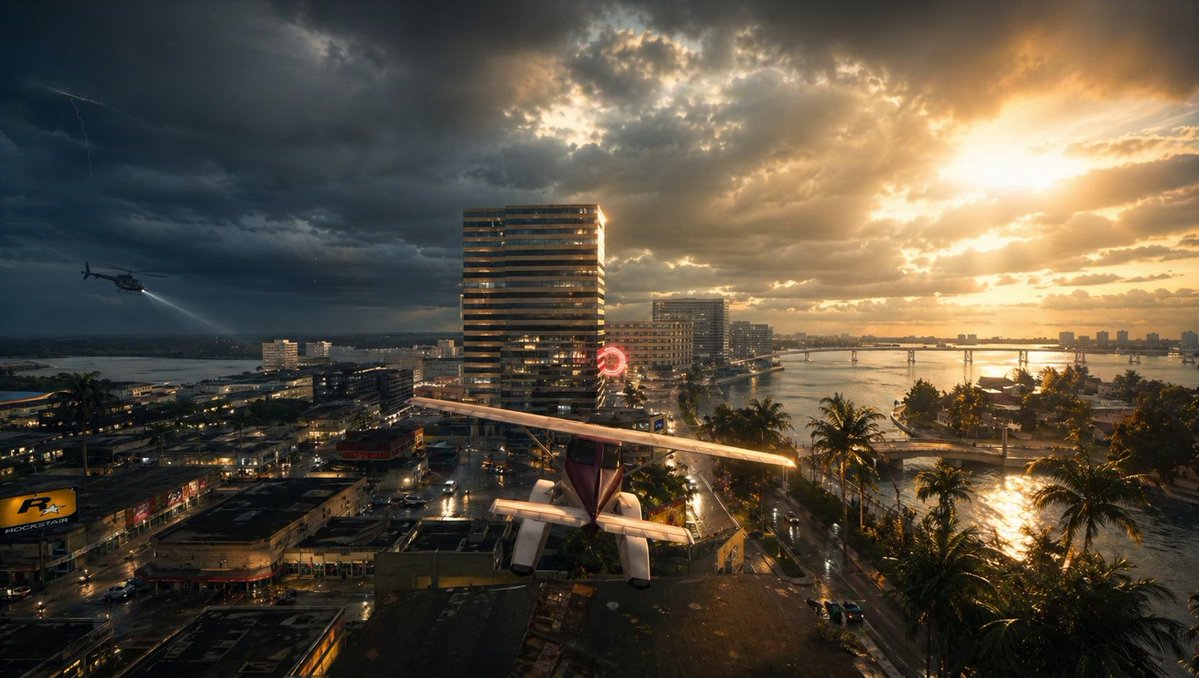
Stormy Sunset Cityscape with Rooftop Plane — Sora 2 Prompt
Generate a cinematic, photorealistic image of a dramatic tropical coastal city during a sunset storm, featuring a plane on a rooftop, a helicopter, and epic lighting.
提示词 · EN
一张电影级广角航拍图,展现了日落时分暴雨中的热带沿海城市,画面被戏剧性地分割为左侧阴暗的风暴云和右侧炽热的金色阳光。前景中,一架带有高机翼和明显尾翼的小型单引擎轻型飞机停靠或摇摇欲坠地置于平坦的屋顶上,视角从后方及上方俯瞰,位于画面底部中央。左侧半空中,1 架直升机低空飞过城市,探照灯向下投射。天空中,左侧远处可见 1 道微弱的闪电。下方的城市街道湿润,路面反光,建筑密集,包含低层商业建筑和几座较高的现代塔楼,其中中心附近有 1 座醒目的条纹高层建筑。中景处可见一个发光的红色圆形霓虹灯招牌。右侧,平静的海湾或入海口蜿蜒穿过城市,滨海道路旁排列着 1 排高大的棕榈树,远处横跨着 1 座长长的低矮桥梁。雨后的水面和街道闪闪发光,反射着穿透云层的橙色阳光。氛围紧张、充满戏剧性且略带超现实感,宛如一部城市灾难惊悚片的电影剧照。照片级写实,超高细节,高动态范围光照,体积光,风暴氛围,湿润表面,丰富的对比度,深邃的阴影,金色高光,广角镜头,史诗级构图。
关于这个提示词
Generate a cinematic, photorealistic image of a dramatic tropical coastal city during a sunset storm, featuring a plane on a rooftop, a helicopter, and epic lighting. 它更适合作为 GPT Image 2 的概念艺术起点:先保留画面结构、主体关系和风格约束,再替换成你的品牌、人物或场景。
使用时建议先小幅修改主体、场景、镜头和色调,再生成多个版本对比构图与细节。这样页面内容对用户有实际帮助,也避免把模型名或标签机械堆在正文里。
如何使用这个提示词
- Copy the full Chinese prompt text provided above.
- Select an AI video or image generation model like Sora 2 that supports complex, detailed scene descriptions.
- Paste the prompt directly into the model's input field. You can tweak specific variables like the number of planes, helicopter position, or type of building to customize the scene.
- Generate the image to produce a high-detail, cinematic cityscape with dramatic HDR lighting and a tense atmosphere.
- Use the output for concept art, movie posters, or dramatic visual storytelling projects.


