
GPT Image 2AI 提示词
iPhone-Style Wedding Snapshot: Bride & Father — Sora 2 Prompt
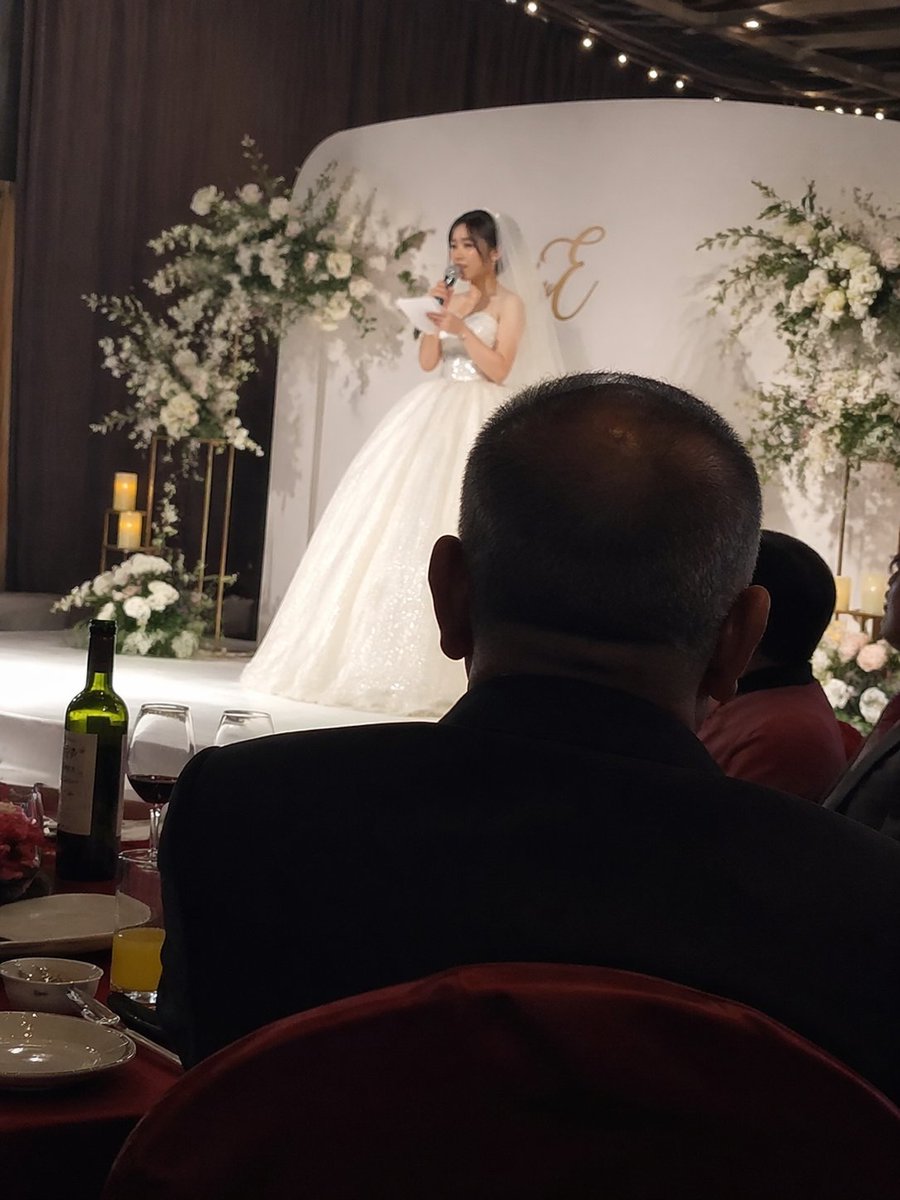
Capture a heartfelt wedding moment: iPhone-style snapshot of the bride's speech with father's silhouette in foreground.
提示词 · EN
iPhone 风格抓拍,argspeaker: 新娘在婚礼舞台上致辞,前景为 argforeground subject: 坐在下方宴席桌旁的父亲背影。
关于这个提示词
Capture a heartfelt wedding moment: iPhone-style snapshot of the bride's speech with father's silhouette in foreground. 它更适合作为 GPT Image 2 的概念艺术起点:先保留画面结构、主体关系和风格约束,再替换成你的品牌、人物或场景。
使用时优先替换 speaker、foreground subject 等占位符,并保持镜头、构图和材质描述的顺序不变。这样更容易获得稳定的画面结果,也方便继续做多版本对比。
如何使用这个提示词
- Copy the provided prompt template.
- Open Sora 2 (or any AI image generator that supports descriptive prompts).
- Replace the variables:
{argument name="speaker" default="新娘在婚礼舞台上致辞"}with your desired speaker description, and{argument name="foreground subject" default="坐在下方宴席桌旁的父亲背影"}with your foreground subject. - Generate the image and adjust settings like aspect ratio or style for an iPhone-like look.
- Experiment with synonyms or add details (like lighting, emotion) to refine the output.


