
GPT Image 2AI 提示词
Rainbow Hair Portrait with Face Privacy Block — Sora 2 Prompt
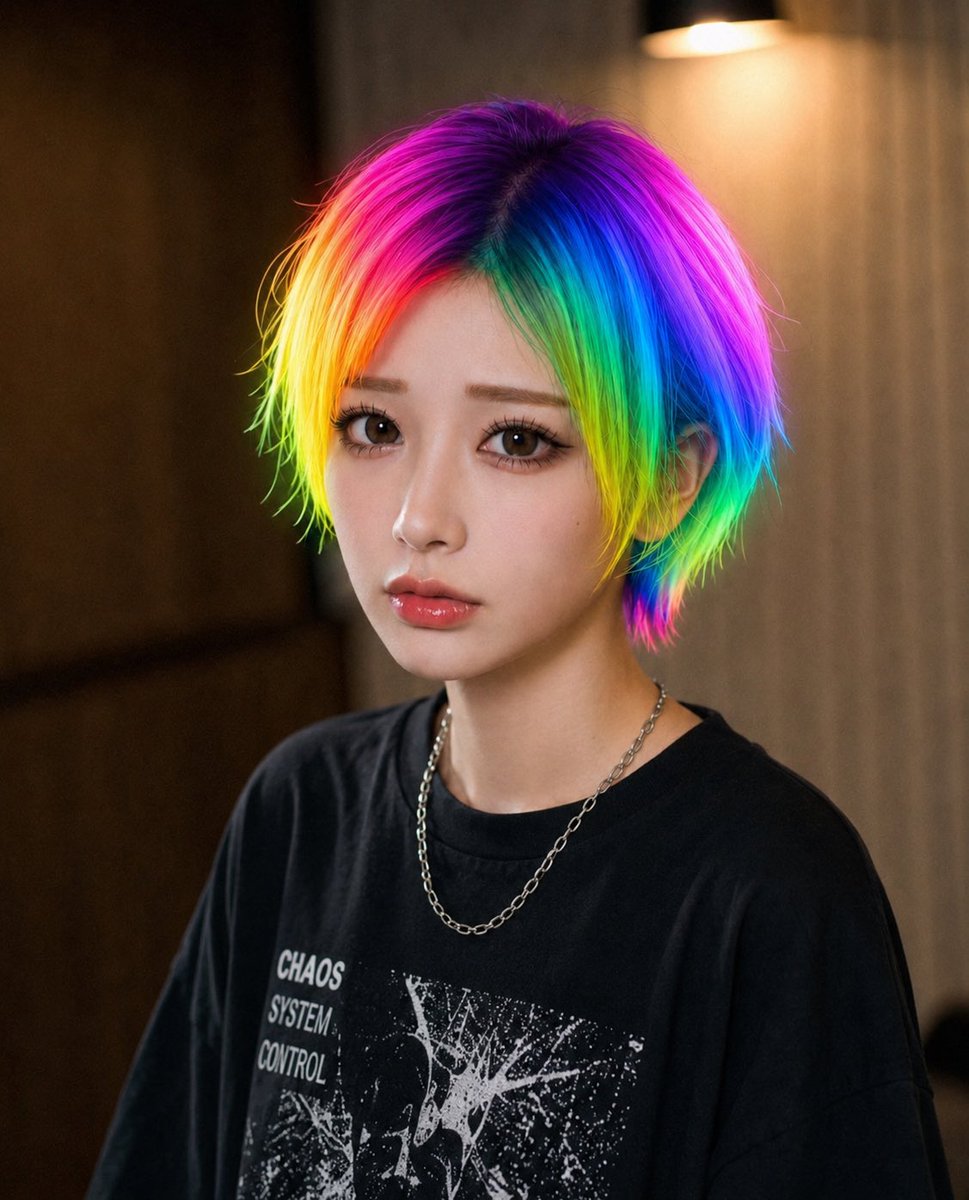
Create a cinematic street-fashion portrait with vivid rainbow hair and a stylish gradient privacy overlay blocking the face.
1 / 4
提示词 · EN
创作一张逼真的特写肖像照,拍摄对象是一位年轻人,拥有 arghair color: 鲜艳的霓虹彩虹发色,中长款凌乱层次感发型,头顶颜色较深,两侧环绕着洋红色、紫色、电光蓝、青色、绿色、黄色和橙色的饱和色带。拍摄范围从胸部到头部,主体面向镜头,身穿一件宽松的 argshirt color: 黑色 图案 T 恤,上面印有做旧的白色朋克风格艺术字,清晰可见“CHAOS SYSTEM CONTROL”字样,并佩戴一条细银链项链。在整个面部直接放置一个巨大的不透明方形隐私遮挡块,从额头到下巴居中覆盖,内部填充柔和的棕褐色、灰紫色、绿色和蓝色的渐变色,遮住所有面部特征。使用温暖的室内背景,浅景深效果,左侧为深色木板或墙板,右侧为米色窗帘,右上角有一盏柔和发光的壁灯。光影应具有电影感和舒适感,颈部皮肤质感真实,发丝纹理清晰多彩,呈现自然的相机虚化效果,打造现代街头时尚编辑风格。
关于这个提示词
Create a cinematic street-fashion portrait with vivid rainbow hair and a stylish gradient privacy overlay blocking the face. 它更适合作为 GPT Image 2 的概念艺术起点:先保留画面结构、主体关系和风格约束,再替换成你的品牌、人物或场景。
使用时优先替换 hair color、shirt color 等占位符,并保持镜头、构图和材质描述的顺序不变。这样更容易获得稳定的画面结果,也方便继续做多版本对比。
如何使用这个提示词
- Copy the prompt and paste it into your Sora 2 or compatible AI video generator.
- Choose a high-quality image or video model that supports photorealistic rendering.
- Adjust the
{hair color}and{shirt color}variables to customize the look. - Generate the output and refine with additional settings like aspect ratio or style if available.


