
GPT Image 2AI 提示词
Beard Style Analysis Poster Prompt — Sora 2
Create a luxury men’s grooming infographic poster analyzing beard styles, density, and face shape with a consistent male reference and premium design.
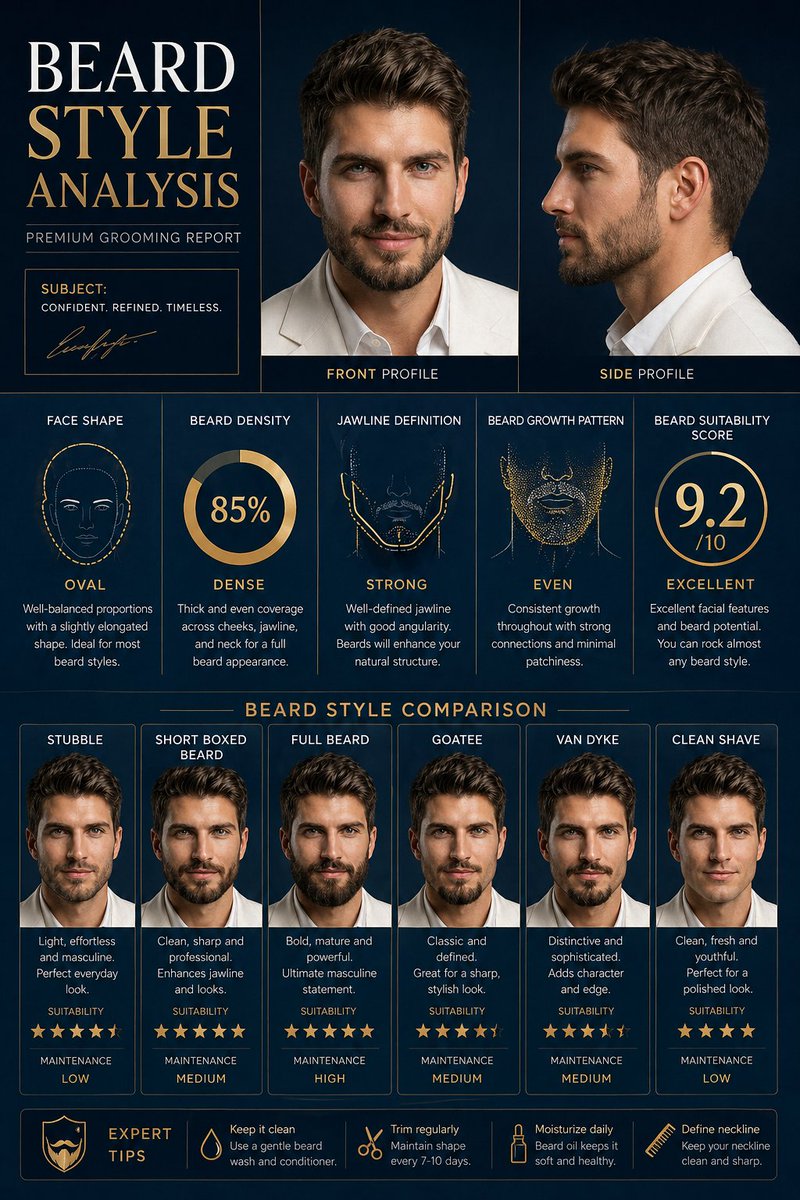
提示词 · EN
制作一张高级的“argposter title: BEARD STYLE ANALYSIS”海报,海报中需使用参考图中的同一位男性。展示脸型、胡须密度、下颌线轮廓、胡须生长模式以及胡须适配度评分。包含不同胡须风格的对比,如 Stubble(胡茬)、Short Boxed Beard(短方型胡须)、Full Beard(络腮胡)、Goatee(山羊胡)、Van Dyke(凡戴克胡)、Clean Shave(净面)。添加侧面和正面视角。argbackground: Modern dark blue luxury background,专业理容信息图表风格,高细节,写实面部一致性,时尚排版,高级男性理容海报。
关于这个提示词
Create a luxury men’s grooming infographic poster analyzing beard styles, density, and face shape with a consistent male reference and premium design. 它更适合作为 GPT Image 2 的概念艺术起点:先保留画面结构、主体关系和风格约束,再替换成你的品牌、人物或场景。
使用时优先替换 poster title、background 等占位符,并保持镜头、构图和材质描述的顺序不变。这样更容易获得稳定的画面结果,也方便继续做多版本对比。
如何使用这个提示词
- Copy the prompt template and paste it into your AI image generator's prompt field.
- Set the variables: Replace
{poster title}with your desired headline (e.g., “BEARD STYLE ANALYSIS”) and{background}with a style like “Modern dark blue luxury background.” - Attach a reference image of a male face to maintain subject consistency (if the AI supports image inputs).
- Choose a model such as Midjourney, DALL·E 3, or SDXL that handles detailed infographic designs.
- Generate and iterate: Run the prompt, then tweak styles or swap beard types for variations. Use upscaling for print-quality results.


