
GPT Image 2AI 提示词
Bugatti Chiron at Notre-Dame — Sora 2 Prompt
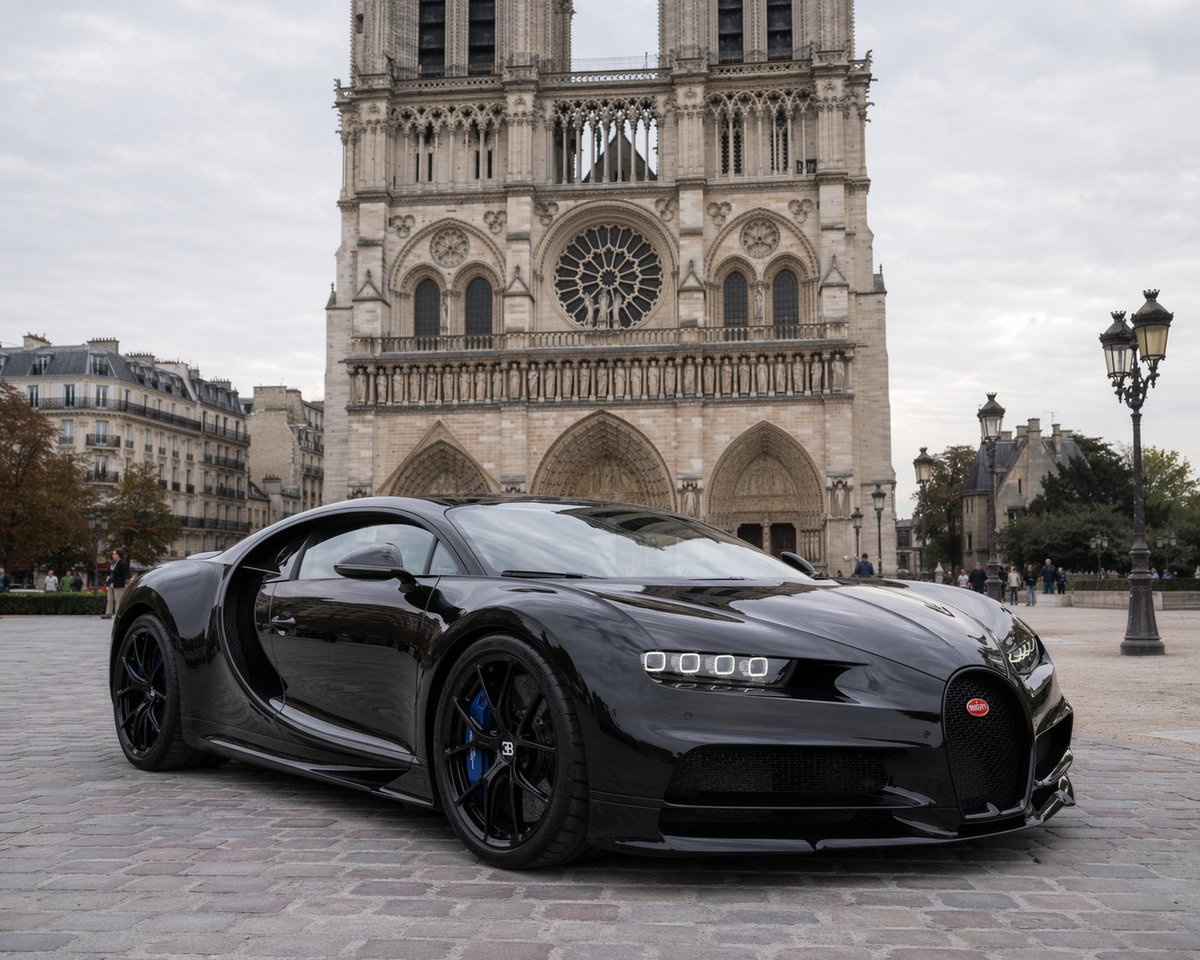
Generate a photorealistic image of a glossy Bugatti Chiron supercar parked before the Gothic Notre-Dame cathedral under soft overcast light, with customizable variables.
提示词 · EN
一张照片级真实、高分辨率的图像,展示了一辆光泽亮丽的 argcar model: 黑色布加迪 Chiron 停在鹅卵石广场上。这辆超级跑车以微倾的角度停放,展现出其流畅的空气动力学曲线、独特的马蹄形前格栅、四眼 LED 大灯、黑色合金轮毂以及亮蓝色的刹车卡钳。车身的高反射漆面映照出周围的环境。背景中矗立着宏伟的 argbackground landmark: 巴黎圣母院 大教堂,展现出其复杂的哥特式建筑风格、巨大的玫瑰花窗和双塔楼。场景设定在 arglighting and weather: 阴天白昼,提供了柔和且漫射的自然光。背景中有几位行人悠闲地走过,广场右侧可见装饰华丽的复古巴黎街灯,增添了浓郁的欧洲城市氛围。
关于这个提示词
Generate a photorealistic image of a glossy Bugatti Chiron supercar parked before the Gothic Notre-Dame cathedral under soft overcast light, with customizable variables. 它更适合作为 GPT Image 2 的概念艺术起点:先保留画面结构、主体关系和风格约束,再替换成你的品牌、人物或场景。
使用时优先替换 car model、background landmark、lighting and weather 等占位符,并保持镜头、构图和材质描述的顺序不变。这样更容易获得稳定的画面结果,也方便继续做多版本对比。
如何使用这个提示词
- Copy the prompt to your clipboard.
- Open an AI image generator like Sora 2, Midjourney, or DALL·E 3.
- Paste the prompt and modify the variables in
{ }(e.g., change car model, landmark, or lighting). - Generate the image and enjoy your photorealistic scene.
- Experiment with additional details like camera angles or car colors for varied results.


