
GPT Image 2AI 提示词
Anime Studio Photoshoot — Sora 2 Prompt
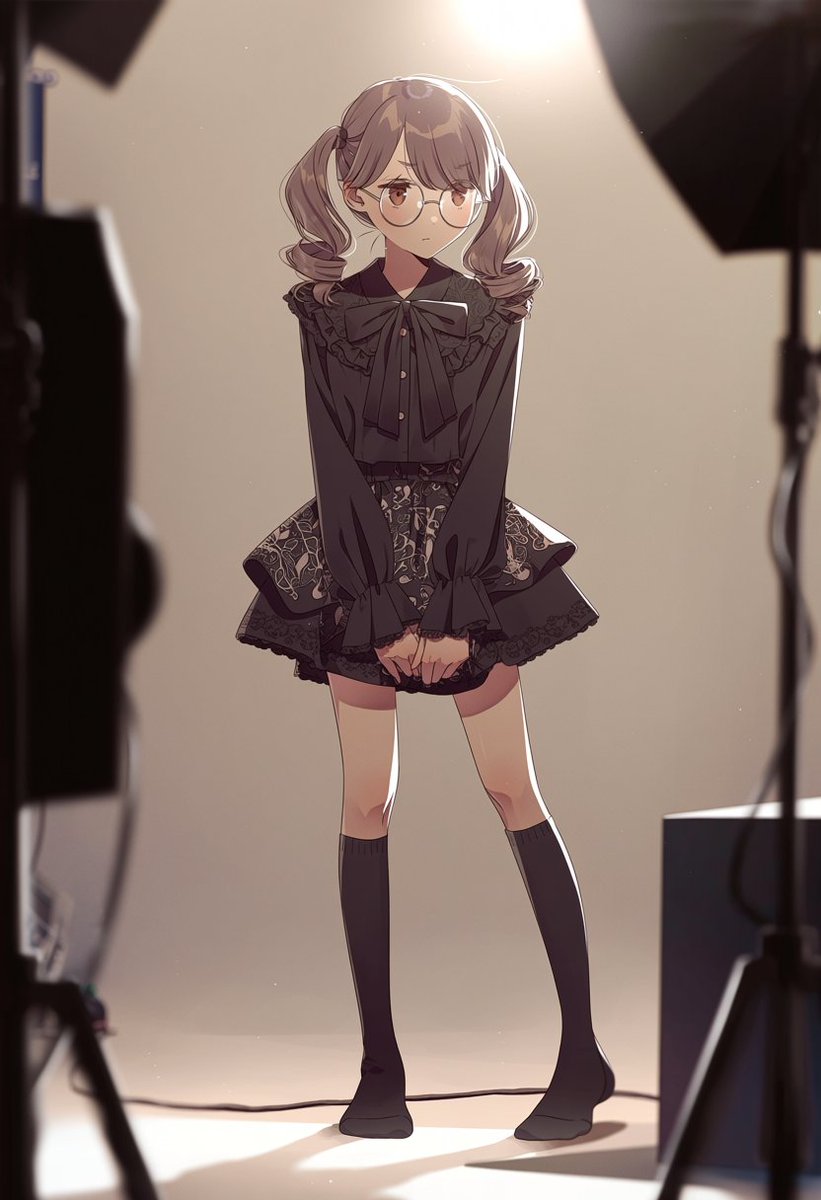
Create a cozy, cinematic anime-style photoshoot scene with a shy central character and visible studio equipment for a polished, behind-the-scenes feel.
提示词 · EN
以 REFERENCE_0 作为垂直构图和明亮高位逆光的参考,将场景转换为温馨的动漫风格时尚摄影棚幕后拍摄现场。移除楼梯间、窗户、扶手、楼层编号、盲道及墙面固定装置。在画面中心添加 1 位全身动漫少女,她羞涩地站立,双膝微内扣,双手交叠于身前,身穿 argoutfit style: 带有大蝴蝶结、荷叶边领口、华丽短裙及及膝袜的黑色哥特萝莉风上衣。为她搭配 arghair style: 柔顺的双马尾 和 argaccessory: 圆框眼镜。在画面边缘添加 4 个清晰可见的摄影棚制作元素:左侧前景处 1 个模糊的深色灯光/摄像机支架,右上角 1 个黑色柔光箱,右侧 1 个灯架,以及右下角 1 个长方形设备箱。保持背景为简约的米色,营造强烈的暖色顶光、轮廓光、地面柔和阴影、浅景深以及电影级动漫插画渲染效果。
关于这个提示词
Create a cozy, cinematic anime-style photoshoot scene with a shy central character and visible studio equipment for a polished, behind-the-scenes feel. 它更适合作为 GPT Image 2 的概念艺术起点:先保留画面结构、主体关系和风格约束,再替换成你的品牌、人物或场景。
使用时优先替换 outfit style、hair style、accessory 等占位符,并保持镜头、构图和材质描述的顺序不变。这样更容易获得稳定的画面结果,也方便继续做多版本对比。
如何使用这个提示词
- Copy the prompt text and any reference images into your AI tool. 2. Select an AI model like Sora 2 that excels in stylized imagery generation. 3. Customize the
{outfit style},{hair style}, and{accessory}variables with your preferred character details. 4. Generate the image to receive a vertically composed scene with the specified lighting and studio elements.


