
GPT Image 2AI 提示词
Concept to Form Design Process — Sora 2 Prompt
Generate a professional A4 visual board showing a subject's design evolution from inspiration to final product, complete with branding and high-resolution visuals.
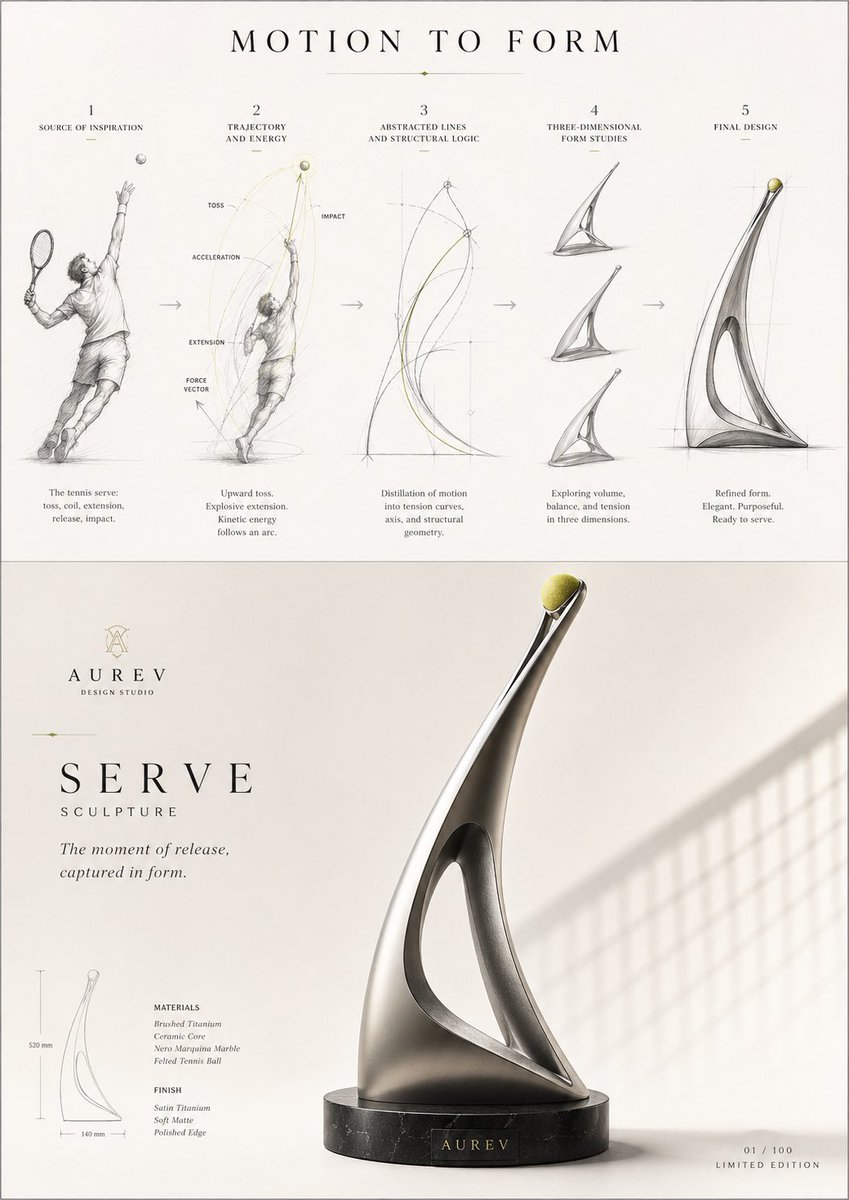
1 / 4
提示词 · EN
主题:[例如:argsubject: 网球发球] 请将该主题从概念到形态的演变过程,以及作为最终成果的成品设计,呈现在一张 A4 竖版视觉图中。采用上下两部分结构。
顶部为该主题精髓的五步可视化流程图:灵感来源 → 轨迹与能量 → 抽象线条与结构 → 三维形态 → 最终设计。请按照此流程构建。包含精细草图、线条图、设计蓝图、小箭头、简短的英文标签,以及布局优雅的留白。
标题为“MOTION TO FORM”。
底部图像展示由上述流程形成的最终“核心视觉”图。类别不限;AI 将根据主题选择最合适的设计对象。它可以是任何形式,如产品、物体、家具、配饰、包装、容器、灯具、小工具、艺术品等。
生成一个虚构的品牌名称、口号和简短文案,以创作出适合广告或设计发布视觉效果的创意内容。
整体呈现出极高的完成度,融合了项目、品牌广告和设计开发素材。展现出由极简主义、诗意、智能和留白构成的美感。配色方案以中性色调为基础,搭配 1-2 种源自主题的强调色。
准确描绘材质感、光影、结构美和纹理表现。高分辨率,商业级视觉质量。
关于这个提示词
Generate a professional A4 visual board showing a subject's design evolution from inspiration to final product, complete with branding and high-resolution visuals. 它更适合作为 GPT Image 2 的概念艺术起点:先保留画面结构、主体关系和风格约束,再替换成你的品牌、人物或场景。
使用时优先替换 subject 等占位符,并保持镜头、构图和材质描述的顺序不变。这样更容易获得稳定的画面结果,也方便继续做多版本对比。
如何使用这个提示词
- Copy the prompt and paste it into your preferred AI video or image generation model.
- Choose a model like Sora 2 or a high-quality image generator that supports detailed, structured outputs.
- Customize the
{subject}variable in the prompt to your desired topic, such as "tennis serve," "origami crane," or "bicycle frame." - Adjust any other stylistic keywords if needed, though the prompt is optimized for a minimalist, neutral-tone aesthetic.
- Generate the image and review the output, which should be a cohesive A4-style design board with process flow and final concept.


