
GPT Image 2AI 提示词
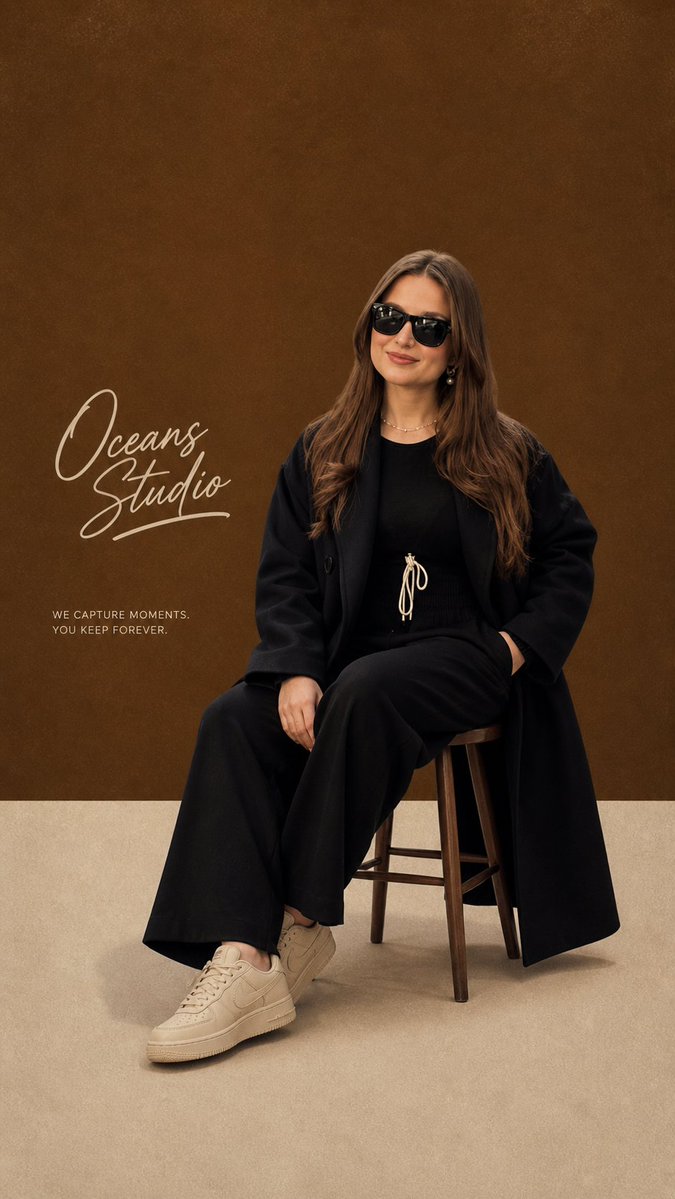
Minimalist Studio Fashion Poster — Sora 2 Prompt
Create a high-end, modern editorial fashion poster with Swiss typography, a retro studio backdrop, and precise studio lighting for a sleek, professional look.
提示词 · EN
一张现代极简主义编辑风格海报,主角为 argsubject: 时尚年轻女性,灵感源自参考图像(白皙皮肤、棕色长发、佩戴黑色太阳镜)。她坐在简约的木凳上,位于构图中心。 她身着别致的全黑套装:黑色长款外套内搭黑色上衣,下穿黑色阔腿裤,搭配浅米色/奶油色女式运动鞋。姿态自信而放松,身体微微前倾,一只手放在膝盖上,另一只手自然摆放。 背景:简洁的工作室布景,采用复古风格的拼色背景——上方墙面为暖棕色,地面为质感柔和的米色。 文字元素: 左侧为优雅的草书签名体 “argbrand name: Oceans Studio”
下方小字说明:“argslogan: 定格瞬间,永恒珍藏。” 风格:现代编辑设计,瑞士风格排版,简洁的留白,高级时尚海报质感。 灯光:柔和的工作室灯光,凳下有平滑的阴影,电影感且干净(无强烈对比)。 相机:平视角度,中景全身照,居中构图,焦点清晰,高分辨率。 调色板:暖棕色、米色、奶油色,黑色点缀。 质感:轻微的胶片颗粒感,细腻的纸张纹理,复古印刷质感。 参数:
--ar 9:16 --style raw --q 2 --hd
关于这个提示词
Create a high-end, modern editorial fashion poster with Swiss typography, a retro studio backdrop, and precise studio lighting for a sleek, professional look. 它更适合作为 GPT Image 2 的概念艺术起点:先保留画面结构、主体关系和风格约束,再替换成你的品牌、人物或场景。
使用时优先替换 subject、brand name、slogan 等占位符,并保持镜头、构图和材质描述的顺序不变。这样更容易获得稳定的画面结果,也方便继续做多版本对比。
如何使用这个提示词
- Copy the prompt text above, filling in the
subject,brand name, andsloganfields with your specific details. - Select a capable AI image generator like Sora 2, Midjourney, or DALL·E 3.
- Paste the entire prompt into the model's input field.
- Generate the image and review the output.
- Adjust the subject description, color palette, or aspect ratio (
--ar) to fine-tune your desired result.


