
GPT Image 2AI 提示词
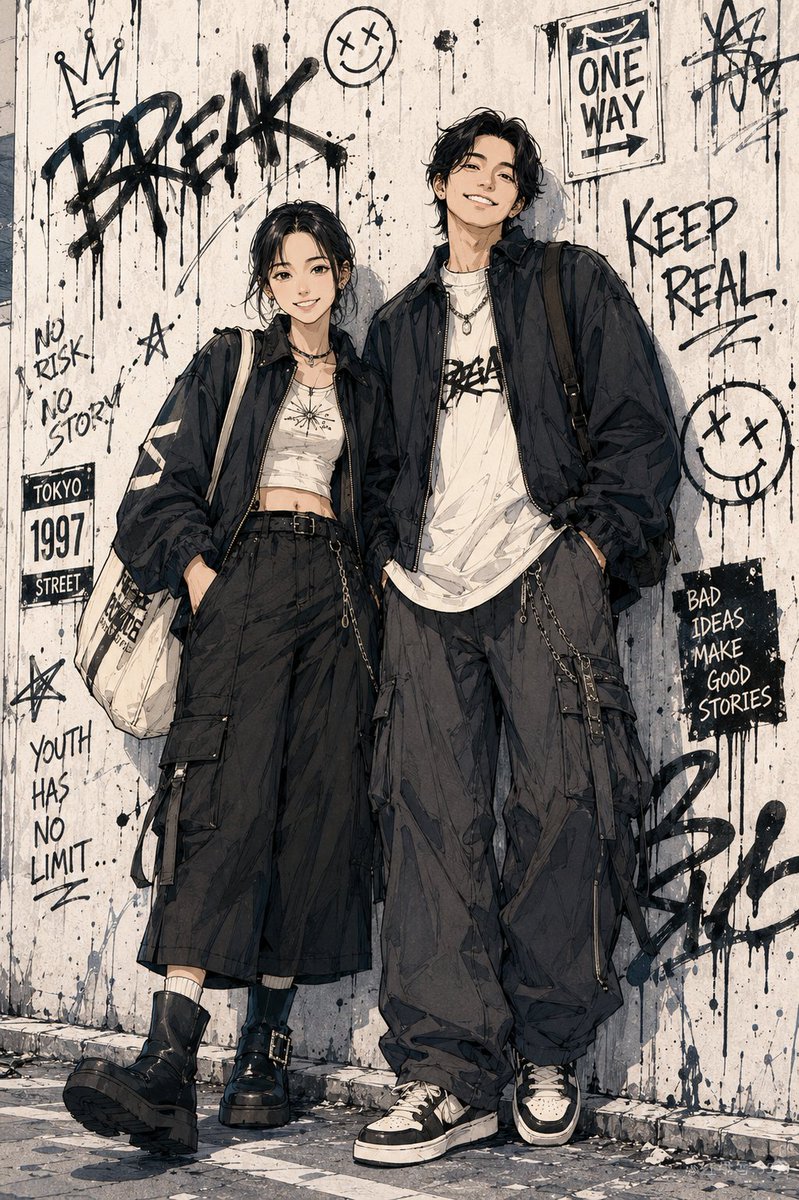
Urban Manga Portrait Prompt — Convert Photo to Shonen Style
Turn your photo into a dynamic Japanese shonen manga character with Tokyo streetwear fashion and cinematic urban backgrounds.
1 / 3
提示词 · EN
基于用户上传的真实照片,将角色转换为 argart style: 日本少年漫画风格 / 都市街头动漫角色海报。在创作全新的全身动漫插画时,保留脸型、五官比例和气质等真实身份特征。艺术风格:漫画彩页、干净且有力的黑色线条、锐利的发型、清晰的衣物褶皱、轻微的铅笔素描感,以及纸张纹理上的水彩或马克笔上色。为角色设计 argclothing style: 东京街头时尚 —— 年轻、随性且酷炫。使用大廓形夹克、工装裤、耳机或咖啡杯等元素。将角色安排在动态姿势中(例如:行走、倚靠墙壁),以营造电影感。将他们置于 argbackground setting: 东京街头巷弄、便利店门口或地铁出口 中,并添加涂鸦、海报和自动贩卖机等图层。氛围:少年漫画、都市街头、青春以及时尚杂志插画感。
关于这个提示词
Turn your photo into a dynamic Japanese shonen manga character with Tokyo streetwear fashion and cinematic urban backgrounds. 它更适合作为 GPT Image 2 的概念艺术起点:先保留画面结构、主体关系和风格约束,再替换成你的品牌、人物或场景。
使用时优先替换 art style、clothing style、background setting 等占位符,并保持镜头、构图和材质描述的顺序不变。这样更容易获得稳定的画面结果,也方便继续做多版本对比。
如何使用这个提示词
- Copy the full prompt and paste it into your preferred AI image generator (e.g., Sora 2, Midjourney).
- Choose a model optimized for anime/illustration output.
- Replace the
{art style},{clothing style}, and{background setting}variables with your preferences or keep the defaults. - Upload your reference photo as instructed by the platform.
- Generate the image and iterate on settings for the best result.


