
GPT Image 2AI 提示词
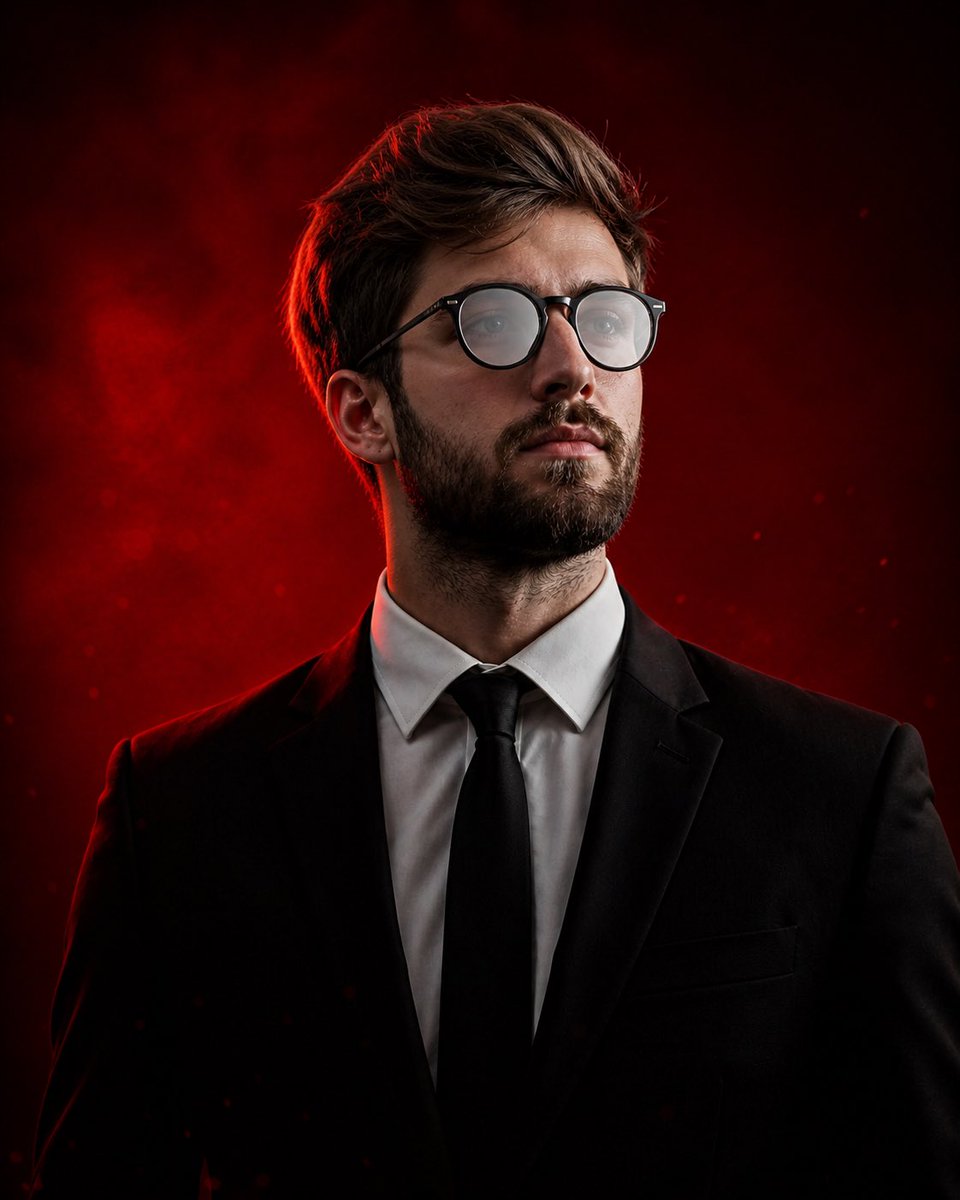
Cinematic Male Portrait — Dramatic Studio Lighting
Generate a hyper-realistic, high-fashion studio portrait with dramatic red backlighting, sharp focus, and elite, cinematic atmosphere.
提示词 · EN
超写实电影感肖像,主角为 argsubject: 年轻男性,皮肤白皙,棕色凌乱短发,留有浅浅的胡茬,佩戴黑色圆框眼镜。面部轮廓柔和且清晰,蓝灰色双眼,神情冷静专注。他微微抬头看向镜头外,流露出沉稳的自信。 服装:argoutfit: 定制黑色西装,挺括白衬衫,黑色领带,风格简洁极简。 背景:argbackground: 深红色渐变影棚背景,带有细微的漂浮颗粒、淡淡的灰尘和电影级雾气。 灯光:戏剧性的影棚灯光,背后有强烈的红色轮廓光勾勒出头发和肩膀,面部有柔和的漫射主光,柔和的阴影增加了深度。眼镜上有轻微的反光。 构图:中景特写,居中构图,略微仰视的视角以增强存在感和权威感。面部焦点清晰,浅景深。 风格:高端编辑摄影,奢华时尚大片,超精细皮肤纹理,写实的瑕疵,8K 分辨率,清晰且具有电影质感。 氛围:强大、沉稳、神秘,充满精英气质。 相机:85mm 人像镜头,f/1.8,浅景深,影棚级画质,超高清。 调色:以深红色和黑色为主色调,搭配自然的肤色,高对比度,电影级调色。
关于这个提示词
Generate a hyper-realistic, high-fashion studio portrait with dramatic red backlighting, sharp focus, and elite, cinematic atmosphere. 它更适合作为 GPT Image 2 的概念艺术起点:先保留画面结构、主体关系和风格约束,再替换成你的品牌、人物或场景。
使用时优先替换 subject、outfit、background 等占位符,并保持镜头、构图和材质描述的顺序不变。这样更容易获得稳定的画面结果,也方便继续做多版本对比。
如何使用这个提示词
- Copy the entire prompt text.
- Select a capable AI image generator like Sora 2 or a similar advanced model.
- Paste the prompt and customize the variables in
{}brackets (e.g.,subject,outfit,background) to match your vision. - Generate the image and review the output, adjusting variables for refinement.


