
GPT Image 2AI 提示词
Medieval Isometric Travel Poster — Sora 2 Prompt
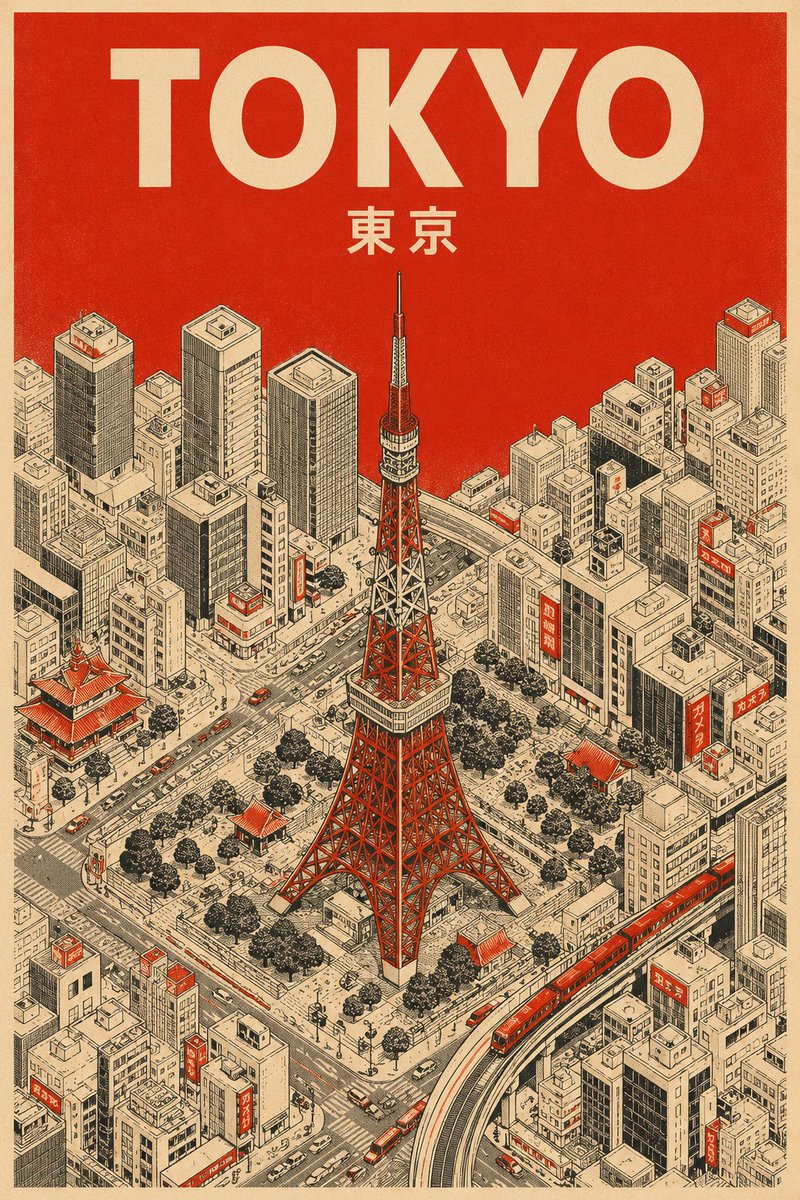
Create stunning vertical medieval travel posters with a minimalist isometric view and a strict 3-color palette for a classic, screen-printed aesthetic.
1 / 2
提示词 · EN
为 argcity name: [城市名称] 创作一张竖版中世纪旅行海报,展示 arglandmark: [地标]。使用严格的 3 色调色板:奶油色纸张、黑色技术线条以及 argaccent color: [颜色]。
风格:极简主义等距鸟瞰视角,带有超细阴影线和丝网印刷纹理。
色彩运用:整个天空以及屋顶或街道上的小面积点缀均使用纯色 argaccent color: [颜色]。不使用渐变。
文字:顶部使用奶油色粗体无衬线字体标注“argcity name: [城市名称]”,下方用较小的奶油色文字标注当地语言名称。
关于这个提示词
Create stunning vertical medieval travel posters with a minimalist isometric view and a strict 3-color palette for a classic, screen-printed aesthetic. 它更适合作为 GPT Image 2 的概念艺术起点:先保留画面结构、主体关系和风格约束,再替换成你的品牌、人物或场景。
使用时优先替换 city name、landmark、accent color 等占位符,并保持镜头、构图和材质描述的顺序不变。这样更容易获得稳定的画面结果,也方便继续做多版本对比。
如何使用这个提示词
- Copy the entire prompt template from the page.
- Paste it into your chosen AI image generator (e.g., Sora, Midjourney).
- Replace the placeholder variables (
[城市名称],[地标],[颜色]) with your specific city, landmark, and accent color. - Adjust any creative parameters if your model allows, such as style emphasis or detail level.
- Generate the image and iterate by tweaking the variables for different destinations.


