
GPT Image 2AI 提示词
Hand-Torn Paper Collage Art Generator — Sora 2 Prompt
Transform any image into a realistic hand-torn paper collage with textured edges, wrinkles, and glue marks for authentic mixed-media art.
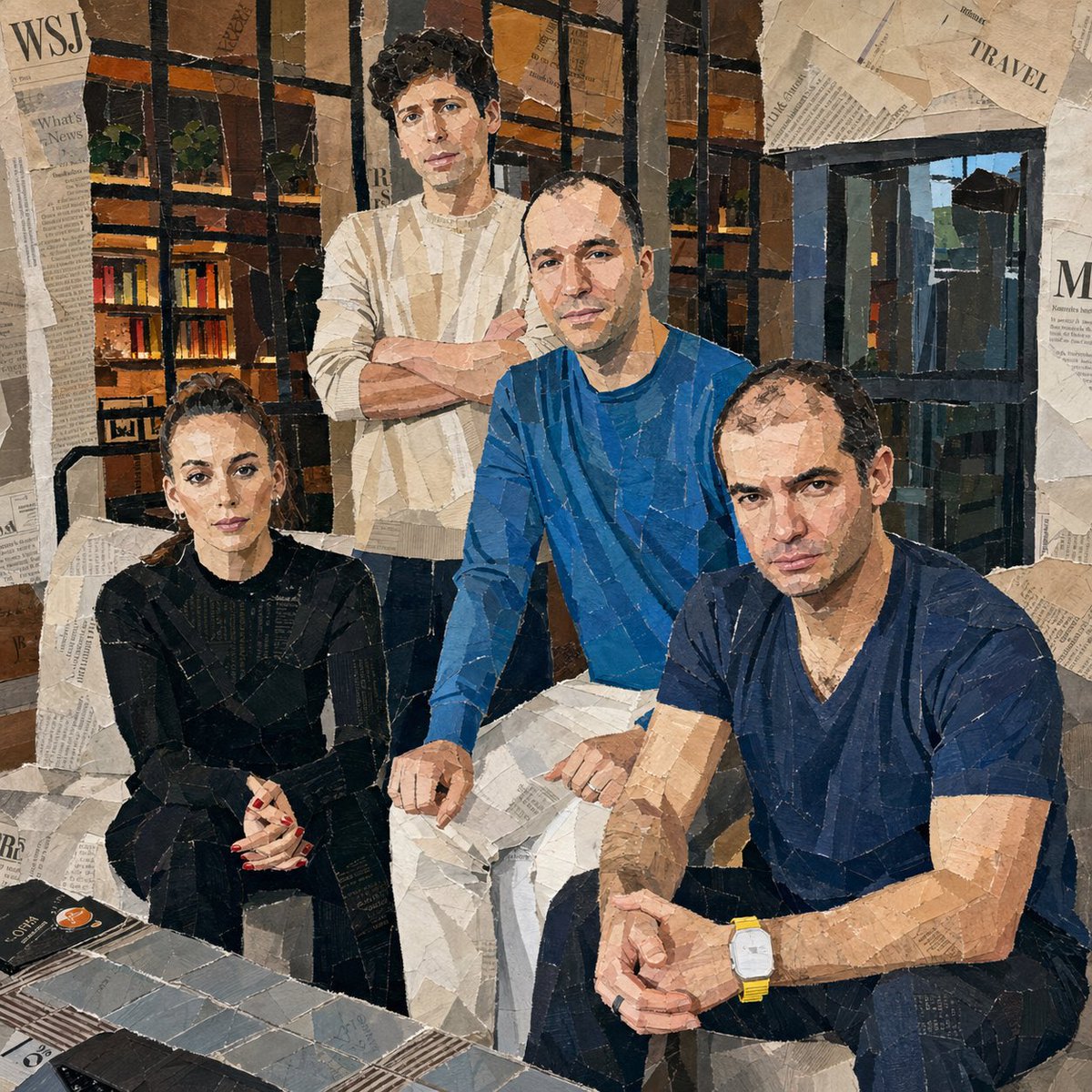
1 / 4
提示词 · EN
将附带的图像转换为拼贴艺术作品。使其看起来像是从报纸、杂志和传单上手撕下来并粘贴而成。每一个表情都应使用大块的撕纸来完成。详细呈现纸张上的撕裂边缘、褶皱、重叠部分和胶水痕迹。使用相对较大的纸块,不要太小,并将它们随机放置在不同的角度和方向上,纸张方向要随意旋转。创作出看起来像是人工粗略手工粘贴的真实拼贴画效果。
关于这个提示词
Transform any image into a realistic hand-torn paper collage with textured edges, wrinkles, and glue marks for authentic mixed-media art. 它更适合作为 GPT Image 2 的概念艺术起点:先保留画面结构、主体关系和风格约束,再替换成你的品牌、人物或场景。
使用时建议先小幅修改主体、场景、镜头和色调,再生成多个版本对比构图与细节。这样页面内容对用户有实际帮助,也避免把模型名或标签机械堆在正文里。
如何使用这个提示词
- Copy the full prompt text and paste it into your preferred AI image generation model (Sora 2, Midjourney, DALL·E, etc.).
- Attach or reference the source image you want to convert into a collage style.
- Adjust style keywords if desired — try adding "vintage," "punk zine," or "colorful" for different vibes.
- Set your preferred aspect ratio and resolution for the output.
- Generate the image and iterate by tweaking paper size, rotation angles, or layering depth.


