
GPT Image 2AI 提示词
Dark Noir Album Cover — Sora 2 Cinematic Prompt
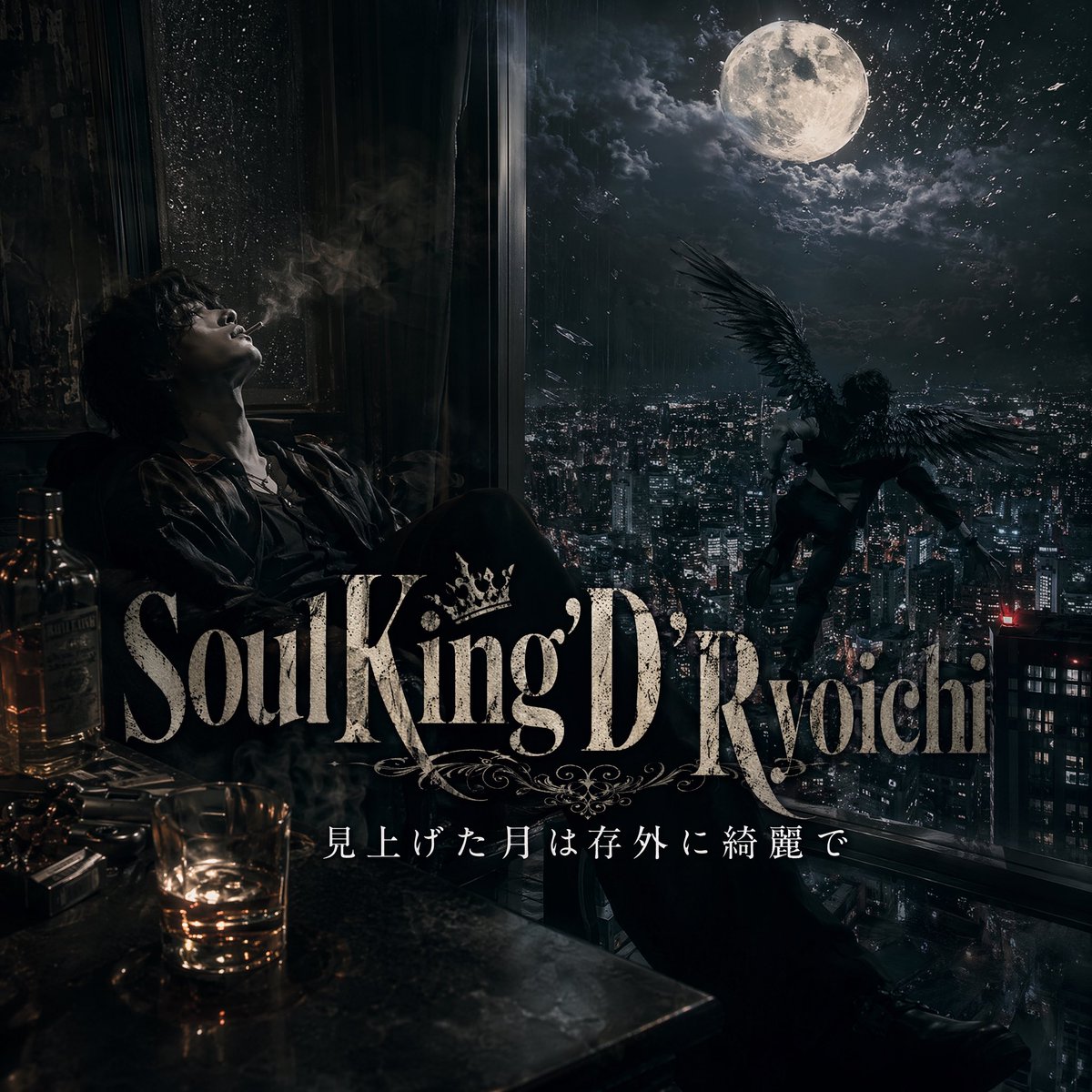
Generate a cinematic, dark-fantasy album cover featuring a brooding figure, moonlit winged creature, and atmospheric cityscape with rich noir details.
提示词 · EN
一张暗黑、电影质感的专辑封面风格场景,视角位于夜晚的高层房间内,从充满情绪感的室内向外望去,俯瞰着灯火通明的广阔现代城市。在左侧,一名孤独的男子瘫坐在布满雨点的落地窗旁,他的脸庞隐没在深沉的阴影中,烟雾向上缭绕,他身着深色西装或敞开领口的衬衫,显得凌乱而忧郁。在左下角的前景中,放置 2 个酒瓶、1 个装有琥珀色威士忌的矮玻璃杯,以及一张反射着微弱暖光的杂乱桌面。窗外右侧,一个拥有巨大黑色羽翼的人形生物悬浮或降落在城市上方,在巨大明亮的满月映衬下形成戏剧性的剪影,周围是破碎的云层和天空中闪烁的微光。色调接近单色,以冷蓝黑色的阴影为主,辅以酒水和室内灯光带来的少量琥珀色高光。添加层次感的大气雾气、烟雾、湿润的玻璃质感、强烈的对比度,将写实摄影与暗黑奇幻、奢华黑色电影风格融合,营造出忧郁且危险的氛围。在画面中下部,叠加大型华丽的衬线体标题,内容为 argtitle text: Soul King D'Ryoichi,并在字体中融入装饰性的皇冠和花纹。在其下方,添加一行较小的优雅日语副标题 argsubtitle text: 見上げた月は存外に綺麗で。使其看起来像是一张高级音乐单曲封面或歌词视觉图,高度细节化、精致、电影感强、构图居中,正方形格式。
关于这个提示词
Generate a cinematic, dark-fantasy album cover featuring a brooding figure, moonlit winged creature, and atmospheric cityscape with rich noir details. 它更适合作为 GPT Image 2 的概念艺术起点:先保留画面结构、主体关系和风格约束,再替换成你的品牌、人物或场景。
使用时优先替换 title text、subtitle text 等占位符,并保持镜头、构图和材质描述的顺序不变。这样更容易获得稳定的画面结果,也方便继续做多版本对比。
如何使用这个提示词
- Copy the full prompt text from the page and paste it into your preferred AI image generator.
- Select a high-quality model such as Sora 2, Midjourney, or DALL·E 3 optimized for cinematic and detailed outputs.
- Customize the
titleandsubtitlevariables to display your own text for the album cover. - Adjust the square aspect ratio if needed, then generate the image and refine with additional iterations.


