
GPT Image 2AI 提示词
Rainy Sci-Fi Infiltration Scene — Sora 2 Prompt
Generate a cinematic, dark sci-fi anime illustration of a covert operative hacking glowing tech beneath a rusted vehicle in a stormy military complex.
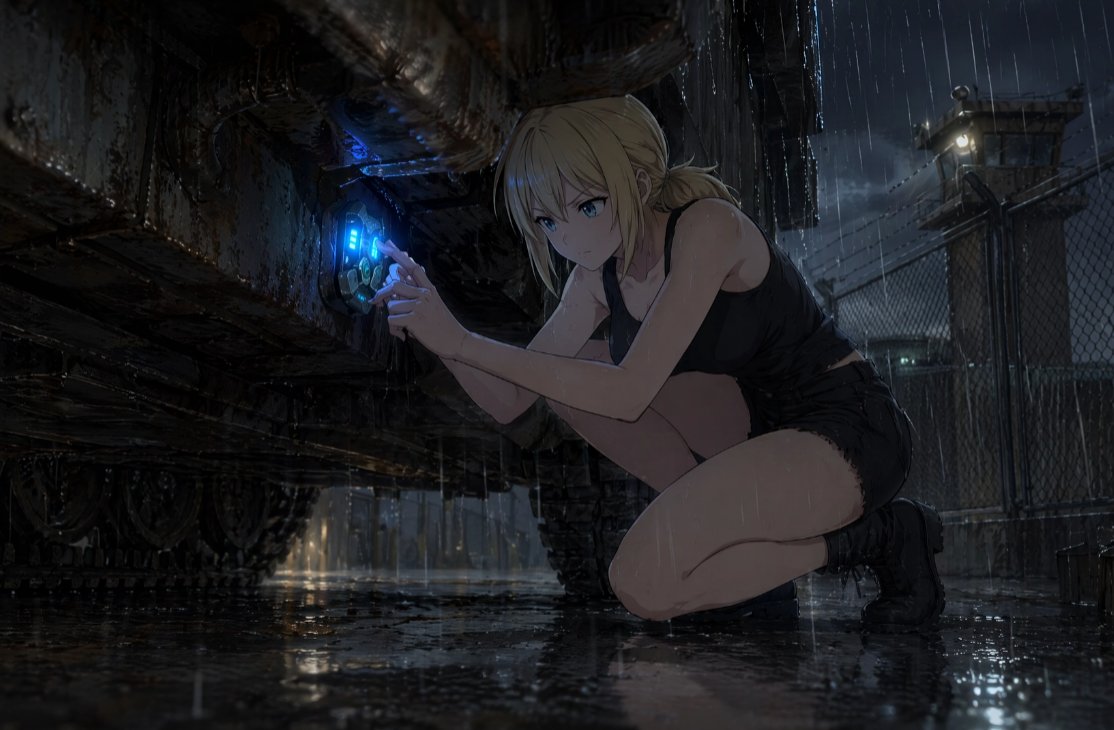
提示词 · EN
创作一幅电影质感的暗黑科幻动漫插画,画面中 argcharacter name: 一位年轻的金发女性 在深夜的暴雨中单膝蹲伏,正秘密地在大型装甲车或工业机械生锈的底盘下进行操作。她留着 arghair color: 浅金色 的头发,扎成凌乱的低发髻,湿漉漉的发丝散落在脸颊旁,她的面部被一个平面的深灰色方形遮挡块刻意掩盖。她身穿湿透的黑色无袖露脐上衣、黑色短裤和黑色战术踝靴,雨水在她的皮肤上闪烁。她的双手按在机械上一个圆形的未来感接入端口,该端口发出鲜艳的 argglowing device color: 蓝色 电光,并伴有青色的界面条和机械细节,暗示着黑客入侵、维修或激活隐藏技术。背景是一个阴森的军事工业园区,配有铁丝网、湿漉漉的沥青路面、水坑倒影、链式围栏、远处的岗哨灯光、铁丝网剪影和风暴云。采用戏剧性的低角度构图,巨大的腐蚀车辆占据画面左侧,蹲伏的人物位于右侧,运用强烈的明暗对比照明、雨痕、反光地面、细腻的锈迹、污垢、滴水效果,整体色调为忧郁的蓝灰色,呈现高细节的动漫写实风格、电影概念艺术质感、16:9 宽屏构图,营造出紧张的序幕氛围。
关于这个提示词
Generate a cinematic, dark sci-fi anime illustration of a covert operative hacking glowing tech beneath a rusted vehicle in a stormy military complex. 它更适合作为 GPT Image 2 的概念艺术起点:先保留画面结构、主体关系和风格约束,再替换成你的品牌、人物或场景。
使用时优先替换 character name、hair color、glowing device color 等占位符,并保持镜头、构图和材质描述的顺序不变。这样更容易获得稳定的画面结果,也方便继续做多版本对比。
如何使用这个提示词
- Copy the prompt text and paste it into your preferred AI image generation model, like Sora 2.
- Locate and modify the variables within the curly braces
{}to customize details like the character's hair color or the device's glow. - Adjust the overall scene's mood or setting by tweaking descriptive adjectives in the prompt body.
- Generate the image and use the initial result as a foundation for further refinement and iteration.


