
GPT Image 2AI 提示词
MacBook Neo Technical Exploded View — Sora 2 Prompt
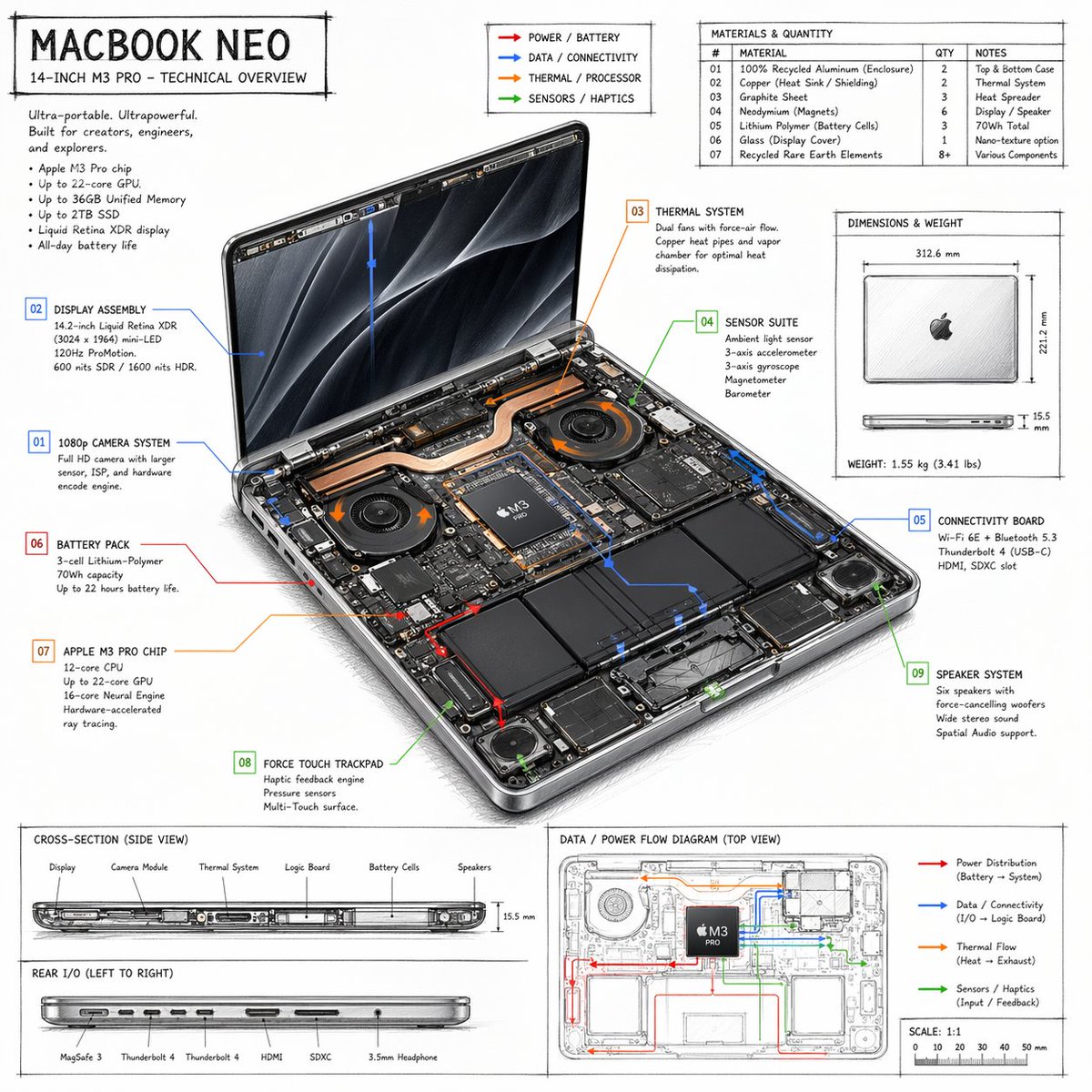
Generate a hand-drawn technical overview infographic of a laptop, complete with labeled internal components, material specs, and data flow diagrams.
提示词 · EN
type
技术概览信息图style
{argument name="visual style" default="手绘技术草图,排版简洁"}product
name
{argument name="product name" default="MACBOOK NEO"}subtitle
14 英寸 {argument name="processor model" default="M3 PRO"} - 技术概览layout
centerpiece
description
打开的笔记本电脑等轴视图,展示了双风扇、铜质散热管、电池单元和逻辑项目等内部硬件组件callouts_count
9callout_labels
item 1
01 1080p 摄像头系统item 2
02 显示屏组件item 3
03 散热系统item 4
04 传感器套件item 5
05 连接项目item 6
06 电池组item 7
07 {argument name="main component" default="APPLE M3 PRO 芯片"}item 8
08 Force Touch 触控板item 9
09 扬声器系统sections
item 1
title
标题文本position
左上content
营销宣传语及 5 点规格列表item 2
title
图例position
中上content
4 个颜色编码箭头,指示 {argument name="accent colors" default="红色、蓝色、橙色、绿色"} 的电源、数据、热量和传感器流向线item 3
title
材质与数量position
右上type
表格rows_count
7columns
item 1
#item 2
材质item 3
数量item 4
备注item 4
title
尺寸与重量position
中右content
闭合状态下笔记本电脑的俯视图和侧视图,标注测量数据item 5
title
横截面(侧视图)position
左下(上半部分)content
侧面轮廓展示内部组件布局,带有 6 个标签item 6
title
后端 I/O(从左至右)position
左下(下半部分)content
侧面轮廓展示 6 个端口item 7
title
数据 / 电源流向图(俯视图)position
右下content
带有彩色流向线、图例和比例尺的线框俯视图关于这个提示词
Generate a hand-drawn technical overview infographic of a laptop, complete with labeled internal components, material specs, and data flow diagrams. 它更适合作为 GPT Image 2 的概念艺术起点:先保留画面结构、主体关系和风格约束,再替换成你的品牌、人物或场景。
这条提示词使用结构化 JSON 组织信息,包含 type、style、product、layout 等字段。保留这种层级能让模型更清楚地区分画面主题、布局、界面元素和细节约束。
使用时建议先小幅修改主体、场景、镜头和色调,再生成多个版本对比构图与细节。这样页面内容对用户有实际帮助,也避免把模型名或标签机械堆在正文里。
如何使用这个提示词
- Copy the JSON prompt block.
- Paste it into an AI model like Sora 2 that supports structured prompts.
- Edit the "default" values in curly braces
{}to customize the product name, processor, or accent colors. - Submit the prompt to generate a detailed technical blueprint-style image.
- Use the resulting infographic for presentations, design mockups, or technical documentation.


