
GPT Image 2AI 提示词
Street Fashion Portrait — Crouching Pose with Mosaic Blur | Sora 2 Prompt
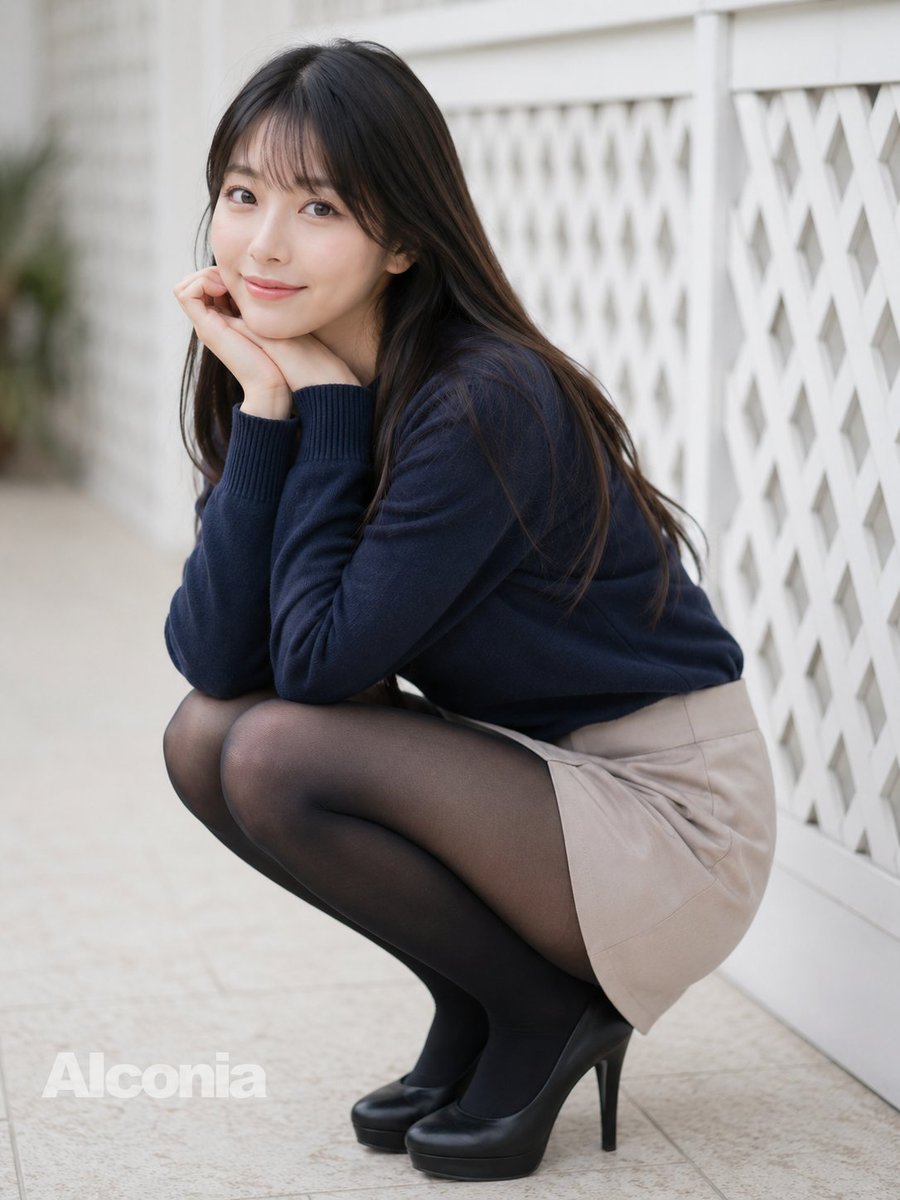
Generate a photorealistic outdoor fashion portrait of a crouching woman in a sweater, skirt, and heels with artistic face blur and soft bokeh lighting.
提示词 · EN
创作一张照片级逼真的全身户外时尚人像,画面中一位 argsubject age and gender: 成年年轻女性 蹲在白色格子栅栏旁浅色的瓷砖人行道上。她留着长直的 arghair color: 深棕色头发,发丝垂在肩头,面部经过柔和的方形马赛克模糊处理,双手托腮,手肘抵在膝盖上,呈现出害羞而沉思的姿态。她身穿一件修身的 argsweater color: 藏青色 针织毛衣,袖口有罗纹设计,搭配一条短款 argskirt color: 米色 短裙、黑色透明连裤袜以及黑色防水台高跟鞋。采用浅景深效果,背景柔和虚化,自然日光照明,色调柔和中性,呈现真实的皮肤和织物纹理,营造出抓拍的街头摄影感。构图采用 4:3 竖幅,主体位于画面中心偏左位置,右侧白色几何栅栏向背景延伸,左下角带有半透明的 argwatermark text: Alconia 水印。
关于这个提示词
Generate a photorealistic outdoor fashion portrait of a crouching woman in a sweater, skirt, and heels with artistic face blur and soft bokeh lighting. 它更适合作为 GPT Image 2 的概念艺术起点:先保留画面结构、主体关系和风格约束,再替换成你的品牌、人物或场景。
使用时优先替换 subject age and gender、hair color、sweater color、skirt color 等占位符,并保持镜头、构图和材质描述的顺序不变。这样更容易获得稳定的画面结果,也方便继续做多版本对比。
如何使用这个提示词
- Copy the full prompt text from this page.
- Open your preferred AI image/video model (e.g. Sora 2, Kling, or Midjourney).
- Customize the curly-brace variables such as subject age, hair color, sweater color, skirt color, and watermark text to match your vision.
- Paste the prompt into the generation field and submit.
- Review the output; adjust depth-of-field or lighting keywords if needed and regenerate.


