
GPT Image 2AI 提示词
Pixel Sprite Sheet — Cat & Desk Items | Sora 2 Prompt
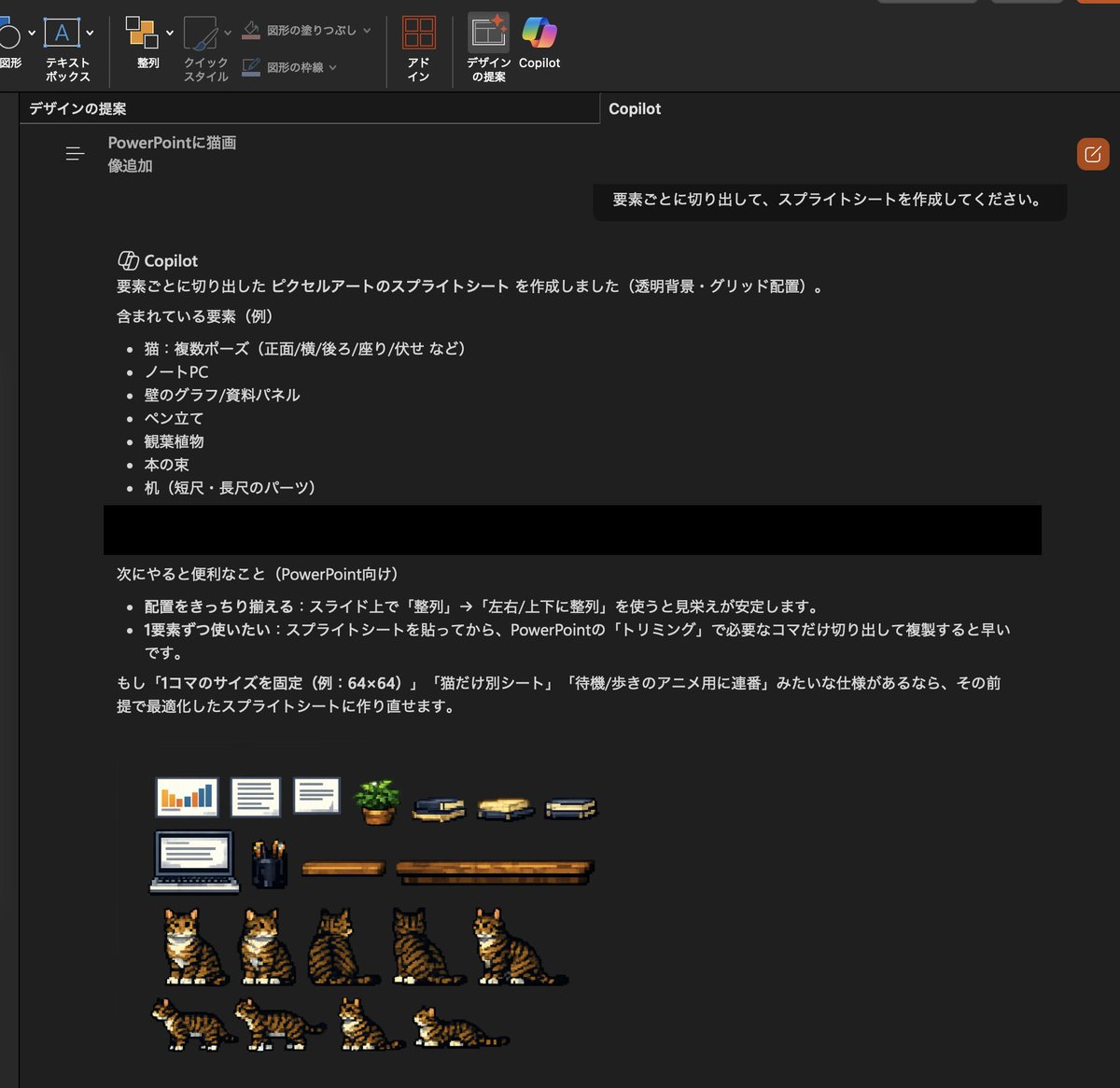
Transform a realistic cat photo into a retro pixel art sprite sheet with 7 cat poses and 10 desk items, ready for transparent-background PowerPoint use.
提示词 · EN
使用提供的参考图片,将插入的写实猫咪照片及可见的桌面场景转换为适用于 PowerPoint 的透明背景像素风精灵图表。提取场景元素,并将其重绘为整齐排列在深色工作区网格上的简洁复古游戏风格素材。包含 7 个猫咪精灵图,展示参考猫咪的不同视角/姿势:1 个正面左侧坐姿、1 个正面坐姿、1 个背面坐姿、1 个侧后方坐姿、1 个侧前方坐姿、1 个侧面行走姿势以及 1 个侧面卧姿。同时将参考图中的周边道具作为独立的像素艺术项包含在内:1 台笔记本电脑、2 个墙面图表/文档面板、1 个笔筒、1 盆盆栽、3 叠书以及 2 个不同长度的桌面组件。保持猫咪与参考图中那只虎斑白猫的辨识度,并将所有元素简化为清晰的低分辨率像素艺术,以便在 Slides 中进行裁剪和重复使用。
关于这个提示词
Transform a realistic cat photo into a retro pixel art sprite sheet with 7 cat poses and 10 desk items, ready for transparent-background PowerPoint use. 它更适合作为 GPT Image 2 的概念艺术起点:先保留画面结构、主体关系和风格约束,再替换成你的品牌、人物或场景。
使用时建议先小幅修改主体、场景、镜头和色调,再生成多个版本对比构图与细节。这样页面内容对用户有实际帮助,也避免把模型名或标签机械堆在正文里。
如何使用这个提示词
- Copy the full prompt text and paste it into your chosen AI image generator (e.g., Sora 2, DALL-E, Midjourney).
- Upload your reference photo of the tabby-and-white cat on a desk when prompted.
- Tweak the sprite count or item list in the prompt if you need different poses or props.
- Generate and download the sprite sheet PNG.
- Use the transparent background to crop individual sprites in PowerPoint or Google Slides.


