
GPT Image 2AI 提示词
Luminous Skincare Ad — 9 Cinematic Sora 2 Shots
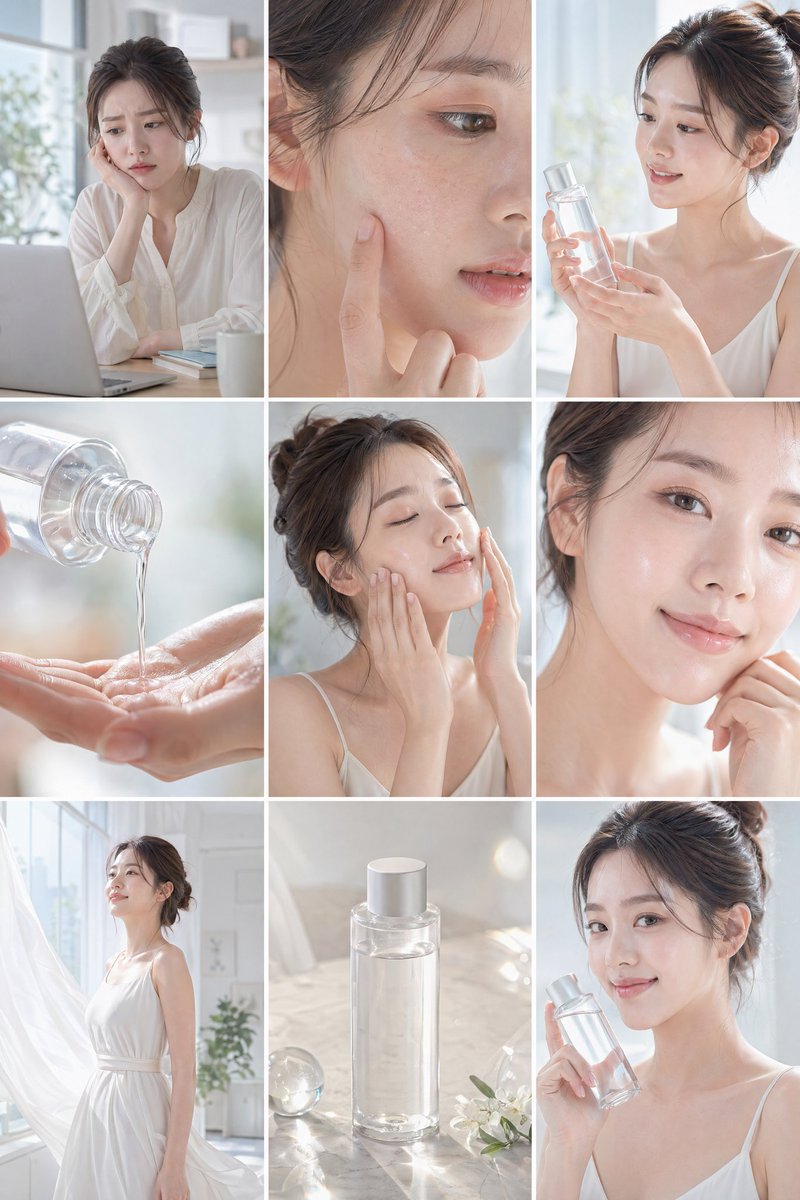
Generate a radiant skincare ad with 9 shots, capturing a woman's transformation from tired to glowing skin in soft natural light and elegant cinematography.
提示词 · EN
创建一个简洁明亮的 argproduct type: 护肤品广告 项目,采用 16:9 布局,共 9 个分镜。使用柔和的自然光,呈现极简美学,营造清新、轻盈的氛围,色调以白色和柔和色系为主。argsubject: 主角是一位妆容清透、发型精致的年轻女性,身着轻盈优雅的服装。场景设定在现代且阳光充足的室内,配有大窗户,氛围宁静。画面中不包含任何文字或字幕。
展示清晰的叙事流程:她起初在书桌前,显得有些疲惫或困扰,随后镜头特写她的脸部,显示皮肤干燥或暗沉。她发现了透明的护肤品瓶子并轻轻展示。展示液体滴在手上的特写,随后是她将产品涂抹在脸上的画面。使用后,她的皮肤看起来水润、透亮且光滑。转场至她感到自信且焕然一新,在明亮整洁的空间中行走,伴随微风和流动的元素。结尾展示产品在极简平面上的静物美拍,最后一帧是她手持产品对着镜头温柔微笑。
重点表现自然的表情、透亮的肌肤以及从暗沉到清新的蜕变。加入电影感特写、柔焦、光影反射和细微的闪光,以增强纯净美感。保持整体优雅、极简且视觉舒适,且不包含任何品牌文字。
关于这个提示词
Generate a radiant skincare ad with 9 shots, capturing a woman's transformation from tired to glowing skin in soft natural light and elegant cinematography. 它更适合作为 GPT Image 2 的概念艺术起点:先保留画面结构、主体关系和风格约束,再替换成你的品牌、人物或场景。
使用时优先替换 product type、subject 等占位符,并保持镜头、构图和材质描述的顺序不变。这样更容易获得稳定的画面结果,也方便继续做多版本对比。
如何使用这个提示词
- Copy the prompt from this page.
- Open Sora 2 and paste it, selecting 16:9 and 9-shot layout.
- Customize the
product type(e.g., serum, lotion) andsubject(e.g., 'a man with clear skin') as needed. - Generate the video; adjust lighting or shot order if the output doesn't match.
- Enjoy your minimalist skincare ad without any text.


