
AI 提示词
Artisan Pour-Over Brewing Infographic — Sora 2 Prompt
Craft a visually striking pour-over coffee infographic with step-by-step panels, stats badges, and a warm morning cafe glow.
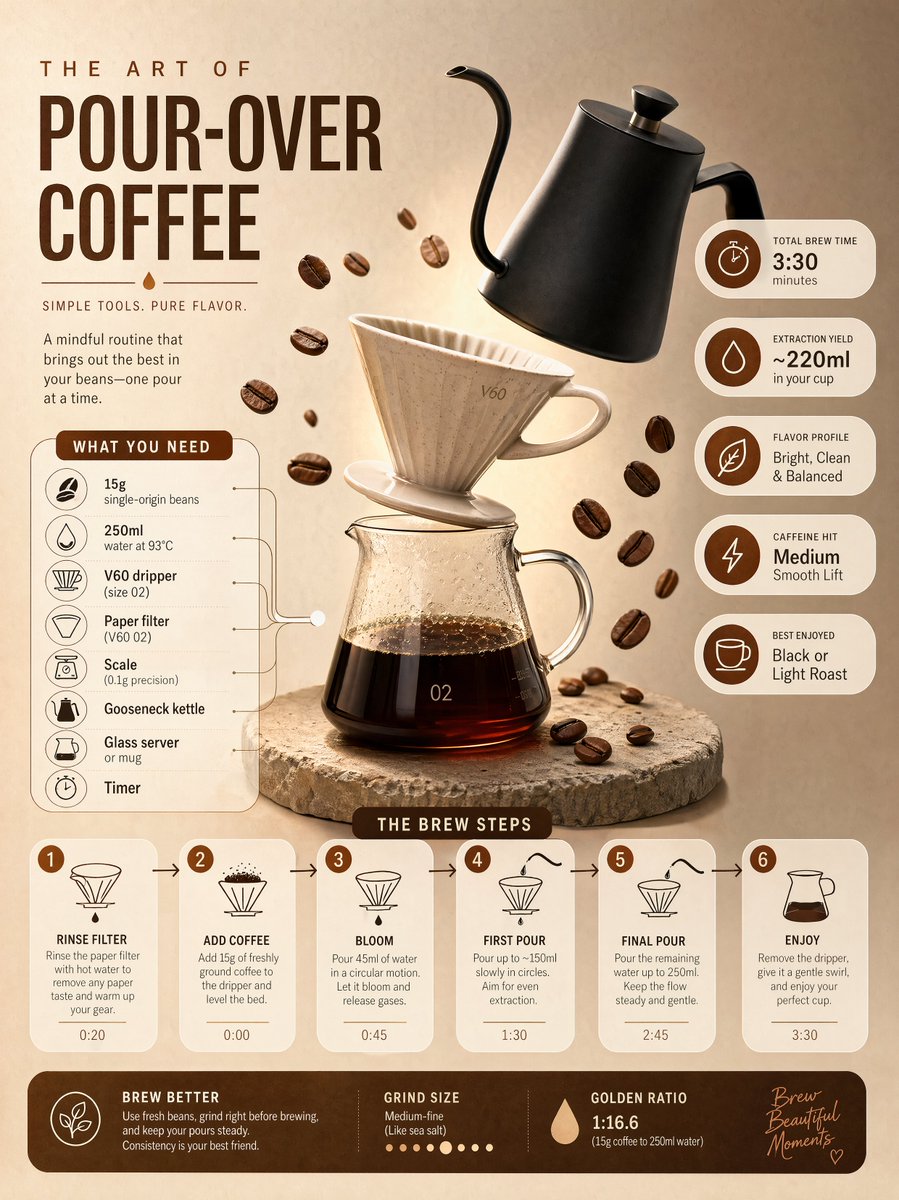
提示词 · EN
Ultra-clean modern editorial infographic on the topic of a [POUR-OVER COFFEE BREWING] routine. Hero visual: a stylized flat-lay or floating arrangement of 3–4 objects (a ceramic V60 dripper, a matte black gooseneck kettle, and scattered roasted coffee beans) — slightly angled or in soft perspective, glowing subtly. Ingredients Section: Label it ‘What You Need’ — include 6–8 items with small icons next to each (e.g., '15g single-origin beans', '250ml water at 93°C'). Arranged in a cluster connected visually to the hero. Steps Section: 5–6 numbered panels with arrows or connecting lines forming a logical flow. Each step has a short action label and a small relevant icon. Panels use glassmorphism or frosted card styling. Stats Badges: 4–5 floating pill-shaped badges showing relevant metadata — total brew time, extraction yield, flavor profile, caffeine hit — displayed as clean minimal bubbles. Visual Style: Artisan, warm editorial background — roasted brown, oat cream, or soft copper tones. Rich espresso accent colors. Bold modern sans-serif typography. Clean vector icons. Subtle grain or filter-paper texture. Composition: Hero object cluster centered or slightly offset. Ingredients on one side. Steps flow opposite or below with connecting lines. Stat badges scattered as floating pills. Generous negative space. Lighting: Soft, warm morning cafe light feel emanating from the hero cluster. Premium lifestyle editorial aesthetic, social-feed optimized. Ultra-crisp. No watermark.
关于这个提示词
Craft a visually striking pour-over coffee infographic with step-by-step panels, stats badges, and a warm morning cafe glow. 它更适合作为 AI 模型 的概念艺术起点:先保留画面结构、主体关系和风格约束,再替换成你的品牌、人物或场景。
常见用途包括 chatgpt、手冲、信息图、极简风。这些标签只作为创作方向参考,实际生成时仍应以提示词结构和预览图为准。
使用时建议先小幅修改主体、场景、镜头和色调,再生成多个版本对比构图与细节。这样页面内容对用户有实际帮助,也避免把模型名或标签机械堆在正文里。
如何使用这个提示词
- Copy the prompt text from the description above.
- Paste it into your preferred AI image generation model (e.g., Sora 2, Midjourney, or Stable Diffusion).
- Optionally, customize the bracketed terms (like the coffee type or specific objects) to suit your needs.
- Generate the image and refine by adjusting parameters for ultra-crisp output.
- Download and use in your editorial or social media project.


