
GPT Image 2AI 提示词
Crowd Mosaic Self-Portrait — Surreal Aerial Art Prompt
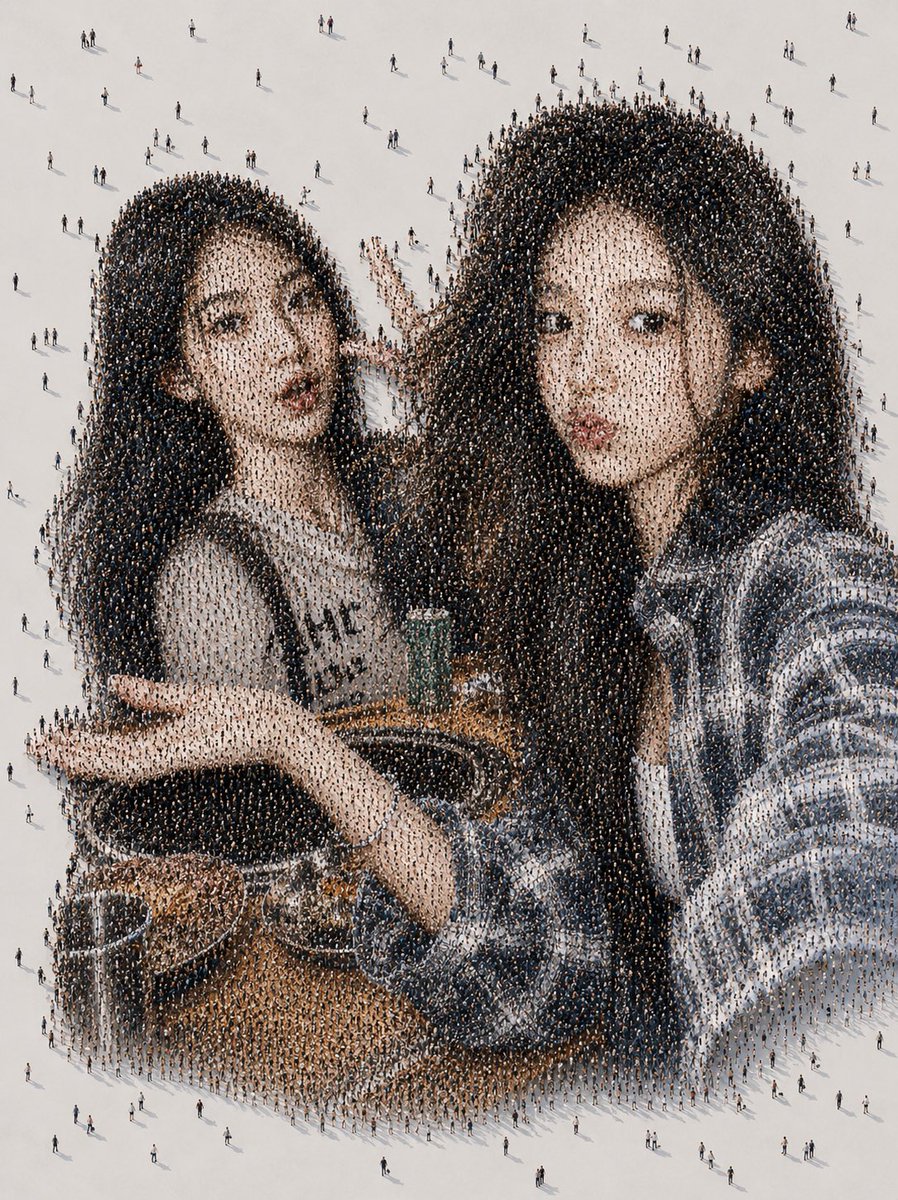
Generate a surreal photomosaic selfie portrait where the image is composed entirely of thousands of tiny aerial-view pedestrians forming a close-up selfie scene.
提示词 · EN
创作一幅高分辨率的超现实空中人群马赛克艺术作品:从远处看,它呈现为 argnumber of friends: 两位 年轻女性在小咖啡桌旁亲密坐在一起的休闲自拍,其中一人拿着智能手机对着观众,仿佛正在自拍,另一人靠在她身边。她们的脸部被柔和边缘的素色灰褐色矩形隐私遮挡块有意遮盖。近距离观察时,图像的每个色调区域都由数千名从上方俯瞰的微小行人组成,每个人在浅灰白色的地面上投下小小的阴影;深色头发区域是穿着深色衣服的人群密集区,皮肤和服装色调由较浅色和彩色的人群构成,零星的行人散落在肖像周围的空白背景中。通过人群的排列暗示出可见的咖啡馆细节:圆形的木制桌面、靠近中心的一个杯子或小饮料容器、手臂、袖子、长长的深色头发以及休闲的条纹服装。采用自上而下的正射投影视角、微缩人类照片马赛克风格、写实光影、柔和日光、微妙的长投影、极其细腻的人群纹理,融合孤独感与集体存在的复杂情感,无文字,无 Logo,无边框。整体构图应类似于垂直的智能手机自拍肖像,同时清晰地展现出由无数微小路人构成的细节。
关于这个提示词
Generate a surreal photomosaic selfie portrait where the image is composed entirely of thousands of tiny aerial-view pedestrians forming a close-up selfie scene. 它更适合作为 GPT Image 2 的概念艺术起点:先保留画面结构、主体关系和风格约束,再替换成你的品牌、人物或场景。
使用时优先替换 number of friends 等占位符,并保持镜头、构图和材质描述的顺序不变。这样更容易获得稳定的画面结果,也方便继续做多版本对比。
如何使用这个提示词
- Copy the full prompt text above.
- Paste it into your preferred AI image generator (e.g., Sora 2, Midjourney, or DALL·E).
- Adjust the
{number of friends}variable to change the number of people in the selfie. - Generate the image and upscale for high-resolution detail.


