
GPT Image 2AI 提示词
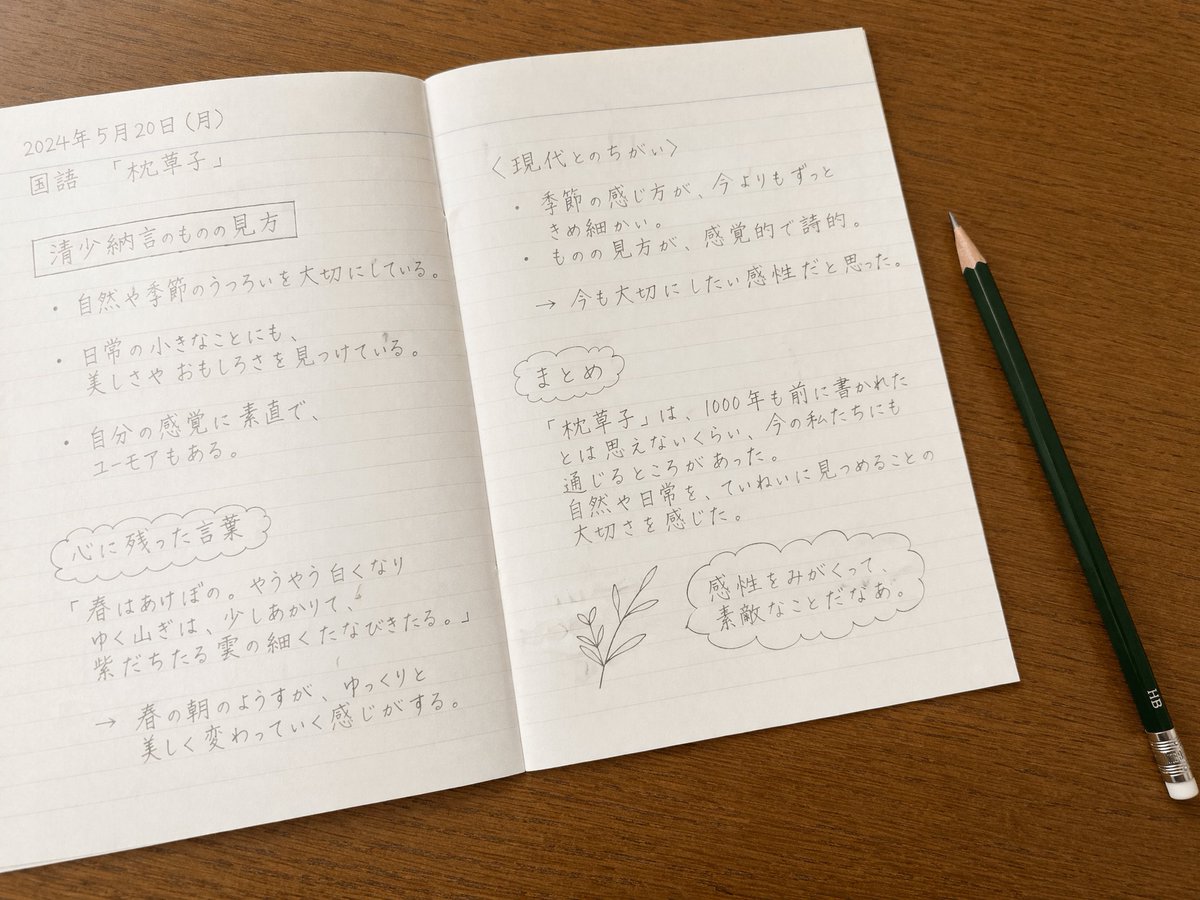
Japanese Notebook Study Sora 2 Prompt — Realistic Desk Scene
Realistic top-down scene of a Japanese study notebook with hand-written notes and a pencil, ideal for educational mockups and design templates.
提示词 · EN
type
书桌上摊开的手写笔记本setting
从上方俯视视角,一本打开的横线笔记本放在木纹书桌上props
item 1
带有横线的打开笔记本item 2
一支深绿色铅笔,带有银色金属箍和白色橡皮擦,放在书桌右侧left_page
header
date
{argument name="date" default="2024年5月20日(月)"}subject
{argument name="subject" default="国语"}topic
{argument name="topic" default="「枕草子」"}sections
item 1
title
{argument name="main heading" default="清少纳言的观察视角"}style
矩形边框content_type
项目符号列表count
3item 2
title
心に残った言葉style
云朵形状边框content_type
带有指向个人感悟箭头的引语count
2right_page
sections
item 1
title
〈现代とのちがい〉style
尖括号content_type
项目符号列表后接带箭头的结论count
3item 2
title
总结style
云朵形状边框content_type
总结段落count
1item 3
title
插图style
涂鸦content_type
叶片植物茎的小型线条画count
1item 4
title
思考气泡style
云朵形状对话气泡content_type
{argument name="thought text" default="感性をみがくって、素敵なことだなあ。"}count
1style
写实摄影风格,整洁的铅笔手写日语文字,柔和的自然光关于这个提示词
Realistic top-down scene of a Japanese study notebook with hand-written notes and a pencil, ideal for educational mockups and design templates. 它更适合作为 GPT Image 2 的概念艺术起点:先保留画面结构、主体关系和风格约束,再替换成你的品牌、人物或场景。
这条提示词使用结构化 JSON 组织信息,包含 type、setting、props、left page、right page、style 等字段。保留这种层级能让模型更清楚地区分画面主题、布局、界面元素和细节约束。
使用时建议先小幅修改主体、场景、镜头和色调,再生成多个版本对比构图与细节。这样页面内容对用户有实际帮助,也避免把模型名或标签机械堆在正文里。
如何使用这个提示词
- Copy the prompt from this page.
- Open your AI image generator (e.g., Sora, DALL·E 3).
- Paste the prompt and customize arguments like
dateorsubjectin curly brackets. - Generate the image and review the output.
- Regenerate or tweak arguments to refine details.


