
GPT Image 2AI 提示词
Book Summary Infographic Poster — Sora 2 Prompt
Generate a stylish book summary infographic poster with modern UI and retro illustration style, capturing key insights and memorable quotes for any book.
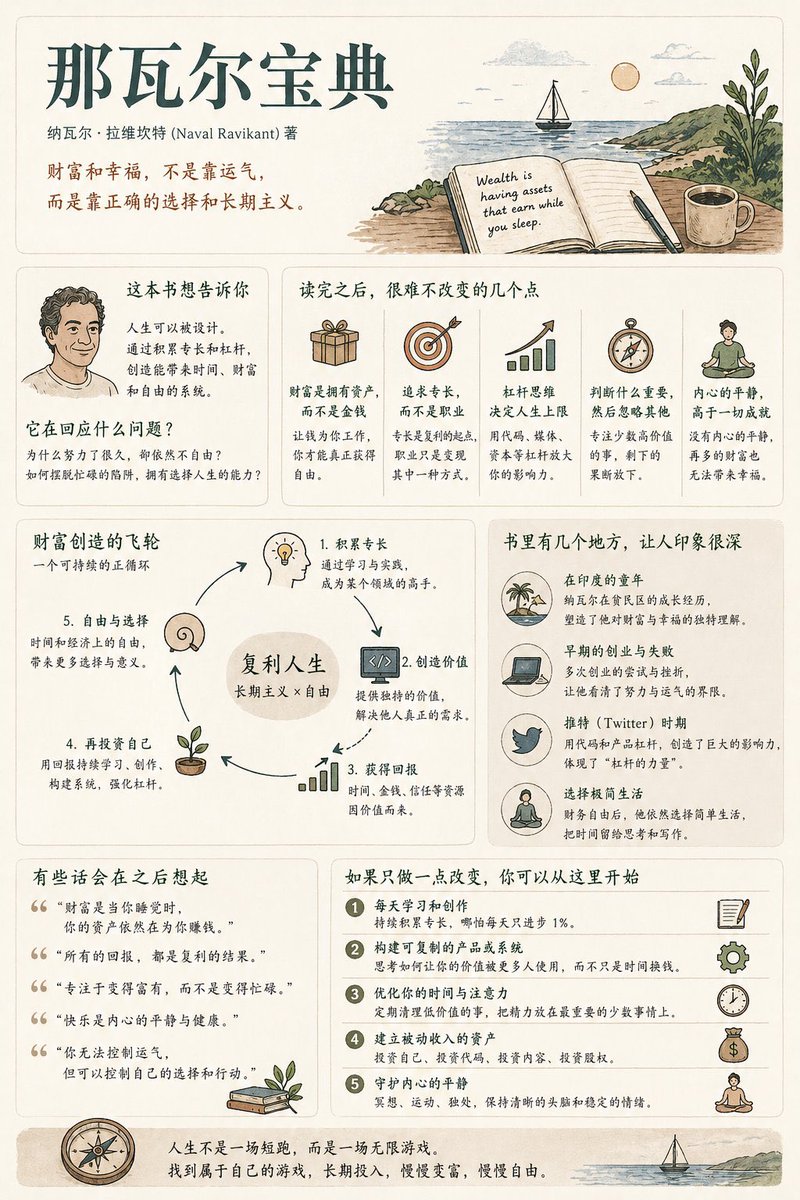
1 / 4
提示词 · EN
生成一张 [中等信息密度] 的书籍摘要信息图海报,主题为 "argbook title: 书籍标题"。 --- 第 0 步(关键预评估) 在开始生成之前,确定该书所属的类别(可多选):
* 认知成长(思维 / 自我提升)
* 商业 / 财富(赚钱 / 职业 / 投资)
* 心理 / 情感(人际关系 / 内在自我 / 人性)
* 小说 / 故事(叙事 / 角色 / 隐喻) 根据类别调整内容逻辑。 [整体风格]
现代极简 UI + 轻复古插画风格。柔和的浅色背景(奶油色 / 米色 / 浅灰色)。低饱和度色调(深绿色 / 深蓝色 / 棕色)。
关键词:安静、充实、易读。 [核心原则]
不要使用固定的模块标题。不要强求结构的完整性。根据书籍类型自然地组织信息。 [内容模块]
1. 开篇:书籍标题、作者、一句话见解。
2. 核心理解:“这本书真正想表达的是……”
3. 亮点:根据类别调整的关键要点。
4. 视觉结构:决策路径、杠杆系统或角色关系图。
5. 示例 / 片段:令人难忘的场景或案例。
6. 引言:富有深意的句子。
7. 行动:阅读后可采取的实用步骤。 [设计细节]
自适应网格布局,卡片式信息呈现,6:4 的图文比例,统一的插画风格,清晰的层级结构。 [语气语调]
听起来应该像是一个人类在分享对书籍的洞察和感悟,而不是枯燥的总结。
关于这个提示词
Generate a stylish book summary infographic poster with modern UI and retro illustration style, capturing key insights and memorable quotes for any book. 它更适合作为 GPT Image 2 的概念艺术起点:先保留画面结构、主体关系和风格约束,再替换成你的品牌、人物或场景。
使用时优先替换 book title 等占位符,并保持镜头、构图和材质描述的顺序不变。这样更容易获得稳定的画面结果,也方便继续做多版本对比。
如何使用这个提示词
- Copy the full prompt from above.
- Replace
{book title}with the exact title and author of your chosen book (e.g.,"Atomic Habits by James Clear"). - Paste the prompt into an advanced AI image generator such as Sora, Midjourney, or DALL·E 3.
- Generate the poster and tweak the prompt if you want to adjust the style or information density.
- Download and share your beautiful, personalized book summary poster!


