
GPT Image 2AI 提示词
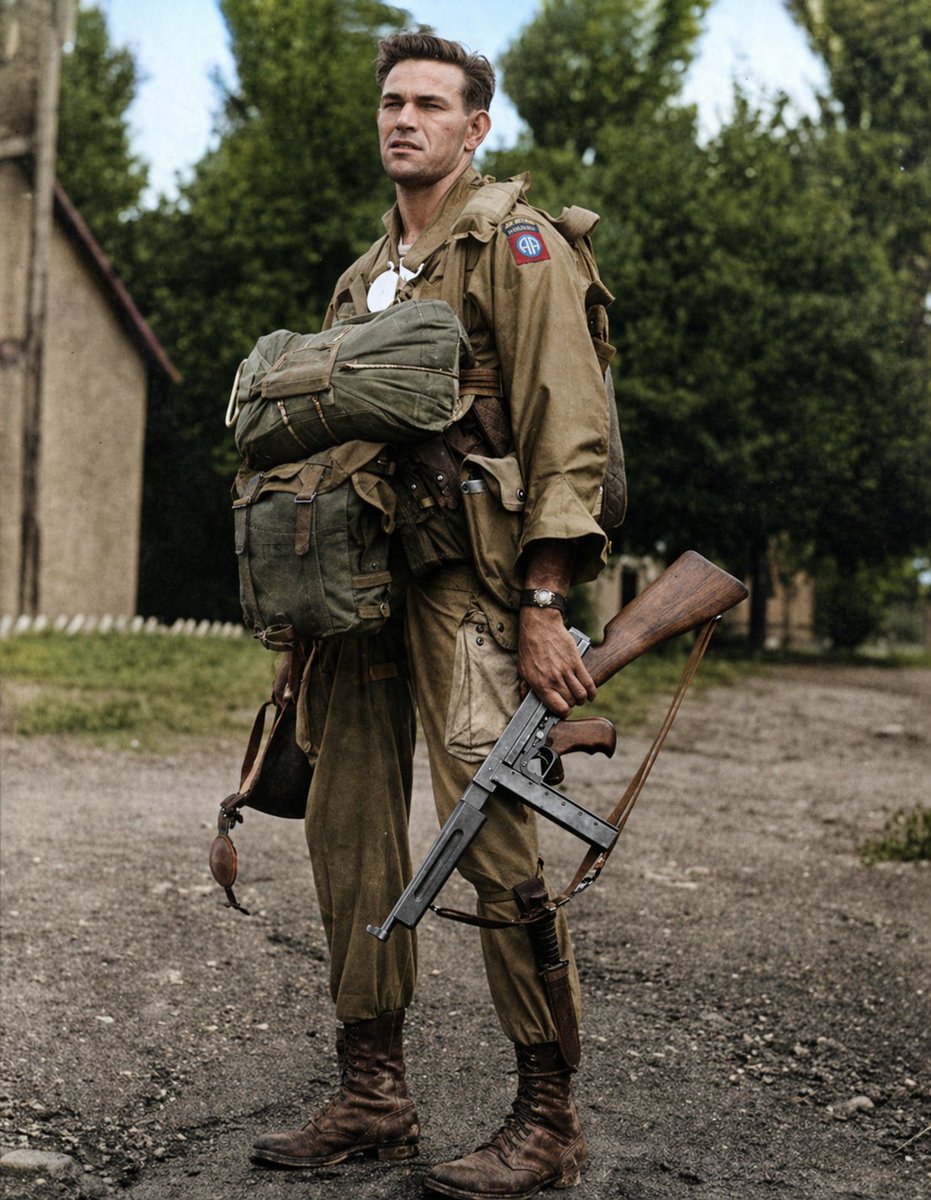
WW2 Paratrooper Photo Colorization — Realistic Restoration
Turn black-and-white WWII paratrooper photos into historically accurate color images with realistic uniform, equipment, and environment details.
提示词 · EN
使用提供的参考图像,将原始的二战伞兵黑白照片进行写实且符合历史事实的色彩还原。保留原有的构图、姿势、装备、武器、面部裁剪区域、背景以及摄影取景。添加自然且符合时代特征的色彩:卡其色/棕褐色制服和跳伞装备、橄榄绿背包、棕色皮革靴子和绑带、木质色调的步枪枪托、深色金属枪身,泥土路和建筑使用柔和的土色调,树木呈现绿色,天空为柔和的淡蓝色。确保第 82 空降师的肩章符合历史事实,即 1 个清晰可见的红、白、蓝三色肩章。最终效果应呈现为忠实于纪录片时代的修复作品,而非现代风格的重绘。
关于这个提示词
Turn black-and-white WWII paratrooper photos into historically accurate color images with realistic uniform, equipment, and environment details. 它更适合作为 GPT Image 2 的概念艺术起点:先保留画面结构、主体关系和风格约束,再替换成你的品牌、人物或场景。
使用时建议先小幅修改主体、场景、镜头和色调,再生成多个版本对比构图与细节。这样页面内容对用户有实际帮助,也避免把模型名或标签机械堆在正文里。
如何使用这个提示词
- Copy the prompt from above.
- Open an AI image generation tool with colorization support (e.g., Stable Diffusion with ControlNet, Midjourney with image prompts).
- Upload your black-and-white WWII paratrooper photo as a reference image.
- Paste the prompt and adjust settings like denoising strength or style weight to maintain original details.
- Generate and review the output, regenerating if necessary.


