
GPT Image 2AI 提示词
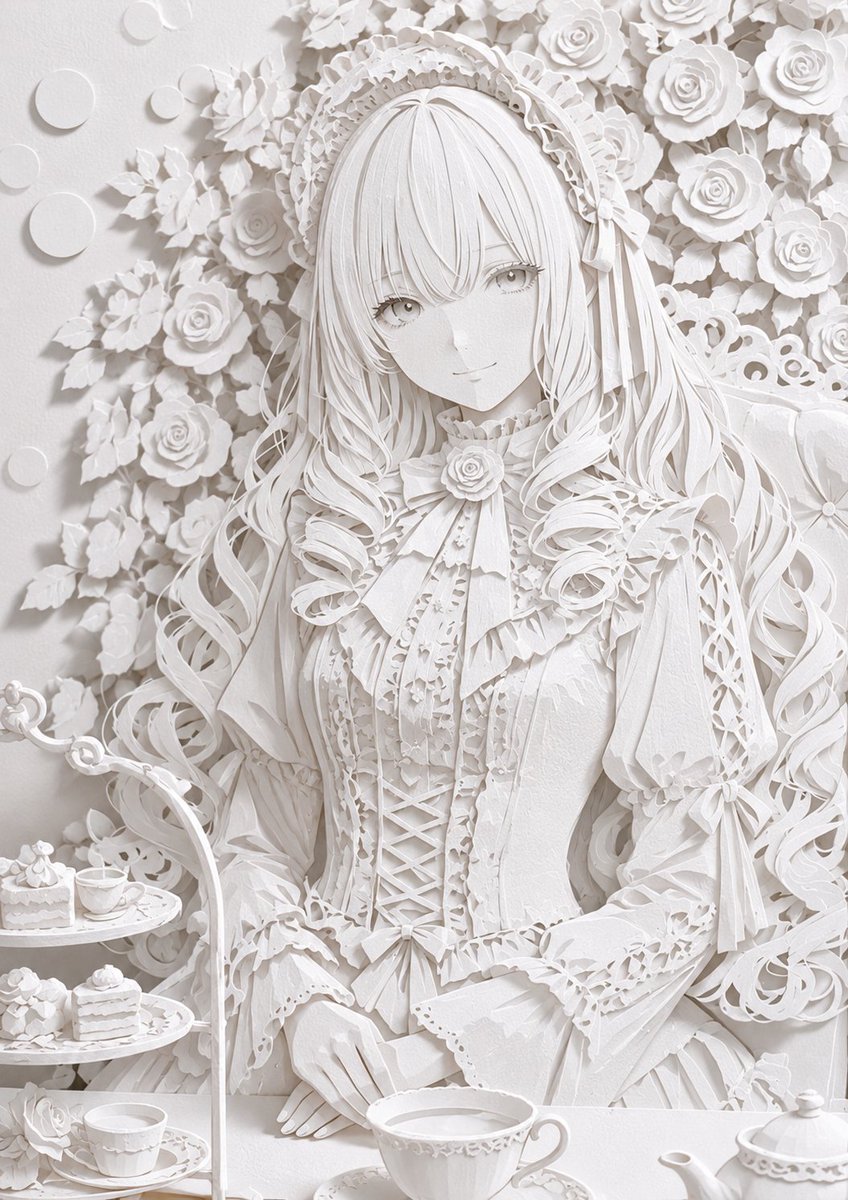
3D Paper Art Style Conversion — Hyper-Realistic Paper Craft Prompt
Transform any illustration into a stunning 3D paper craft masterpiece with laser-cut precision, layered depth, and realistic paper textures.
1 / 4
提示词 · EN
请将 argsubject: 此插画 转换为高度精确且逼真的 argcolor: 白色 纸质 argstyle: 纸艺 风格。通过类似激光切割纸板的锐利精准切口、精细折痕、多层叠加带来的丰富维度感、纸张纤维纹理以及自然阴影,展现高细节度。利用纸张的洁白质感和光影带来的微妙渐变,营造出如同真实三维纸艺作品般的质感。整体氛围需精致且具有艺术感。忠实保留原插画的构图与角色。
关于这个提示词
Transform any illustration into a stunning 3D paper craft masterpiece with laser-cut precision, layered depth, and realistic paper textures. 它更适合作为 GPT Image 2 的概念艺术起点:先保留画面结构、主体关系和风格约束,再替换成你的品牌、人物或场景。
使用时优先替换 subject、color、style 等占位符,并保持镜头、构图和材质描述的顺序不变。这样更容易获得稳定的画面结果,也方便继续做多版本对比。
如何使用这个提示词
- Copy the entire prompt text and paste it into your AI image generation tool (e.g., Sora 2). 2. Replace the default variables like
{subject}and{color}with your own illustration details and preferred paper color. 3. Select an appropriate AI model that excels at photorealistic and intricate detail rendering. 4. Generate the image and review the output for the layered paper effect and shadow realism. 5. Experiment with different source illustrations to see how the paper art style adapts to various compositions.


