
GPT Image 2AI 提示词
Personal Color Analysis Chart Generator — Sora 2 Prompt
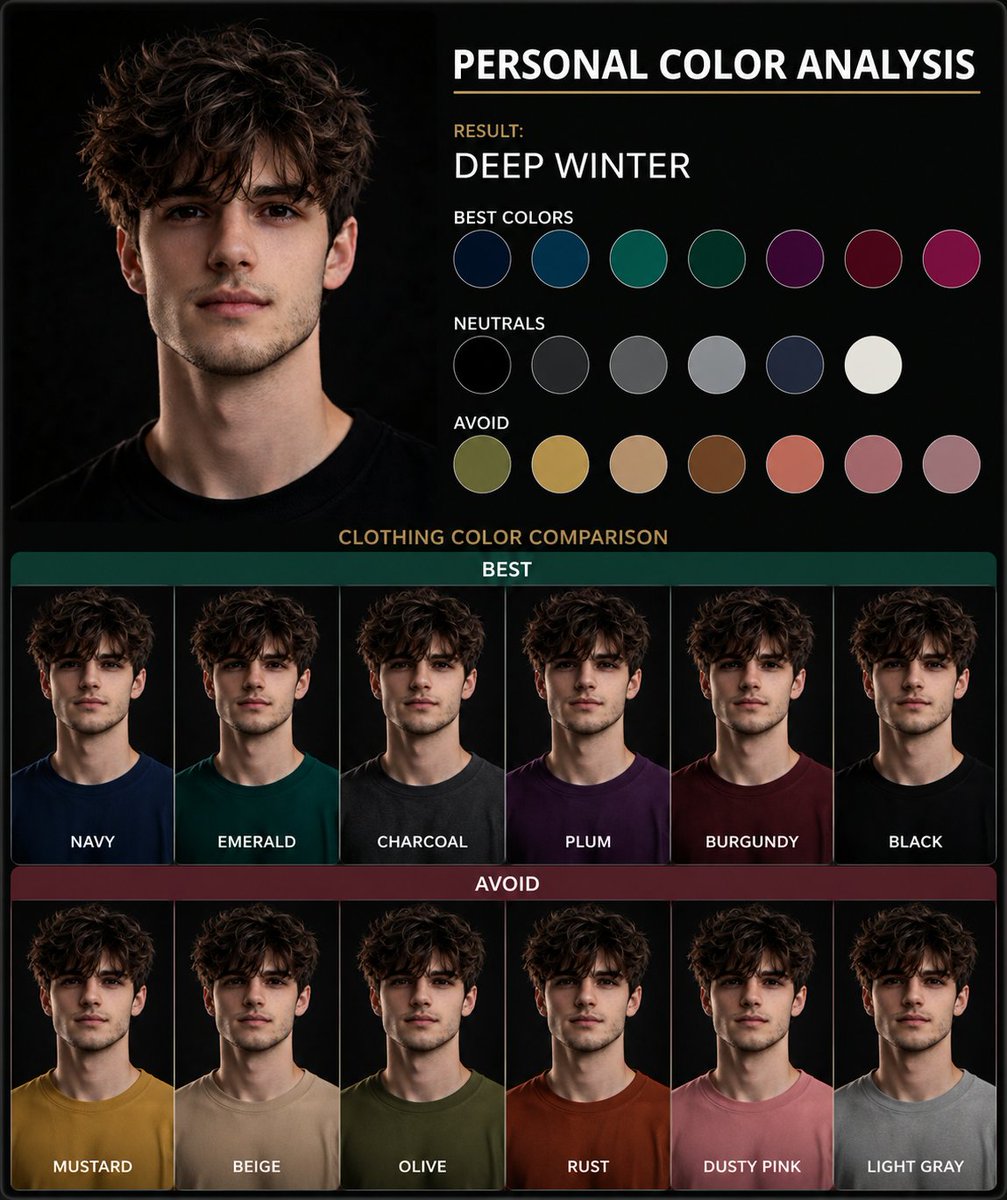
Generate a side-by-side clothing color comparison chart from a portrait photo to instantly discover your most flattering personal color palette.
提示词 · EN
使用这张肖像图创建一个 argtype: 个人色彩分析图表。展示并排的服装颜色对比,以突出最适合主体的人物色彩。以视觉呈现为主,仅使用简短标签,不要包含段落文字。
关于这个提示词
Generate a side-by-side clothing color comparison chart from a portrait photo to instantly discover your most flattering personal color palette. 它更适合作为 GPT Image 2 的概念艺术起点:先保留画面结构、主体关系和风格约束,再替换成你的品牌、人物或场景。
使用时优先替换 type 等占位符,并保持镜头、构图和材质描述的顺序不变。这样更容易获得稳定的画面结果,也方便继续做多版本对比。
如何使用这个提示词
- Copy the prompt text and paste it into your Sora 2 interface. 2. Upload your portrait photo as the reference image. 3. Adjust the
{type}variable if you want a different chart style (e.g., 'wardrobe color guide'). 4. Generate the image to see your personalized color analysis.


