
GPT Image 2AI 提示词
Editable PSD Layer Generator — Sora 2 Prompt
Generate a multi-layered, editable Photoshop file from any reference image by automatically isolating subjects, effects, and text onto separate layers.
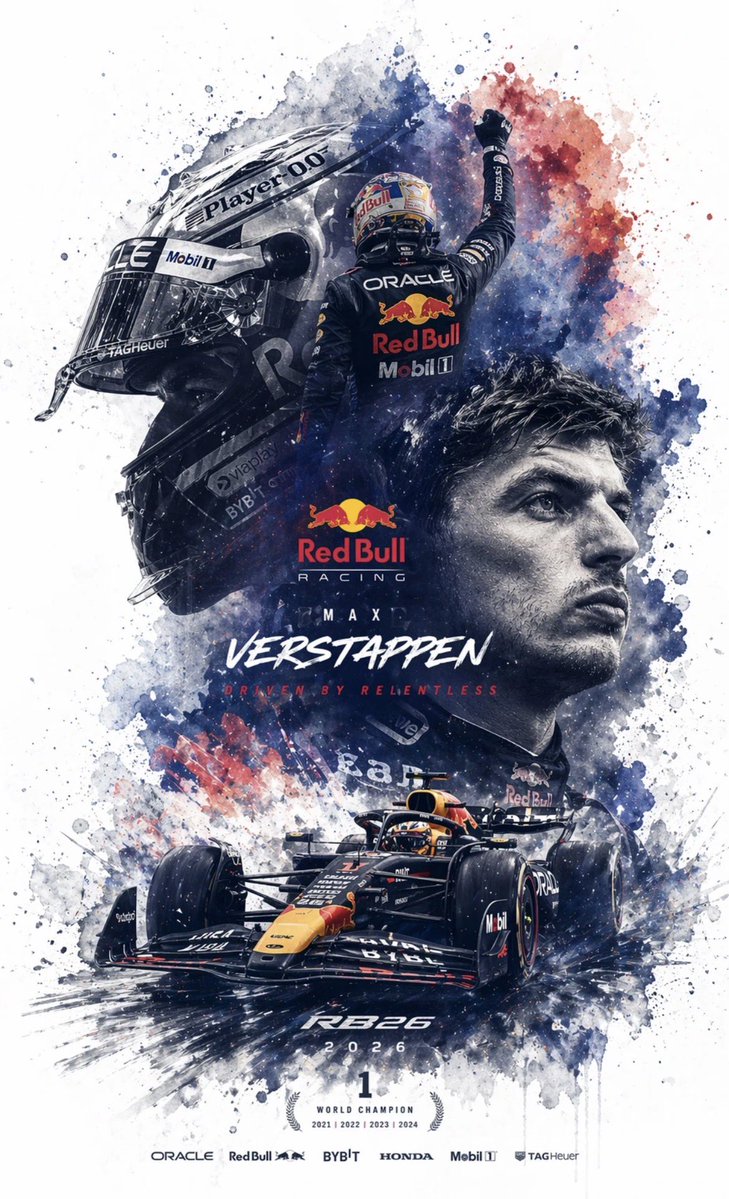
提示词 · EN
根据参考图像生成一个 argfile format: 可编辑的 Photoshop 分层 PSD 文件。请将图像分解为若干独立元素,且不改变其原始位置,并在 Photoshop 中生成相应的图层:1. 主体:使用图像生成工具创建无背景的 PNG,然后将其复制到对应的 Photoshop 图层中。2. 特效:如光效、装饰或氛围元素;同样生成无背景的 PNG 并复制到图层中。3. 文本:优先使用 Photoshop 原生文本工具调整字体、大小、颜色和样式;如果无法复刻字体,则生成无背景的 PNG 文本图像并放置在正确位置。4. 所有元素应与参考图像保持一致的位置、大小和层级关系。5. 最后,输出一个可以在 Photoshop 中打开并编辑的 PSD 文件。
关于这个提示词
Generate a multi-layered, editable Photoshop file from any reference image by automatically isolating subjects, effects, and text onto separate layers. 它更适合作为 GPT Image 2 的概念艺术起点:先保留画面结构、主体关系和风格约束,再替换成你的品牌、人物或场景。
使用时优先替换 file format 等占位符,并保持镜头、构图和材质描述的顺序不变。这样更容易获得稳定的画面结果,也方便继续做多版本对比。
如何使用这个提示词
- Copy this prompt into your AI image generation model (e.g., GPT-4o, GPT Image 2).
- Upload or specify your reference image.
- Adjust the 'file format' argument if you need a different output type.
- Run the prompt to generate the layered PSD structure.
- Download and open the output file in Adobe Photoshop for full editing.


