GPT Image 2AI 提示词
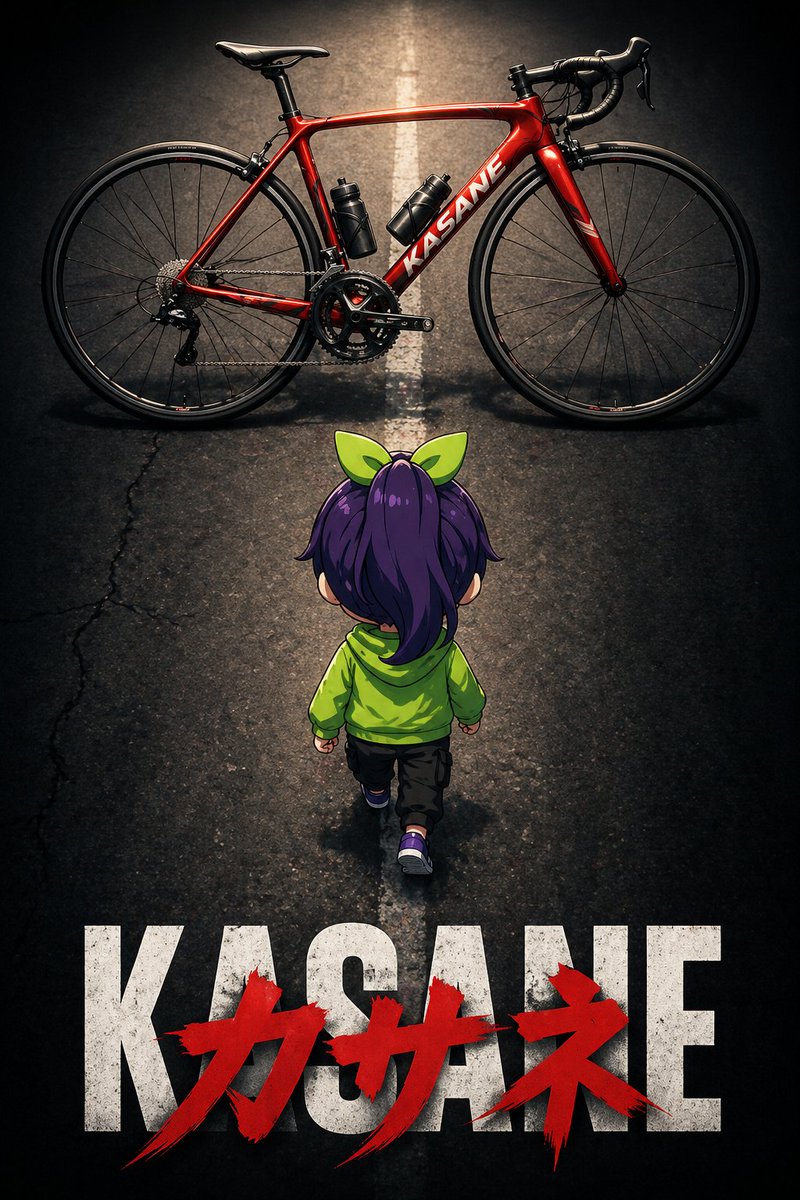
Dramatic Q-Character Bike Poster — Sora 2 Prompt
Creates a cinematic anime poster with a cute Q-version character seen from behind, walking towards a red road bike under dramatic lighting and lens effects.
提示词 · EN
image_generation_prompt: meta: description: "arg场景描述: 动漫电影海报风格插画,一个 Q 版角色背影,正准备骑上一辆公路自行车" reference_usage: "参考附图以确定角色外观" style: art_style: "arg艺术风格: 动漫电影海报" mood: "戏剧性" subject: type: "Q 版角色" pose: view: "背影" action: "左脚向前迈步,朝向屏幕上方的公路自行车" target_direction: "公路自行车方向(画面顶部)" composition: top: element: "红色公路自行车" layout: "横跨屏幕全宽,与顶部边缘平行" center: element: "Q 版角色背影" angle: "俯视" bottom: text_layer_base: content: "arg文本: KASANE" style: "粗体无衬线字体" color: "白色" text_layer_overlay: content: "Kasane" style: "粗笔触涂鸦风格" color: "红色" position: "覆盖在 KASANE 字样上方" objects: road_bike: color: "红色" orientation: "侧视图 / 水平" facing_direction: "朝向左侧" road: detail: "路中央画有一条白色直线。白线不清晰,呈现微弱且模糊的状态。道路左侧局部有细微、模糊且非常小的裂纹。" technical_settings: shot_size: "远景" shot_angle: "俯拍" zoom_emphasis: "着重强调 Q 版角色和自行车" lens_effects: "暗角效果" lighting: direction: "从正上方照明"
关于这个提示词
Creates a cinematic anime poster with a cute Q-version character seen from behind, walking towards a red road bike under dramatic lighting and lens effects. 它更适合作为 GPT Image 2 的概念艺术起点:先保留画面结构、主体关系和风格约束,再替换成你的品牌、人物或场景。
使用时优先替换 场景描述、艺术风格、文本 等占位符,并保持镜头、构图和材质描述的顺序不变。这样更容易获得稳定的画面结果,也方便继续做多版本对比。
如何使用这个提示词
- Copy the prompt into your preferred AI image generation tool.
- Select an anime or illustration-capable model (e.g., Sora 2, Midjourney).
- Customize the variables: scene description, art style, and bottom text to match your vision.
- Provide a reference image if available to maintain character consistency.
- Generate and iterate by tweaking composition or lighting settings.