
GPT Image 2AI 提示词
Epic Angel in Golden Clouds — Sora 2 Cinematic Prompt
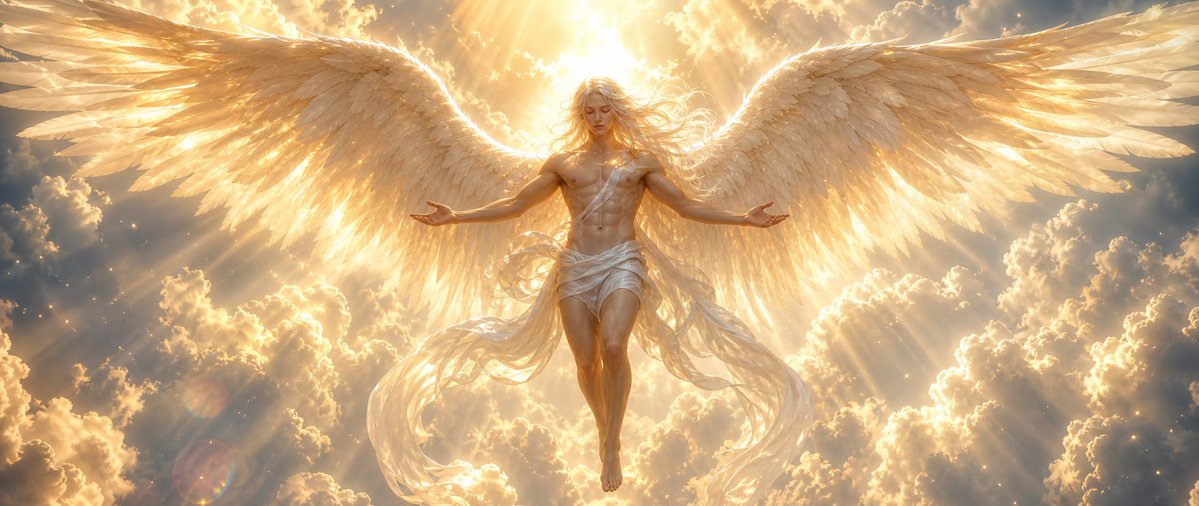
Generates a hyper-realistic, epic cinematic scene of a radiant angel descending through glowing clouds with a vast sunburst halo and luminous wings.
提示词 · EN
Create a cinematic fantasy image of a radiant argangel gender: androgynous male angel descending through a sea of glowing clouds at sunrise, centered in a wide panoramic composition. The angel has an idealized athletic body, long flowing arghair color: golden blond hair blowing in the light, a softly obscured or faceless face overwhelmed by divine radiance, bare chest, bare feet, and a wind-tossed white linen wrap draped around the waist and across one shoulder with long translucent fabric ribbons trailing downward. Show exactly two enormous feathered wings, one extending left and one extending right, spanning almost the full width of the frame; the feathers are layered, detailed, ivory and gold, backlit so their edges glow. The angel floats with legs together, arms open outward in a welcoming blessing pose, palms relaxed. Behind the head is an intense sunburst halo of argdivine light color: warm golden white light, with dramatic volumetric rays streaming through towering cumulus clouds. The atmosphere is heavenly, serene, awe-inspiring and majestic, filled with tiny sparkling dust motes, soft lens flare, radiant mist, and high-contrast golden illumination. Use hyperrealistic digital painting / epic concept art style, ultra-detailed feathers, luminous skin, ethereal fabric motion, symmetrical composition, wide 21:9 aspect ratio, no text, no border, no modern objects.
关于这个提示词
Generates a hyper-realistic, epic cinematic scene of a radiant angel descending through glowing clouds with a vast sunburst halo and luminous wings. 它更适合作为 GPT Image 2 的概念艺术起点:先保留画面结构、主体关系和风格约束,再替换成你的品牌、人物或场景。
使用时优先替换 angel gender、hair color、divine light color 等占位符,并保持镜头、构图和材质描述的顺序不变。这样更容易获得稳定的画面结果,也方便继续做多版本对比。
如何使用这个提示词
- Copy the full prompt text above.
- Paste it into your preferred AI image generator (e.g., Sora 2, Midjourney).
- Edit the optional variables like
{angel gender}or{hair color}to customize the character. - Set your desired output aspect ratio (the prompt is optimized for 21:9).
- Generate and refine as needed to achieve your perfect heavenly scene.


