
GPT Image 2AI 提示词
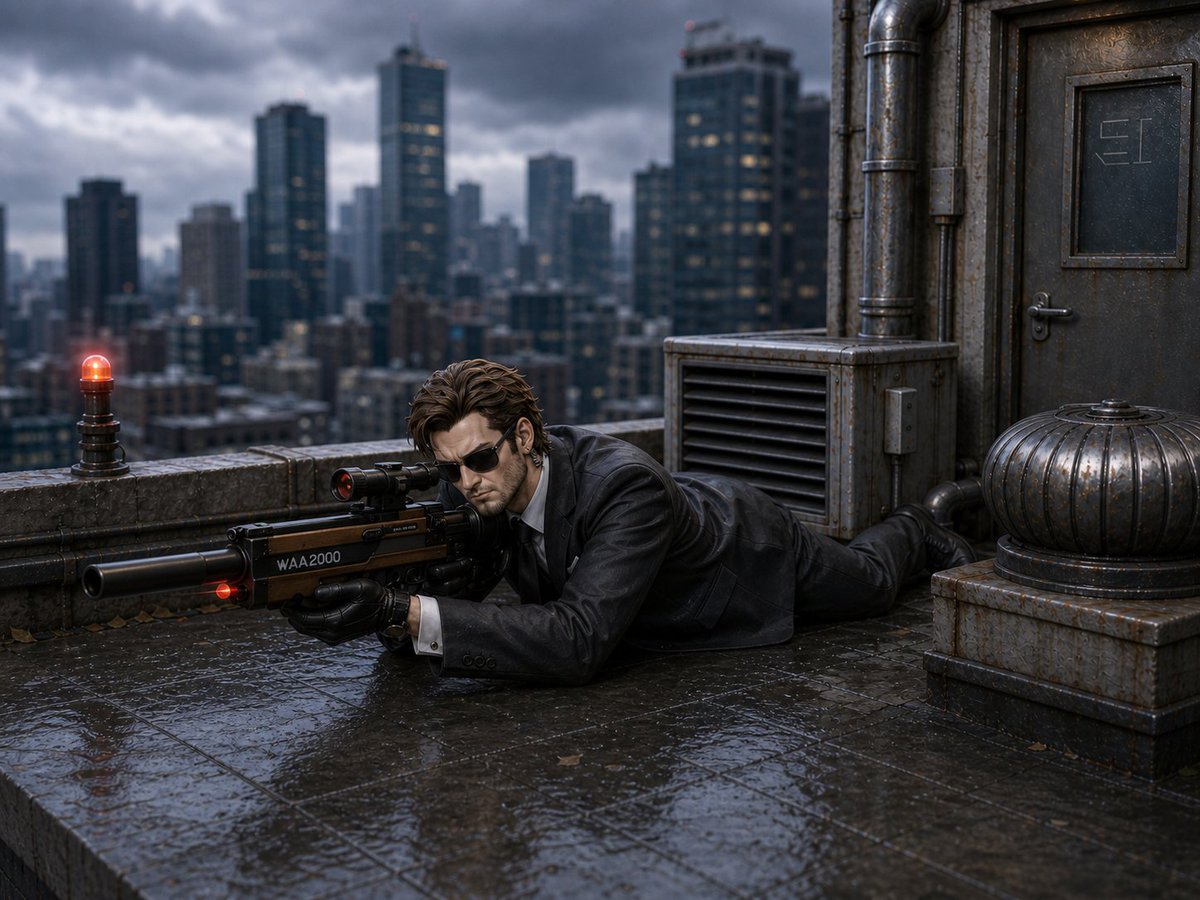
Cinematic Rainy Rooftop Sniper Diorama — Sora 2 Prompt
Create a moody, hyper-realistic miniature diorama of a rooftop sniper scene with noir atmosphere, cinematic lighting, and customizable weather and style.
提示词 · EN
Create a cinematic hyper-realistic miniature diorama scene on a rainy rooftop in a dense modern city, shot at low eye level with shallow depth of field. A single male operative in a wet black suit, white shirt, black tie, and black gloves lies prone on slick reflective stone tiles, aiming a large futuristic suppressed sniper rifle labeled “WAA2000” with a small glowing red laser/indicator near the barrel; his face is deliberately obscured by a soft square blur. The rooftop contains exactly 4 prominent fixtures: one small red warning beacon glowing on the parapet at left, one industrial louvered ventilation unit behind the man, one heavy weathered metal door with a small inset panel at right, and one ribbed metal dome turbine on a square base in the lower right. The background is a blurred skyline of tall dark skyscrapers under dramatic storm clouds, with wet concrete, rusted pipes, grime, fallen leaves, puddle reflections, cool blue-gray color grading, moody noir atmosphere, high detail, realistic rain-soaked textures, and diorama-like scale-model precision. Use a argscene style: cinematic hyper-realistic miniature diorama look, a argweather: rainy stormy evening atmosphere, a argcharacter outfit: wet black suit with white shirt and black tie, a argweapon label: WAA2000, and a argcity backdrop: dark blurred skyscraper skyline.
关于这个提示词
Create a moody, hyper-realistic miniature diorama of a rooftop sniper scene with noir atmosphere, cinematic lighting, and customizable weather and style. 它更适合作为 GPT Image 2 的概念艺术起点:先保留画面结构、主体关系和风格约束,再替换成你的品牌、人物或场景。
使用时优先替换 scene style、weather、character outfit、weapon label 等占位符,并保持镜头、构图和材质描述的顺序不变。这样更容易获得稳定的画面结果,也方便继续做多版本对比。
如何使用这个提示词
- Copy the entire prompt text above.
- Open your AI image generator (e.g., Sora, Runway, Pika) and paste it into the prompt field.
- Customize the optional variables in curly braces
{}—such as scene style, weather, and weapon label—to tailor the output. - Generate the image and review the result. Adjust variables or add details for refinement.
- Use the generated image for concept art, visual storytelling, or as a base for further editing.


