
GPT Image 2AI 提示词
Retro-Futuristic M5Stack HUD — Claude Code Usage Dashboard Prompt
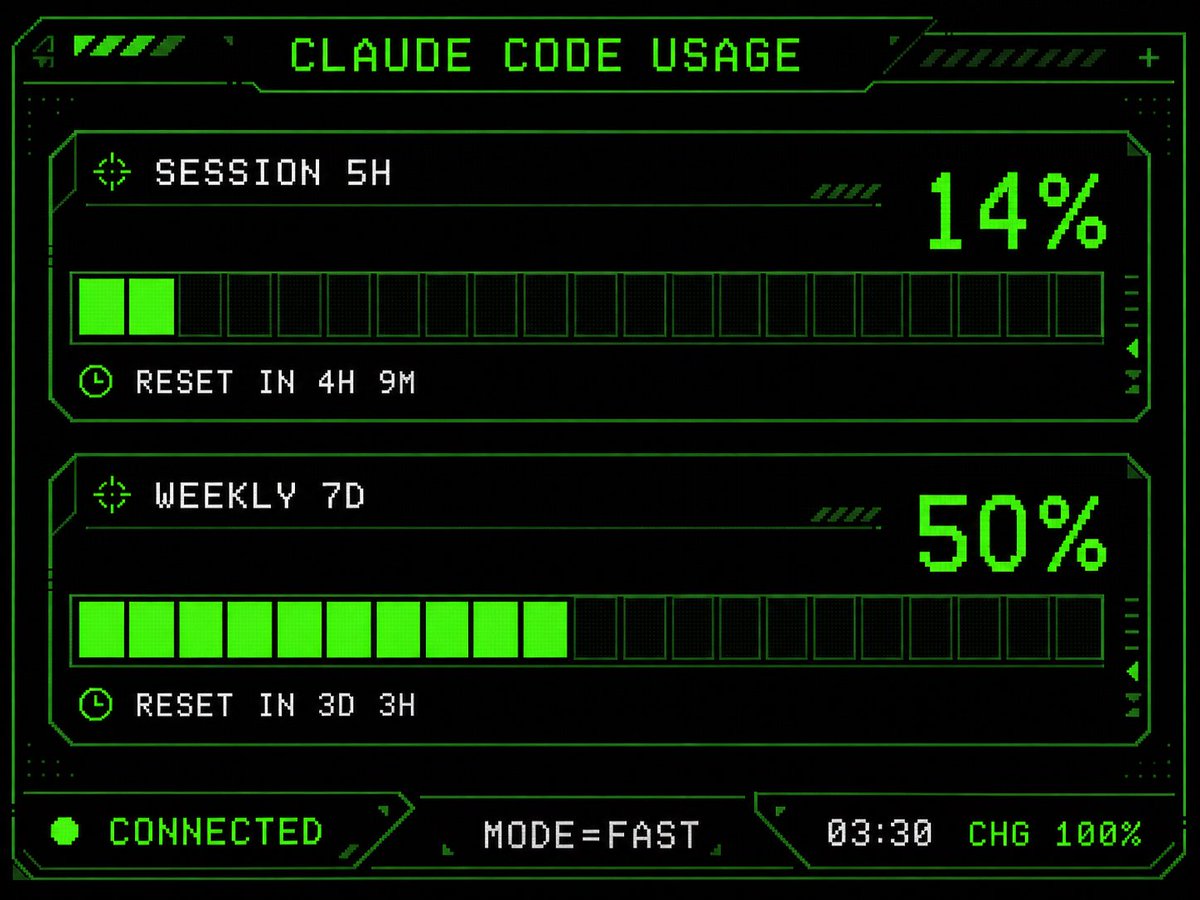
Generates a polished monochrome green terminal HUD with chunky pixelated gauges, sci-fi frame, and CRT glow — perfect for cyberpunk M5Stack dashboards.
提示词 · EN
Using the provided reference image as the UI/data source, redesign it into a polished retro-futuristic monochrome green terminal HUD for an M5Stack-style display. Keep the same information and values unchanged: title argtitle text: CLAUDE CODE USAGE, two usage sections labeled argsession label: SESSION 5H and argweekly label: WEEKLY 7D, percentages 14% and 50%, reset messages "RESET IN 4H 9M" and "RESET IN 3D 3H", and footer statuses "CONNECTED", "MODE=FAST", "03:30", "CHG 100%". Replace the plain bars with chunky pixelated segmented gauges: exactly 2 horizontal gauge panels, each with 20 rectangular segments, with the first showing 2 filled neon-green segments and the second showing 10 filled neon-green segments. Add a detailed sci-fi frame with angular borders, thin circuit-like linework, corner brackets, dotted texture, small arrow/target/clock icons, diagonal hazard stripes, and subtle CRT/pixel-grid glow. Use a black background, bright neon green outlines and fills, and white-green pixel text. Arrange the footer as exactly 3 bottom modules: left "CONNECTED" with a green status dot, center "MODE=FAST", and right "03:30 CHG 100%". Make it sharper, more stylish, and more production-ready than the reference while preserving the same dashboard function and data.
关于这个提示词
Generates a polished monochrome green terminal HUD with chunky pixelated gauges, sci-fi frame, and CRT glow — perfect for cyberpunk M5Stack dashboards. 它更适合作为 GPT Image 2 的概念艺术起点:先保留画面结构、主体关系和风格约束,再替换成你的品牌、人物或场景。
使用时优先替换 title text、session label、weekly label 等占位符,并保持镜头、构图和材质描述的顺序不变。这样更容易获得稳定的画面结果,也方便继续做多版本对比。
如何使用这个提示词
- Copy the prompt and fill in your preferred title, session label, weekly label, and usage percentages. 2. Choose a model that supports image generation and detail-oriented UI design. 3. Paste the prompt into the model's input field and generate. 4. Review the output and tweak variables like segment counts or color accents if needed. 5. Export the final image for use in your M5Stack project or retro HUD mockup.


