
GPT Image 2AI 提示词
Gothic City Boss Battle: Dark Fantasy RPG Screenshot Prompt
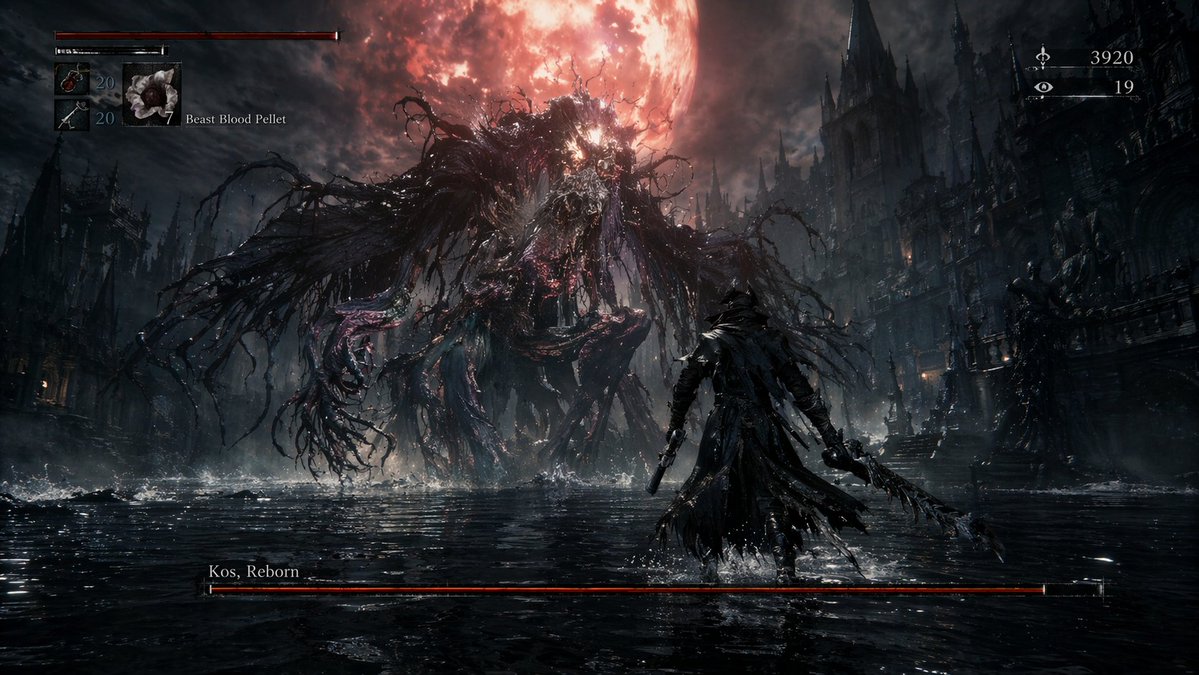
Generate a cinematic dark fantasy RPG screenshot featuring a Cthulhu-style boss fight in a gothic flooded city, complete with immersive HUD elements.
提示词 · EN
type
video game screenshotsetting
暗黑奇幻哥特式城市,浅水中矗立着高耸的尖塔,上方悬挂着一轮巨大的 {argument name="moon color" default="血红色"} 月亮characters
player
猎人身穿 {argument name="player outfit" default="深色风衣和三角帽"},手持锯齿刀和手枪,背对镜头boss
{argument name="boss appearance" default="由纠缠的黑色触手组成、内部散发红光的巨大克苏鲁风格怪物"}layout
sections
item 1
title
玩家状态 HUDposition
top-leftcount
3labels
item 1
红色生命值条item 2
绿色体力值条item 3
物品栏(药水:20,子弹:20,{argument name="selected item" default="怪兽血丸"}:7)item 2
title
货币 HUDposition
top-rightcount
2labels
item 1
货币图标:3920item 2
眼睛图标:19item 3
title
Boss 生命值条position
bottom-centercount
1labels
item 1
{argument name="boss name" default="重生者科斯"}centerpiece
玩家与 Boss 在水中史诗般的对峙关于这个提示词
Generate a cinematic dark fantasy RPG screenshot featuring a Cthulhu-style boss fight in a gothic flooded city, complete with immersive HUD elements. 它更适合作为 GPT Image 2 的概念艺术起点:先保留画面结构、主体关系和风格约束,再替换成你的品牌、人物或场景。
这条提示词使用结构化 JSON 组织信息,包含 type、setting、characters、layout 等字段。保留这种层级能让模型更清楚地区分画面主题、布局、界面元素和细节约束。
使用时建议先小幅修改主体、场景、镜头和色调,再生成多个版本对比构图与细节。这样页面内容对用户有实际帮助,也避免把模型名或标签机械堆在正文里。
如何使用这个提示词
- Copy the prompt text.
- Open your preferred AI image/video generation tool (e.g., Sora 2, Runway, Midjourney).
- Paste the prompt and customize the variable fields (moon color, boss appearance, etc.) to match your desired scene.
- Generate the screenshot and adjust parameters if needed for best results.
- Refine the prompt based on output to perfect the HUD layout.


