
GPT Image 2AI 提示词
Wavefunction Collapse Infographic — Sora 2 Prompt
Generate a clean, modern 3-step scientific infographic explaining quantum wavefunction collapse with visual metaphors and labels.
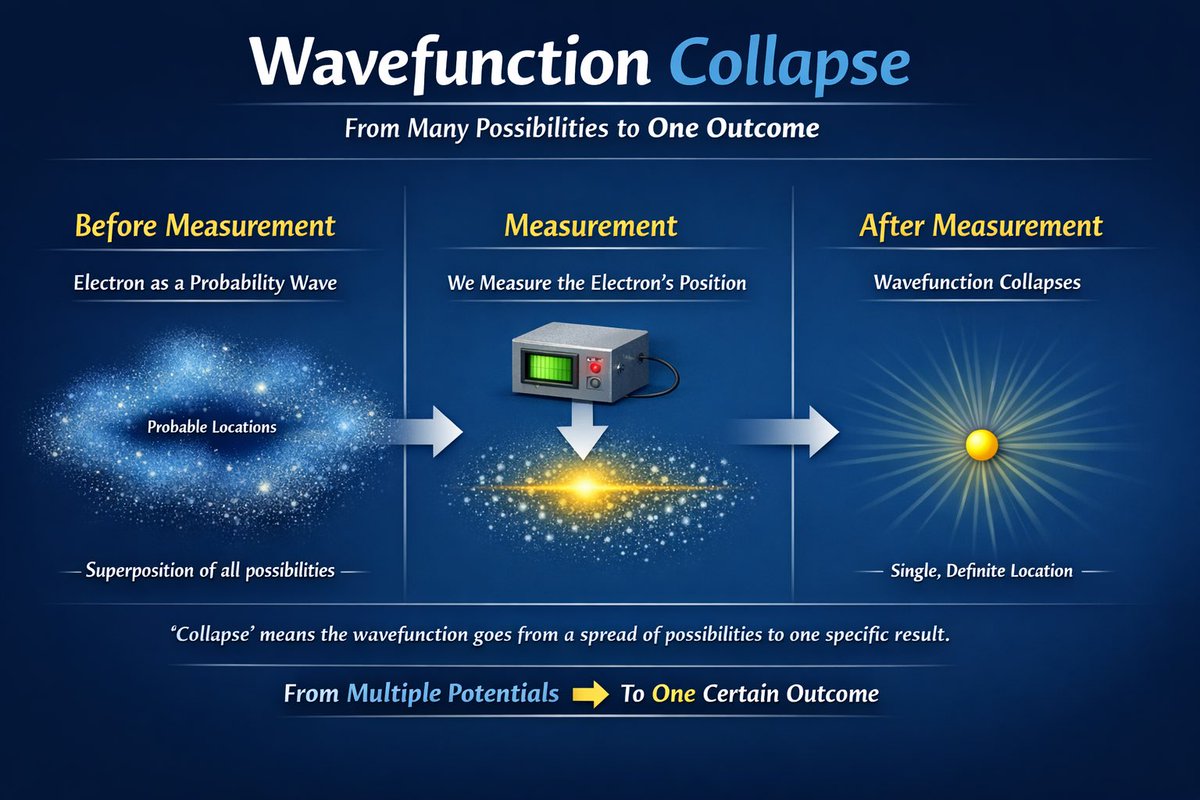
提示词 · EN
type
educational infographicstyle
clean, modern, scientific illustrationbackground
dark blue gradientheader
title
{argument name="main title" default="Wavefunction Collapse"}subtitle
From Many Possibilities to One Outcomelayout
structure
3 columns separated by thin vertical lines, connected by 2 horizontal right-pointing arrowssections
item 1
heading
{argument name="step 1 title" default="Before Measurement"}subheading
{argument name="subject" default="Electron"} as a Probability Wavevisual
diffuse, glowing blue cloud of particles resembling a nebulalabels
item 1
Probable Locationsitem 2
Superposition of all possibilitiesitem 2
heading
{argument name="step 2 title" default="Measurement"}subheading
We Measure the {argument name="subject" default="Electron"}'s Positionvisual
grey rectangular measuring device with a green screen and red button, with a downward arrow pointing to a flattened, glowing blue and yellow particle clouditem 3
heading
{argument name="step 3 title" default="After Measurement"}subheading
Wavefunction Collapsesvisual
single, solid yellow sphere emitting radial light rayslabels
item 1
Single, Definite Locationfooter
explanation
'Collapse' means the wavefunction goes from a spread of possibilities to one specific result.summary
From Multiple Potentials [yellow right arrow] To One Certain Outcome关于这个提示词
Generate a clean, modern 3-step scientific infographic explaining quantum wavefunction collapse with visual metaphors and labels. 它更适合作为 GPT Image 2 的概念艺术起点:先保留画面结构、主体关系和风格约束,再替换成你的品牌、人物或场景。
这条提示词使用结构化 JSON 组织信息,包含 type、style、background、header、layout、footer 等字段。保留这种层级能让模型更清楚地区分画面主题、布局、界面元素和细节约束。
使用时建议先小幅修改主体、场景、镜头和色调,再生成多个版本对比构图与细节。这样页面内容对用户有实际帮助,也避免把模型名或标签机械堆在正文里。
如何使用这个提示词
- Copy the entire prompt JSON.
- Paste it into your preferred AI model (e.g., Sora 2, DALL-E 3, Midjourney).
- Customize the
argumentvariables likemain title,step 1 title, orsubjectto fit your concept. - Adjust the visual style or color scheme in the
styleorbackgroundfields if desired. - Generate the image and refine if needed.


