
GPT Image 2AI 提示词
Cyberpunk Section 9 Streetwear Editorial — Sora 2 Prompt
Generate a gritty, film-grain cyberpunk fashion photo featuring tactical streetwear with customizable hair color, logo, and concept crossover details.
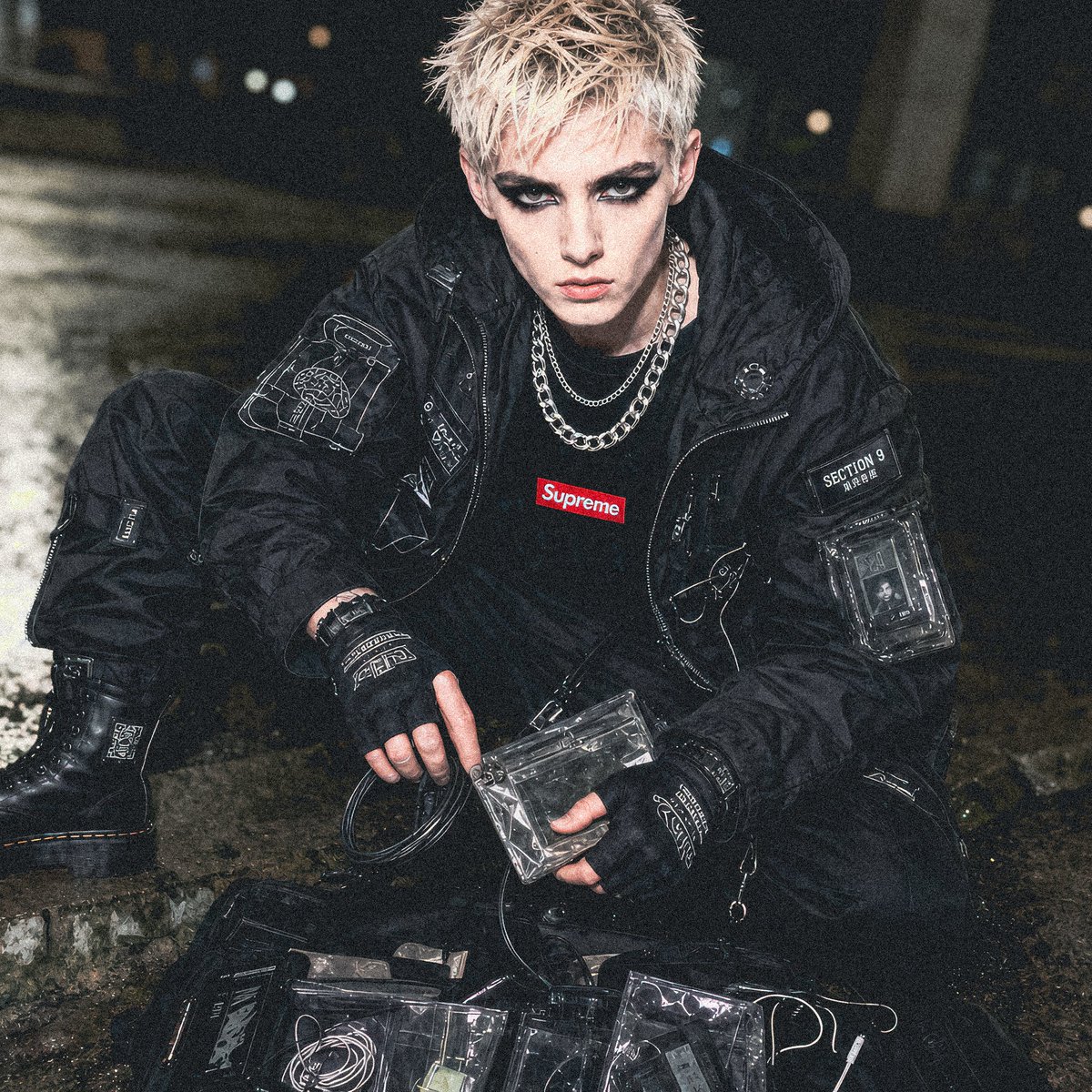
提示词 · EN
创作一张充满颗粒感的赛博朋克街头服饰专题照片,场景设定在夜间的工业小巷中,一位年轻男性模特蹲在潮湿的混凝土路面上,身旁散落着透明战术袋和线缆。他留着一头短刺猬发型,发色为 arghair color: 漂白金色,面部经过处理,呈现出刻意模糊的平滑无特征状态,采用近景四分之三侧坐姿势。为他穿上一套全黑机能风服装:超大款黑色战术飞行员夹克,上面布满了白色示意图刺绣、补丁、拉链和透明功能口袋;黑色工装裤,带有技术标签;厚重的黑色作战靴;黑色露指手套;叠戴的银色链条项链;以及一件黑色 T 恤,胸前印有小巧的红色 argbrand logo text: Supreme 盒装 Logo。添加清晰可见的网络安全细节,包括一个写有 argunit patch text: SECTION 9 的袖章、下方的日式小字、半透明塑料设备架、卷曲的数据线、透明乙烯基装备盒,以及夹克和手套上白色的线条艺术赛博格图解。整个场景应呈现出 argconcept crossover: Supreme x 攻壳机动队 Section 9 的时尚概念感,采用强烈的机顶闪光灯拍摄,地面潮湿且具反射感,背景为模糊的暗色城市,浅景深,高对比度,颗粒质感,纪录片式时尚风格,以黑色和炭灰色为主色调,点缀红色 Logo,呈现真实的织物褶皱、尼龙光泽、金属高光,营造出一种忧郁的地下赛博朋克氛围。
关于这个提示词
Generate a gritty, film-grain cyberpunk fashion photo featuring tactical streetwear with customizable hair color, logo, and concept crossover details. 它更适合作为 GPT Image 2 的概念艺术起点:先保留画面结构、主体关系和风格约束,再替换成你的品牌、人物或场景。
使用时优先替换 hair color、brand logo text、unit patch text、concept crossover 等占位符,并保持镜头、构图和材质描述的顺序不变。这样更容易获得稳定的画面结果,也方便继续做多版本对比。
如何使用这个提示词
- Copy this prompt in full and paste it into your Sora 2 or compatible AI image generator.
- Select your preferred AI model that supports detailed photographic style prompts.
- Customize the variables: hair color, brand logo text, unit patch text, and concept crossover to match your vision.
- Generate the image and review the output. Adjust prompt details or regenerate for variations.


