
GPT Image 2AI 提示词
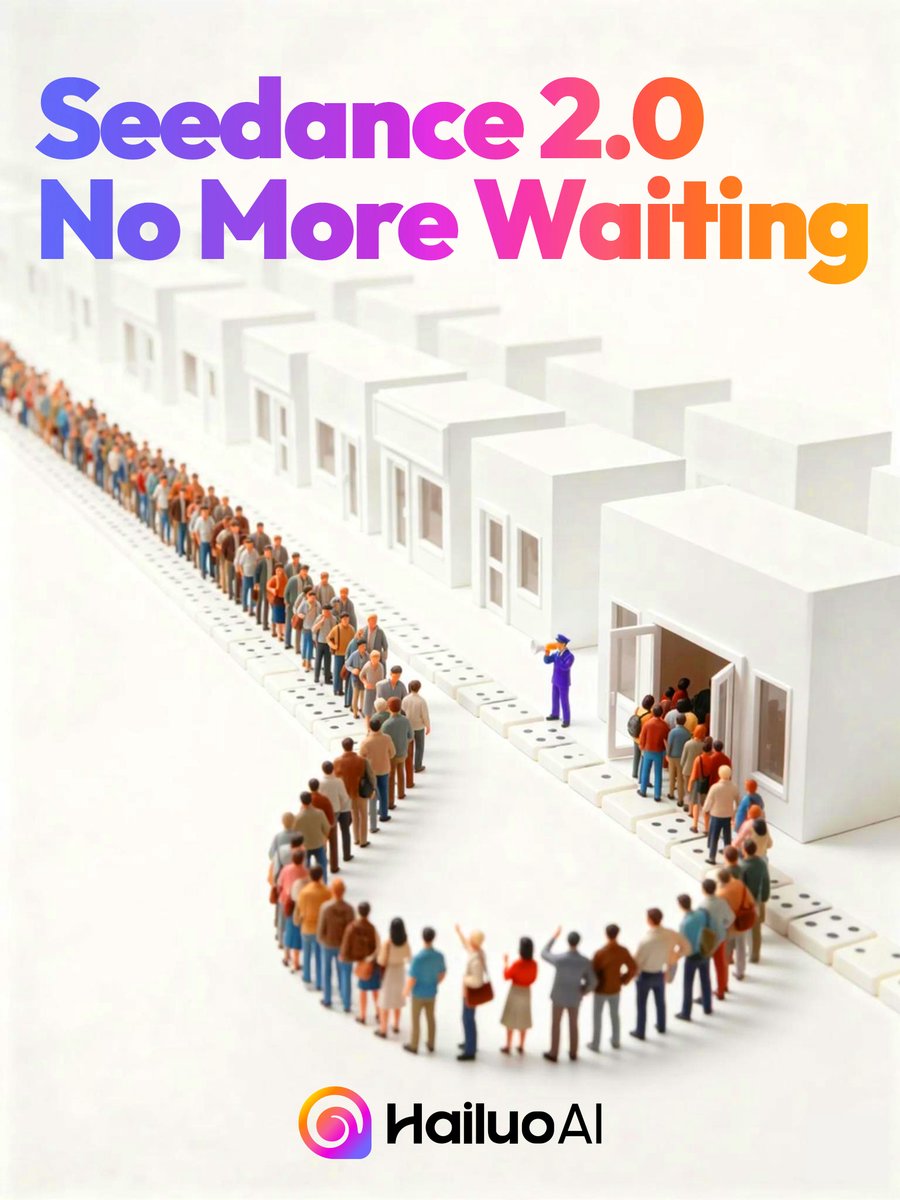
Isometric 3D Queue Poster — Seedance 2.0 AI Launch
Create a stunning isometric 3D tech poster featuring a winding queue of stylized people waiting at minimalist white buildings with a vibrant gradient title.
提示词 · EN
制作一张简洁的正方形宣传海报,采用暖米白色背景,呈现等轴测微缩 3D 立体模型。在顶部放置巨大的粗体圆角无衬线标题文本 argheadline text: Seedance 2.0 无需等待,分为两行,并带有从蓝色和紫色过渡到洋红色再到橙色的鲜艳从左至右渐变效果。在标题下方,展示一条蜿蜒的长队,由微小的风格化人物组成,在成排的极简白色立方体建筑前等候;包含 12 个向远处延伸的可见白色建筑单元,每个单元都有简单的矩形门窗,右侧有一个显眼的开放式门口。人群应包含数十个穿着休闲装的多元化小人物,排列成蜿蜒的线条以营造深度感,一名身穿紫色制服的工作人员在开放式门口附近引导人们进入。使用柔和的摄影棚灯光、浅景深、微妙的阴影、光洁的表面以及高端科技广告的视觉风格。在底部中心,放置一个彩色圆形渐变应用风格图标,后跟黑色字标 argbrand name: HailuoAI。保持构图空灵简约,标题占据上半部分,队列场景占据中部和下部区域。
关于这个提示词
Create a stunning isometric 3D tech poster featuring a winding queue of stylized people waiting at minimalist white buildings with a vibrant gradient title. 它更适合作为 GPT Image 2 的概念艺术起点:先保留画面结构、主体关系和风格约束,再替换成你的品牌、人物或场景。
使用时优先替换 headline text、brand name 等占位符,并保持镜头、构图和材质描述的顺序不变。这样更容易获得稳定的画面结果,也方便继续做多版本对比。
如何使用这个提示词
- Copy the entire prompt text.
- Paste it into your preferred AI image generator (e.g., Sora, Midjourney).
- Edit the
{headline text}and{brand name}variables to customize. - Adjust the number of buildings or people in the queue for your layout.
- Generate and download your high-quality tech promotional poster.


