
GPT Image 2AI 提示词
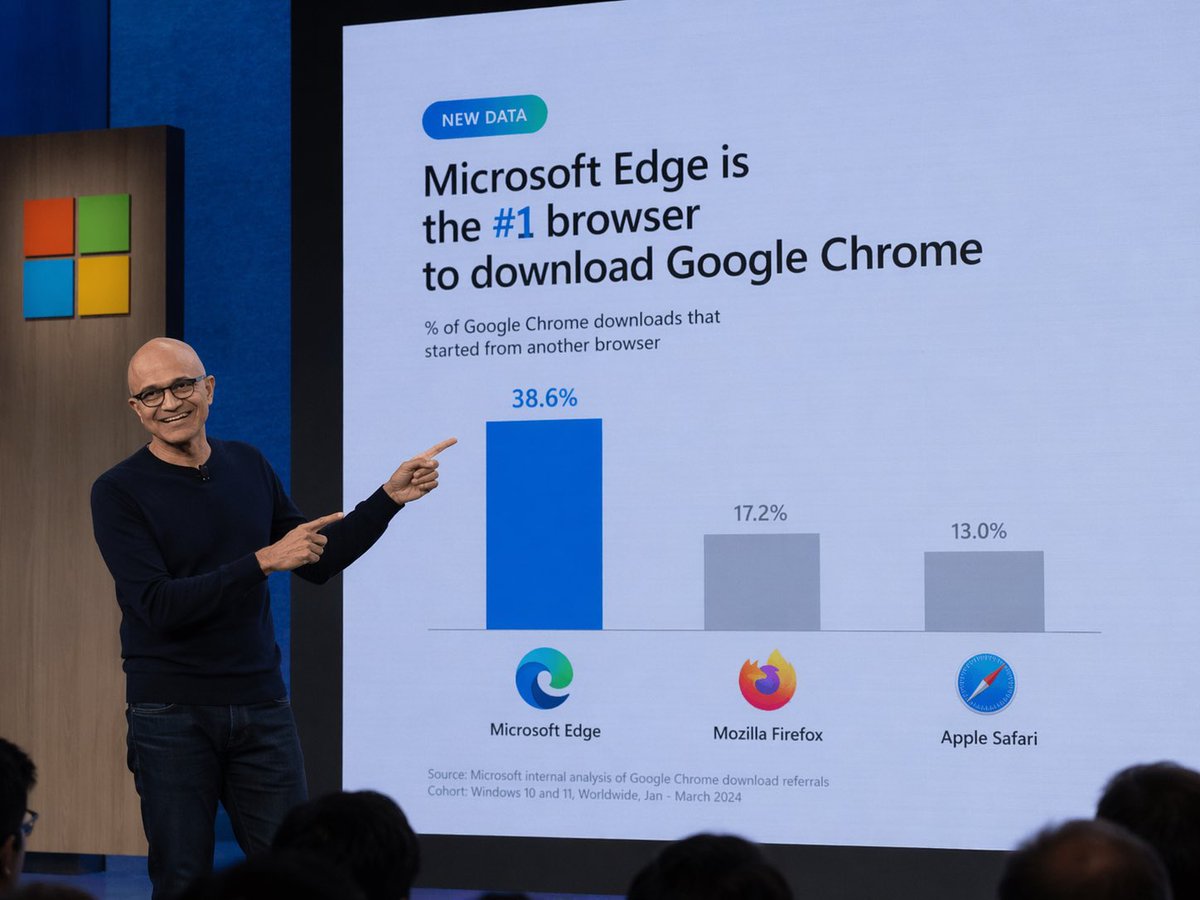
Microsoft Edge #1 Browser for Chrome Downloads Prompt
Easily create a humorous tech keynote photo featuring a slide that shows Microsoft Edge as the top browser for Chrome downloads.
提示词 · EN
一张科技主题演讲的照片。一位戴眼镜的秃头男子,身穿深蓝色毛衣和牛仔裤,站在舞台左侧,微笑着并用双手食指指向身后的大型演示屏幕。屏幕上显示着一张浅蓝色背景的 Slides。左上角有一个写着“NEW DATA”的青色胶囊状小徽章。下方的主标题写着“argheadline: Microsoft Edge is the #1 browser to download Google Chrome”,其中“#1”以蓝色高亮显示。副标题写着“% of Google Chrome downloads that started from another browser”。下方是一个包含三个柱状的条形图。第一根柱子较高且为蓝色,上方标注“38.6%”,下方带有 Microsoft Edge 标志和“Microsoft Edge”文字。第二根柱子较短且为灰色,上方标注“17.2%”,下方带有 Mozilla Firefox 标志和“Mozilla Firefox”文字。第三根柱子最短且为灰色,上方标注“13.0%”,下方带有 Apple Safari 标志和“Apple Safari”文字。在 Slides 左下角,小字写着“Source: Microsoft internal analysis of Google Chrome download referrals Cohort: Windows 10 and 11, Worldwide, Jan - March 2024”。屏幕左侧的木板上印有 Microsoft 标志(四个彩色方块)。前景底部可见观众的后脑勺。
关于这个提示词
Easily create a humorous tech keynote photo featuring a slide that shows Microsoft Edge as the top browser for Chrome downloads. 它更适合作为 GPT Image 2 的概念艺术起点:先保留画面结构、主体关系和风格约束,再替换成你的品牌、人物或场景。
使用时优先替换 headline 等占位符,并保持镜头、构图和材质描述的顺序不变。这样更容易获得稳定的画面结果,也方便继续做多版本对比。
如何使用这个提示词
- Copy the complete prompt from this page.
- Paste it into an AI image generator like DALL·E 3, Midjourney, or Sora.
- Optionally modify the
{headline}argument to customize the slide title. - Generate the image and download your realistic presenter photo.


