
GPT Image 2AI 提示词
AI Workflow Infographic with Photorealistic Guide — Sora 2 Prompt
Create a professional, multi-section infographic with a photorealistic AI presenter for software tutorials, workflow summaries, or best-practice guides.
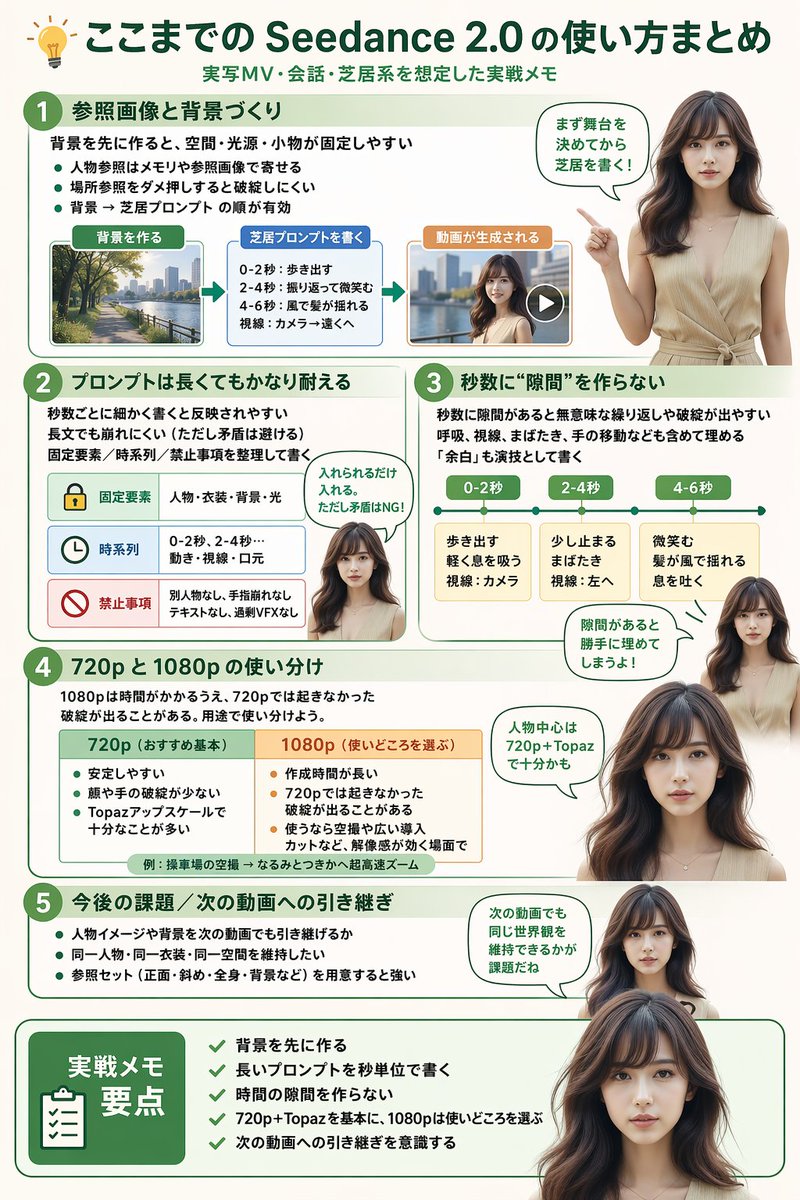
提示词 · EN
type
infographicstyle
clean, modern, professional, soft green and beige color palette, photorealistic character integrationheader
icon
lightbulbtitle
{argument name="main title" default="ここまでの Seedance 2.0 の使い方まとめ"}subtitle
{argument name="subtitle" default="実写MV・会話・芝居系を想定した実践メモ"}presenter_character
{argument name="presenter description" default="photorealistic young Japanese woman with long dark brown hair wearing a beige sleeveless top"}total_presenter_cutouts
6layout
sections
item 1
number
1title
{argument name="section 1 title" default="参照画像と背景づくり"}elements
3 bullet points, 1 horizontal 3-step flowchart with thumbnail images (cityscape, text box, video player)presenter_pose
pointing left towards the flowchart, with a speech bubbleitem 2
number
2title
{argument name="section 2 title" default="プロンプトは長くてもかなり耐える"}elements
2 bullet points, 1 table with 3 rows featuring icons (lock, clock, prohibition sign)presenter_pose
neutral expression, looking forward, with a speech bubbleitem 3
number
3title
秒数に“隙間”を作らないelements
2 bullet points, 1 horizontal timeline graphic with 3 segmentspresenter_pose
pointing up, looking slightly left, with a speech bubbleitem 4
number
4title
720p と 1080p の使い分けelements
text description, 1 two-column comparison table (green column, orange column)presenter_pose
looking forward, with a speech bubbleitem 5
number
5title
今後の課題 / 次の動画への引き継ぎelements
4 bullet pointspresenter_pose
looking slightly right, with a speech bubbleitem 6
type
summary_boxtitle
実践メモ 要点elements
clipboard icon, 5 checklist items with green checkmarkspresenter_pose
large portrait from chest up, looking directly at viewer关于这个提示词
Create a professional, multi-section infographic with a photorealistic AI presenter for software tutorials, workflow summaries, or best-practice guides. 它更适合作为 GPT Image 2 的概念艺术起点:先保留画面结构、主体关系和风格约束,再替换成你的品牌、人物或场景。
这条提示词使用结构化 JSON 组织信息,包含 type、style、header、presenter character、total presenter cutouts、layout 等字段。保留这种层级能让模型更清楚地区分画面主题、布局、界面元素和细节约束。
使用时建议先小幅修改主体、场景、镜头和色调,再生成多个版本对比构图与细节。这样页面内容对用户有实际帮助,也避免把模型名或标签机械堆在正文里。
如何使用这个提示词
- Copy the full JSON prompt template.
- Paste it into your preferred AI image generator that supports complex instructions.
- Customize the variables in curly braces
{}(likemain title,presenter description) to match your topic. - Adjust the section details and number of presenter cutouts as needed.
- Generate the image for a clean, modern infographic layout.


